Create a selection strategy
A selection strategy is a reusable configuration that combines a collection of offers with eligibility rules and a ranking method to determine which offers are shown when the strategy is used in a decision policy.
To create a selection strategy
-
Log in to Journey Optimizer
-
Navigate to Decisioning ->Strategy setup ->Selection strategies ->Create selection strategy
-
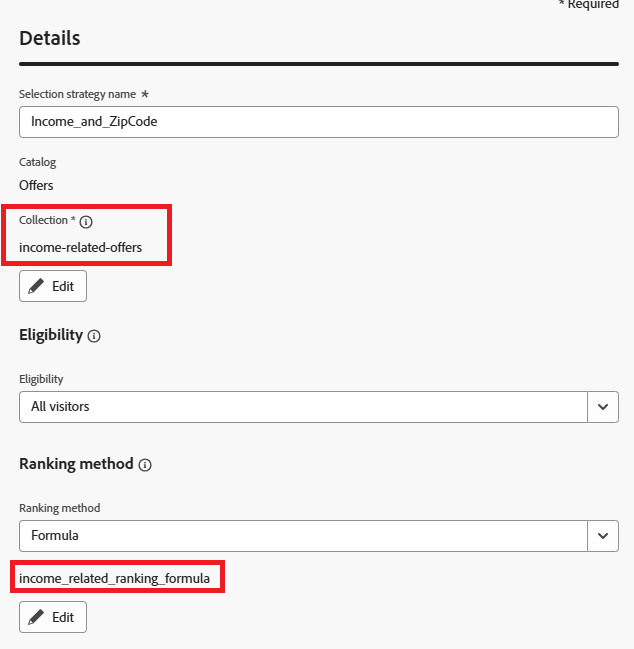
Provide Selection strategy name, Collection, Eligibility and Ranking method as shown in the screenshot
Make sure to use formula as the ranking method
recommendation-more-help
journey-optimizer-learn-help-tutorial-ranking-formula-to-present-offers