Enable Frequency Capping for an AJO Campaign
To apply frequency capping to offers, complete the following steps:
Update the event schema
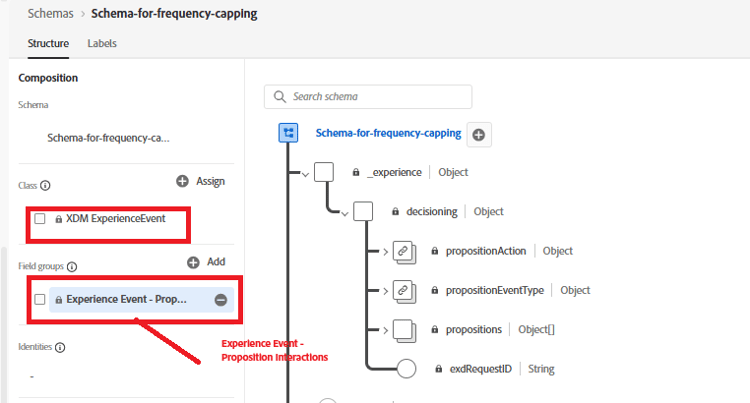
- Update the exisiting event schema by adding the field group as shown
-
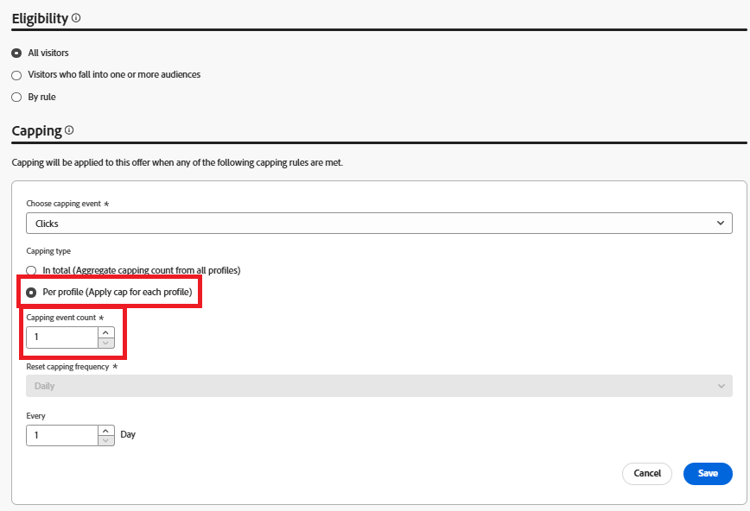
Update the frequency capping for the offer
Add tracking token to the offer
Edit the decision policy used in the campaign by adding a fallback offer
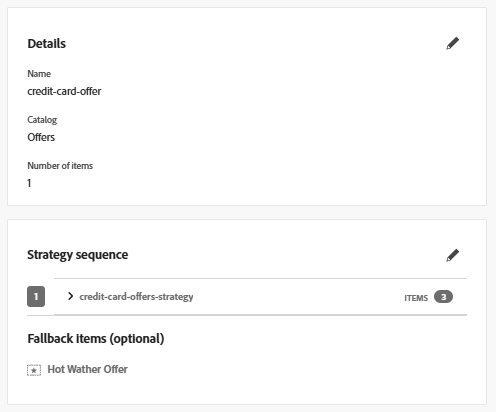
The trackingToken and ItemID can be added by clicking on the Decision policy icon in the left navigation and drill down the decisioning tree to select the itemID and trackingToken.
Add the item id and the tracking token to the div containing the offer as shown below
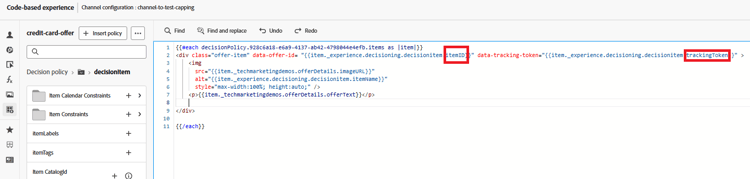
This ensures that each rendered offer includes a data-tracking-token, which is essential for accurate impression and click event tracking.
Activate the modified campaign.
Send impression and tracking events
Modify the existing JavaScript code to capture and send offer impression and interaction events to Adobe Experience Platform using the Adobe Web SDK. Refer to the sample code provided here.