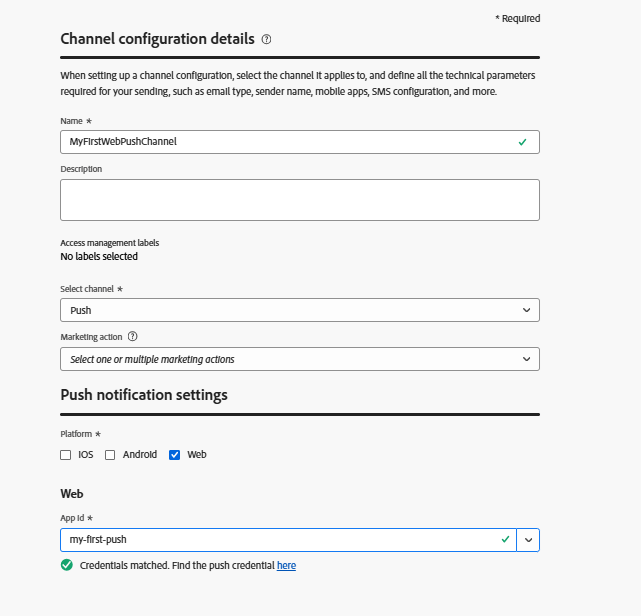
Create push channel
The first step is to create a Push Channel in Adobe Journey Optimizer. As part of this setup, you will need to generate VAPID keys, which are required to authenticate and enable web push notifications. These keys are then used in the push channel configuration, allowing AJO to securely send notifications to subscribed users.
Generate VAPID Keys
VAPID (Voluntary Application Server Identification) is a web push standard that lets your server identify itself to push services (like Chrome, Edge, etc.) using public/private key pairs, so the push provider knows who is sending the notification.
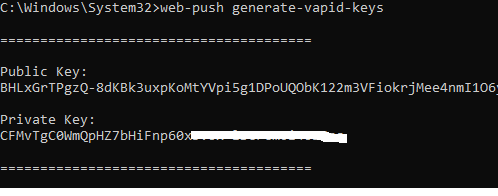
It is generated using a tool like web-push generate-vapid-keys, which creates a public key (shared with the browser) and a private key (kept on your server) used together to authenticate and securely send push messages.
For this tutorial we have used Node.js to generate the VAPID keys.
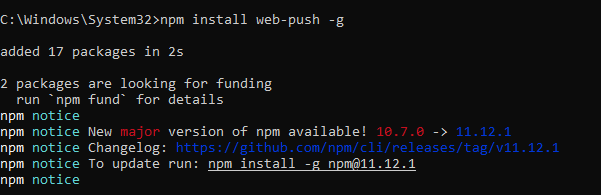
Make sure you have Node.js installed. Then issue the following commandnpm install web-push -g
web-push generate-vapid-keys
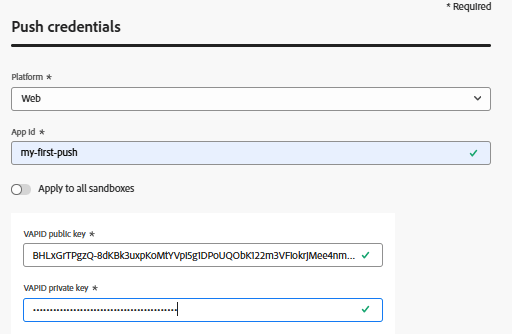
Create Push Credential
-
Login to Journey Optimizer
-
Navigate to Administration | Channels | PUSH SETTINGS | Push Credentials| Create push credential
-
Create Channel Configuration
-
Login to Journey Optimizer
-
Navigate to Administration | Channels | Create Channel Configuration