Datastream configuration override settings config-overrides
Datastream overrides allow you to define additional configurations for your datastreams, which get passed to the Edge Network via the Web SDK. This feature helps you conditionally trigger different datastream behaviors without creating a new datastream or modifying your existing settings.
- Log in to experience.adobe.com using your Adobe ID credentials.
- Navigate to Data Collection > Tags.
- Select the desired tag property.
- Navigate to Extensions, then select Configure on the Adobe Experience Platform Web SDK card.
- Scroll down to the Datastream configuration overrides section.
Datastream configuration override is a two step process:
- First, you must define your datastream configuration override when configuring a datastream in the Datastreams UI. See Datastream configuration overrides in the datastreams documentation for instructions on how to configure overrides.
- After you have configured the datastream override in the datastreams UI, you can configure the tag extension.
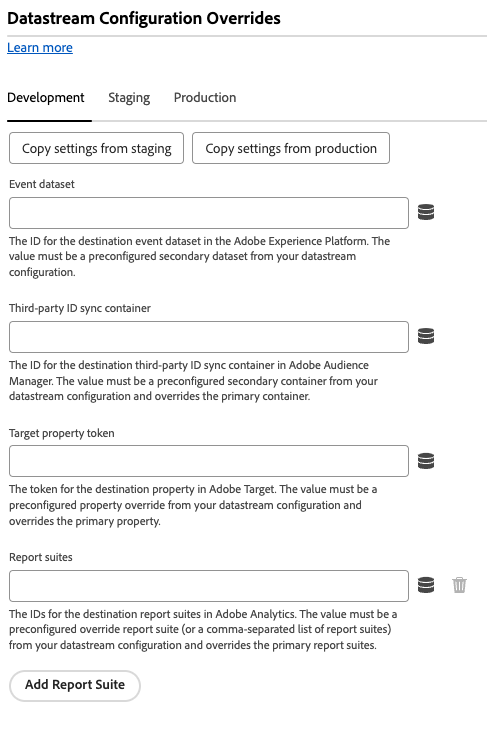
Datastream overrides must be configured on a per-environment basis. The development, staging, and production environments all have separate overrides. You can copy the override settings between any desired environment:
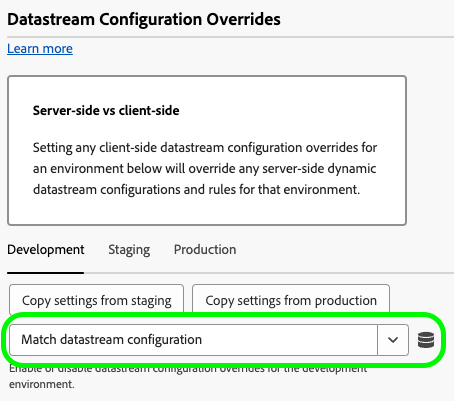
By default, datastream configuration overrides are disabled. The Match datastream configuration option is selected by default.
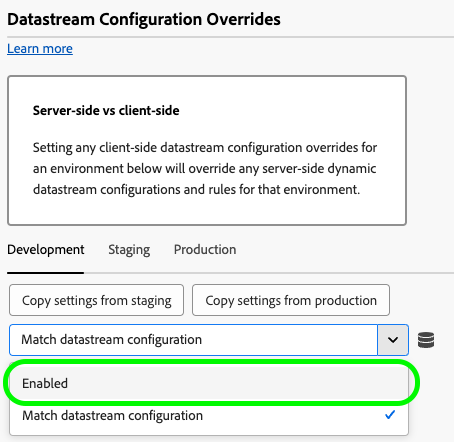
To enable datastream overrides in the tag extension, select Enabled from the drop down menu.
After you enable the datastream configuration overrides, you can configure the overrides for each service described below. These datastream override settings override any server-side datastream configurations and rules for the selected environment.
Adobe Analytics
Override data routing to the Adobe Analytics service.
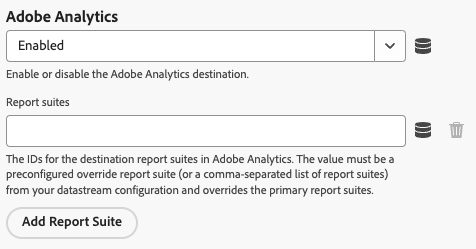
- Enabled / Disabled: Enable or disable data routing to Adobe Analytics.
- Report suites: The IDs for the destination report suites in Adobe Analytics. The value must be a preconfigured override report suite (or a comma-separated list of report suites) from your datastream configuration. This setting overrides the primary report suites.
- Add Report Suite: Select this option to add additional report suites.
Adobe Audience Manager
Override data routing to Adobe Audience Manager.
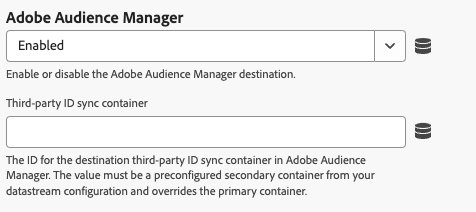
- Enabled / Disabled: Enable or disable data routing to Adobe Audience Manager.
- Third-party ID sync container: The ID for the destination third-party ID sync container in Audience Manager. The value must be a preconfigured secondary container from your datastream configuration and overrides the primary container.
Adobe Experience Platform
Override data routing to Adobe Experience Platform.
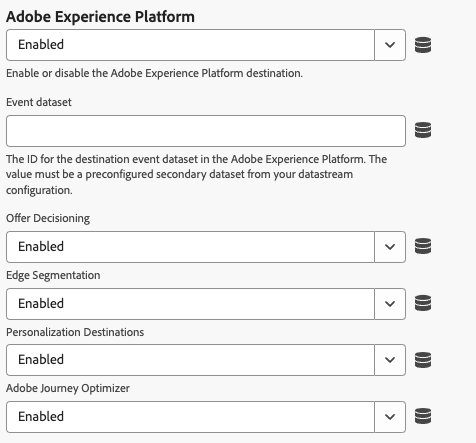
- Enabled / Disabled: Enable or disable data routing to Adobe Experience Platform.
- Event dataset: The ID for the destination event dataset in the Adobe Experience Platform. The value must be a preconfigured secondary dataset from your datastream configuration.
- Offer Decisioning: Enable or disable data routing to the Offer Decisioning service.
- Edge Segmentation: Enable or disable data routing to the Edge Segmentation service.
- Personalization Destinations: Enable or disable data routing to personalization destinations.
- Adobe Journey Optimizer: Enable or disable data routing to Adobe Journey Optimizer.
Adobe Server-Side Event Forwarding
Override data routing to the Adobe Server-Side Event Forwarding service.

- Enabled / Disabled: Enable or disable data routing to the Adobe Server-Side Event Forwarding service.
Adobe Target target
Override data routing to Adobe Target.
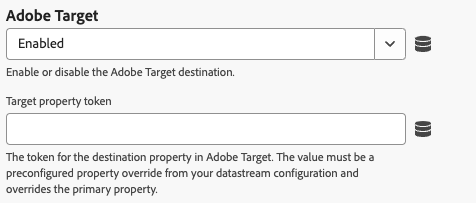
- Enabled / Disabled: Enable or disable data routing to Adobe Target.