Evaluate rulesets
The Evaluate rulesets action type lets you manually trigger ruleset evaluations. Rulesets are returned by Adobe Journey Optimizer to support features like in-browser messages.
- Log in to experience.adobe.com using your Adobe ID credentials.
- Navigate to Data Collection > Tags.
- Select the desired tag property.
- Navigate to Rules, then select the desired rule.
- Under Actions, select an existing action or create an action.
- Set the Extension dropdown field to Adobe Experience Platform Web SDK, then set the Action type to Evaluate rulesets.
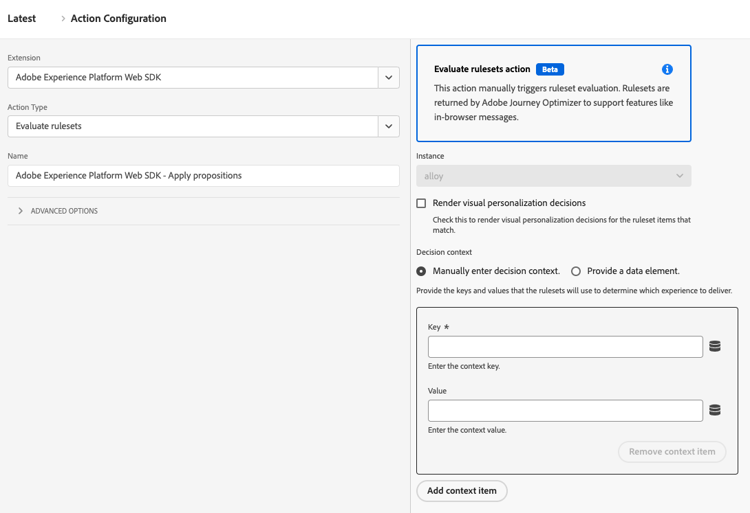
Available fields
This action type supports the following options:
- Render visual personalization decisions: A checkbox that, when enabled, renders visual personalization decisions for the ruleset items that match.
- Decision context: A key-value map that is used when evaluating Adobe Journey Optimizer rulesets for on-device decisioning. You can provide the decision context manually or through a data element.
recommendation-more-help
12b4e4a9-5028-4d88-8ce6-64a580811743