Run now evaluation guide
Run now evaluation lets you immediately activate an audience to a destination on demand. With run now evaluation, you don’t need to wait for your system schedule to activate your audience and you can move immediately from building your audience to evaluating your audience.
As a result, you can iterate through the process of audience creation - building, validating, iterating, and activating - in a manner of minutes, since you can move straight from building an audience to activating an audience.
Guardrails guardrails
With run now evaluation, please keep the following conditions in mind:
-
You receive 1,000 included run now evaluation runs per contract year. The allowance resets on your contract anniversary. Additional runs can be purchased in packs of 100.
- A year is defined as one year starting on the date of your Experience Platform contract for run now evaluations. For example, if you contract started on May 18th, your number of run now evaluation runs will reset every May 18th.
-
Run Evaluation results can only be sent to the following locations:
- File-based destinations configured with After segment evaluation schedule
- The Audience Orchestration Run Now Profile Dataset
Running run now evaluation run
To begin a run now evaluation within the Experience Platform UI, open Audience Portal by selecting Audiences in the Customers section.
The Audience Portal is displayed, showing a list of all the people audiences for the organization. In Audience Portal, select the audience you want to have evaluated, and select Run now.
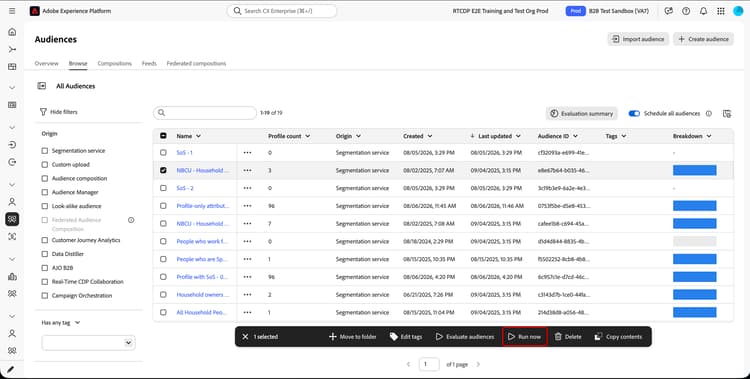
The following table displays the types of audiences that support run now evaluation:
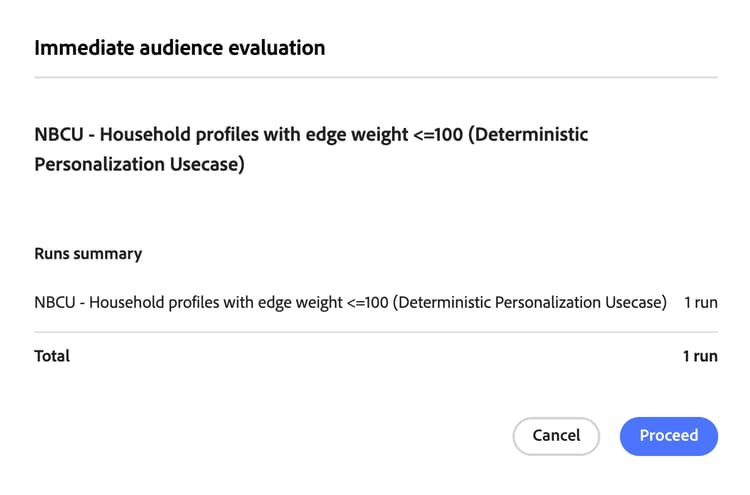
The Immediate audience evaluation popover appears. This popover displays a list of the audiences that will be evaluated, as well as the total number of consumed runs. If the correct audiences are displayed, select Proceed.
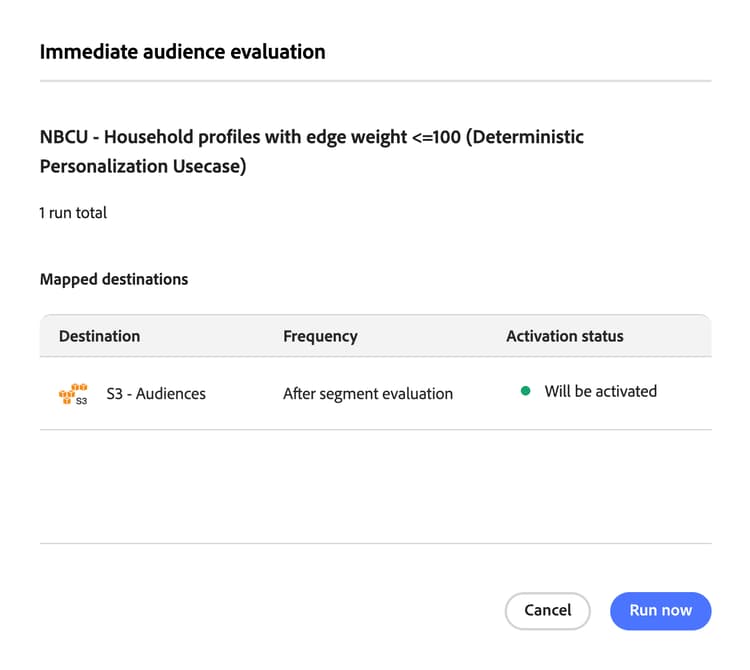
The list of Mapped destinations are displayed. If the listed destinations are valid to be exported to, you’ll be able to select Run now to continue.
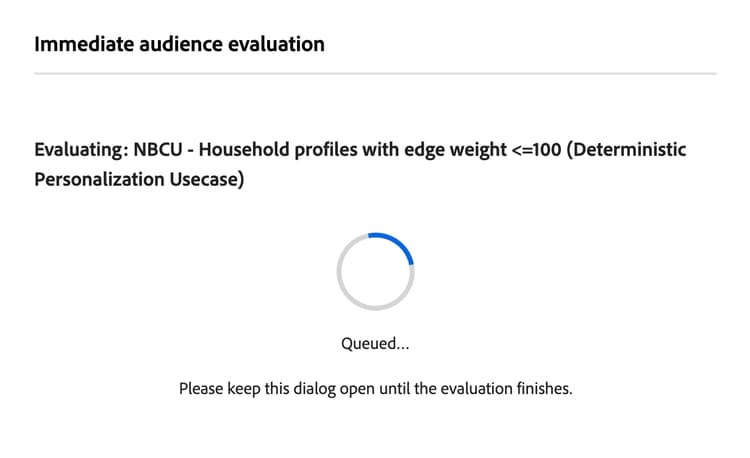
The evaluation immediately begins. While the evaluation runs, a loading screen is displayed. You must keep this popup open while the evaluation is running.
Once the evaluation completes, a summary is displayed. This includes the segmentation job ID, the number of profiles evaluated, the number of runs, and the mapped destinations.
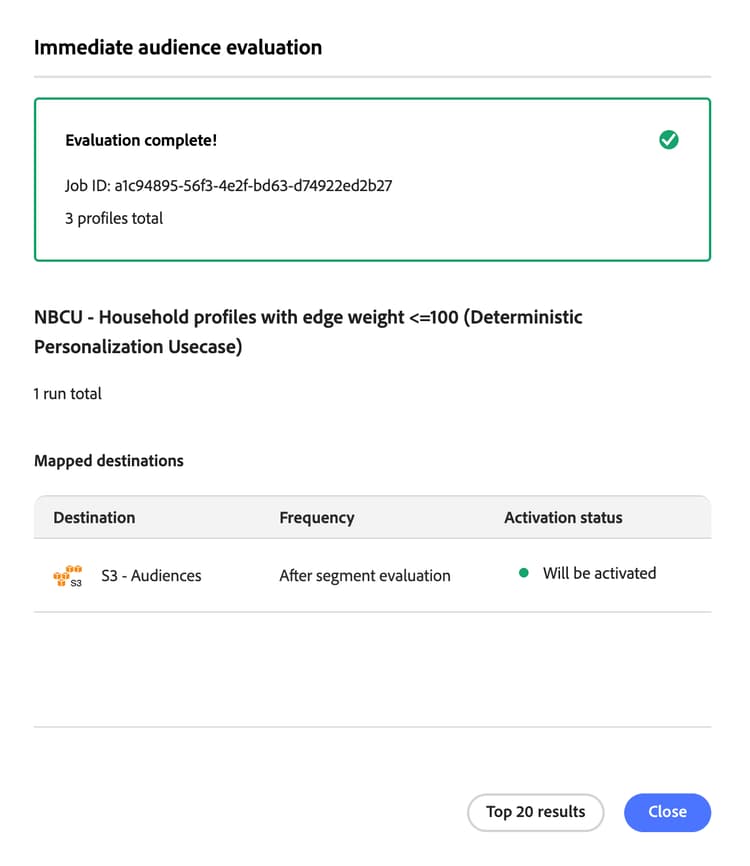
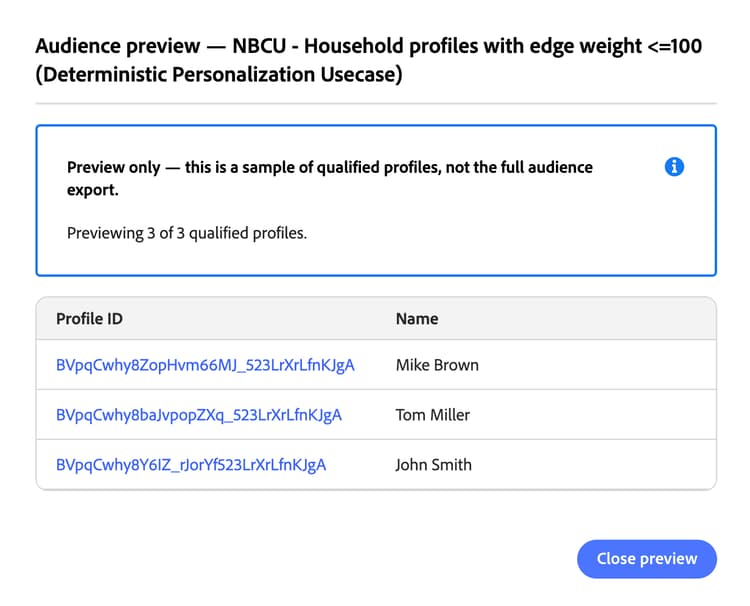
If you select Top 20 results, you can see a preview of qualified profiles for the destination, with up to twenty profiles displayed. For the sample profiles, the profile ID and name are shown.
Frequently asked questions faq
The following section lists frequently asked questions related to run now evaluation.
If my audience depends on other audiences, does triggering it use more than one run?
Yes. Each audience evaluated using a run now evaluation consumes 1 Run. If your audience depends on other audiences, using a run now evaluation evaluates each of the other audiences and each audience evaluation consumes 1 Run. For example, if your audience depends on three other audiences, 4 Runs will be used. The total number of Runs a given evaluation will consume is displayed within the Run Now popover.
Can I send my run now evaluation results to my regular scheduled destination?
No. Run now evaluation results can only be sent to file-based destinations configured with the After segment evaluation frequency or to the Audience Orchestration Run Now Profile Dataset. Scheduled-only destinations, such as daily or weekly batch destinations, cannot receive on-demand run now results.
Does run now evaluation permanently update my customer profiles?
By default, run now evaluation does not permanently update your customer profiles.
Can I trigger run now evaluation on the same audience twice at the same time?
No. You cannot concurrently run evaluation on the same audience.
How many evaluation runs do I get?
You get 1000 evaluation runs per year. Additional runs are purchasable in packs of 100. For more details, contact Adobe Customer Care.