Create audiences with predicted scores
When a prediction run completes, predicted propensity scores are automatically consumed by Profiles. Enriching Profiles with Customer AI scores allows for the creation of audiences to find audiences based on their propensity scores. This section provides steps for creating audiences using Audience Builder. For a more robust tutorial on creating audiences, please see the Audience Builder user guide.
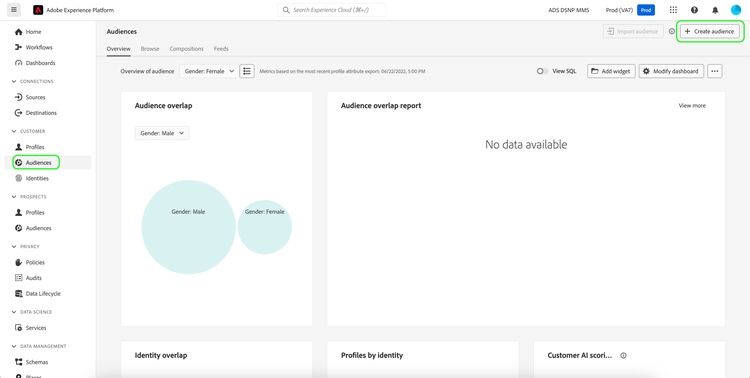
In the Experience Platform UI, select Audiences in the left navigation, followed by Create audience.
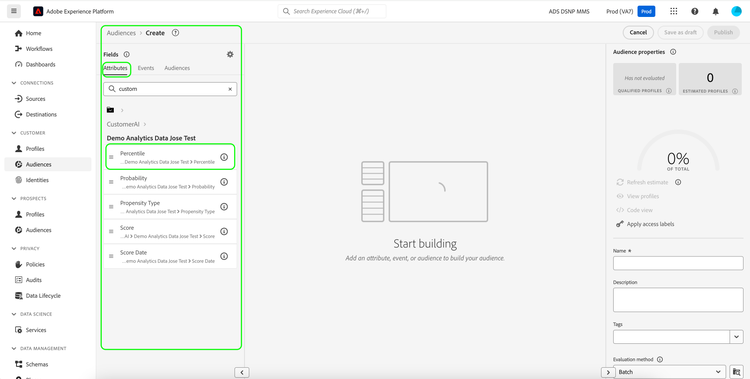
Segment Builder appears. From the left Fields column and under the Attributes tab, select the folder named XDM Individual Profile and then select the folder with the namespace of your organization. The folder named Customer AI contains the results of prediction runs and are named after the instance the scores belong to. Click an instance folder to access its results of the desired instance.
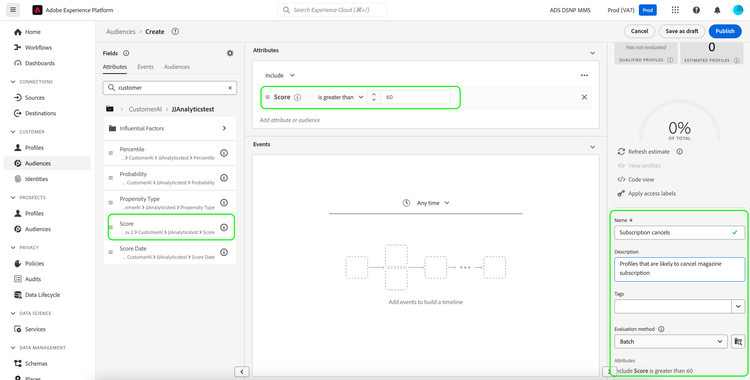
Located in the center of Segment Builder, drag and drop the Score attribute onto the rule builder canvas to define a rule.
Under the right-hand Audience properties column, provide a name for the audience.
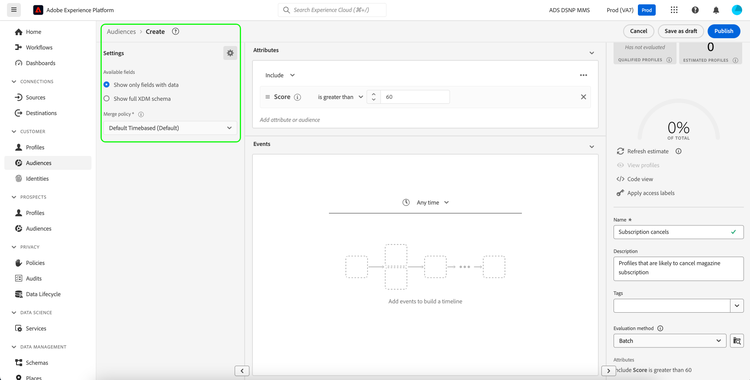
Above the left-hand Fields column, select the gear icon and select a Merge policy from the drop-down. Select Save to create the audience.
Next steps
By following this tutorial, you have successfully found audiences based on their propensity scores using Segment Builder. You can now target your audiences by activating them to destinations. See the destinations overview for more information.