Manage Sandboxes mange-sandboxes
Sandboxes are virtual partitions within a single instance of Adobe Experience Platform that seamlessly integrate the development process of your digital experience applications. All content and actions taken within a sandbox are confined to only that sandbox and do not affect any other sandboxes. For more information on sandboxes, see the Sandboxes overview.
Explore sandboxes explore-sandboxes
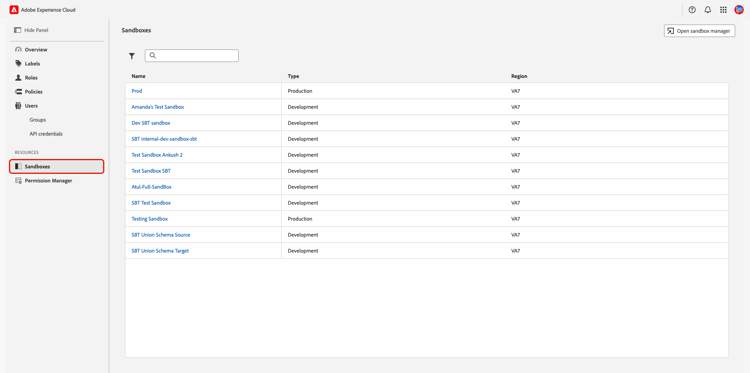
To view a sandbox’s details and associated roles, navigate to Permissions in Adobe Experience Cloud. Select Sandboxes from the Resources section in the left panel.
A list of your organization’s sandboxes appears. Select the sandbox you would like to view from the list. Alternatively, search for a sandbox by entering the sandbox’s name into the search bar, or filter sandboxes by type by selecting the filter icon (

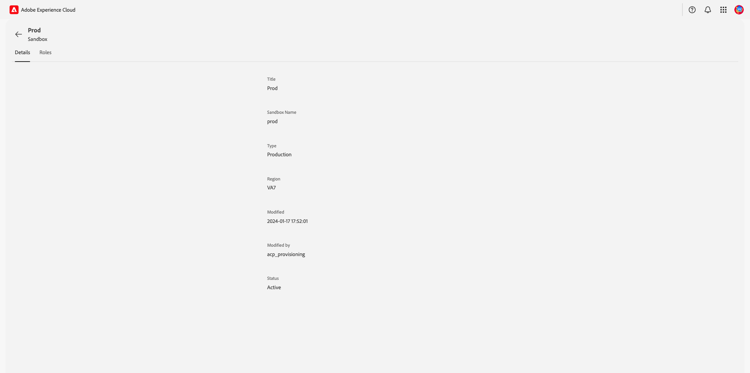
The Details tab provides an overview of the sandbox. The overview displays the Title, Sandbox Name, Type, Region, Modified date, Modified by, and the Status of the sandbox.
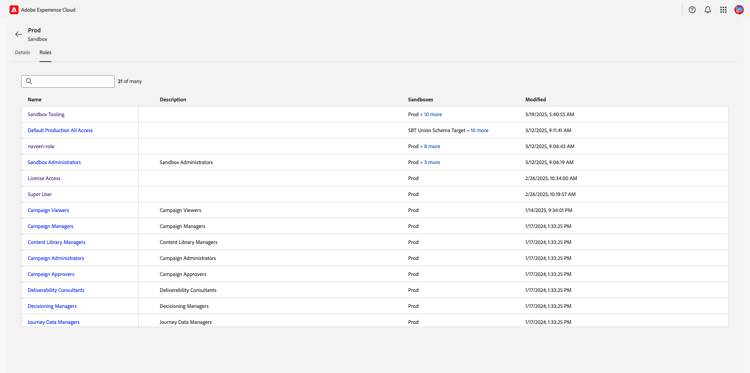
Select the Roles tab to view the roles the sandbox is assigned to. Selecting a role will take you to the role’s workspace.
Next steps
You now know how to view the details and roles for a sandbox. To learn more about attribute-based access control, see the attribute-based access control overview.