Audits in Preflight
Preflight audits your page to identify opportunities to enhance your content before publishing. Unlike an automatic scan, you choose when to run the audits, so you can analyze a page whenever you are ready.
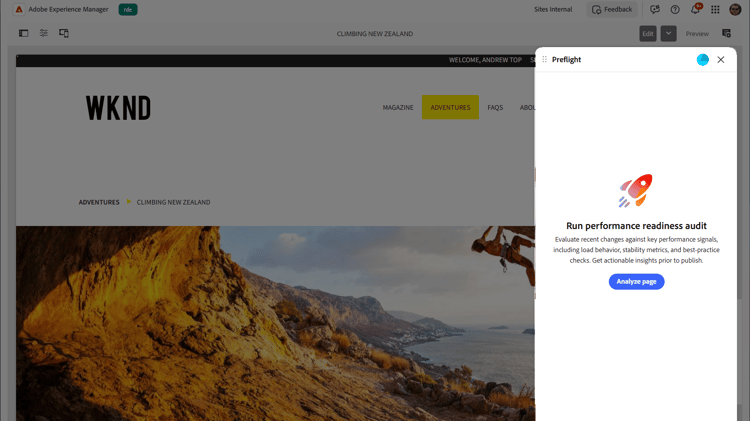
To run Preflight audits for a page:
- Open the page that you want to audit in your authoring environment (Universal Editor, Document-based authoring, or AEM Sites Page Editor).
- Open the Preflight panel. Preflight opens to the Run performance readiness audit landing screen.
- Select Analyze page. Preflight runs all of its audits on the current page and opens the readiness dashboard, where it displays a readiness score and the opportunities it finds, grouped by category.
To understand the preview results and identify optimization opportunities, see Audit results in Preflight.
recommendation-more-help
experience-manager-sites-optimizer-help-main-toc