Content editing area in the Editor
INFO
This topic applies to both New Editor and the Old Editor. While the core functionality remains consistent, differences in the user interface, terminology, and interactions are indicated within the content using tabs and callouts where applicable.
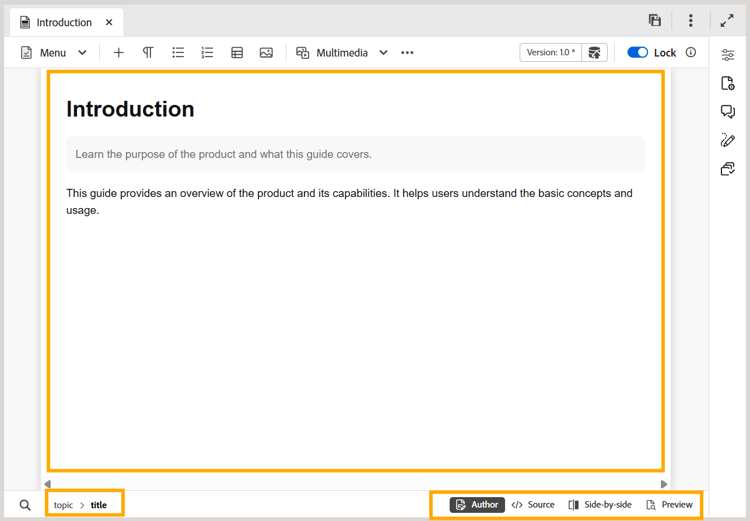
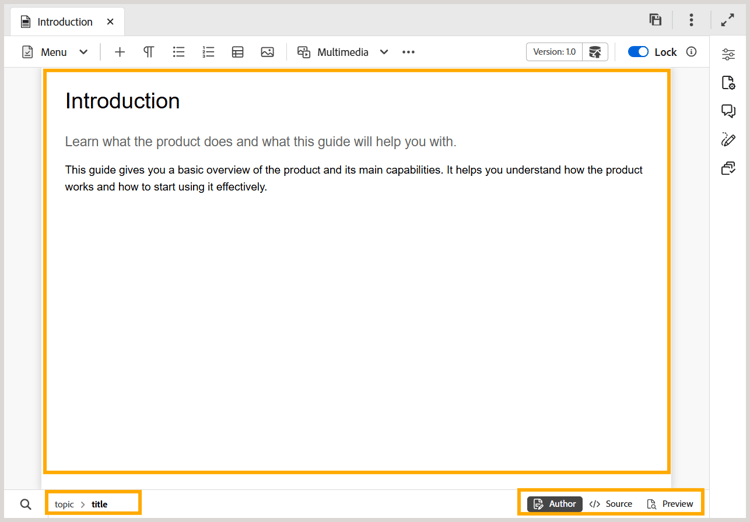
The content editing area is where the content of your topic or map is displayed. You make all content edits in this area. It gives a WYSIWYG view of the content you are editing.
At the bottom-left of the content editing area, you have the breadcrumb of the element at current cursor location. In the bottom-right corner, the available Editor views are displayed.
New Editor
Old Editor
To learn more about the Editor views available for a topic file in the content editing area, view Editor views.
NOTE
If you are working on a map file, then different options or views are displayed in the content editing area. For more details, view Map editor features.
Parent topic:Introduction to the Editor
recommendation-more-help
experience-manager-guides-help-product-guide