What’s new in the 2026.04.0 release (April 2026)
This article covers the new and enhanced features introduced with the 2026.04.0 release of Adobe Experience Manager Guides as a Cloud Service.
For the list of issues fixed in this release, view Fixed issues in the 2026.04.0 release.
Learn about upgrade instructions for the 2026.04.0 release.
Introducing Product Training and Learning content in Experience Manager Guides
The Product Training and Learning content feature in Experience Manager Guides enables training teams and instructional designers to build interactive eLearning courses directly from the Experience Manager Guides interface.
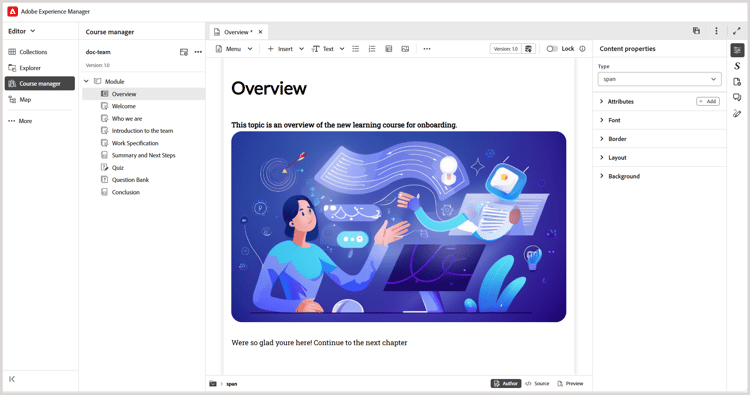
With template-driven authoring, interactive course components, and support for assessments, teams can develop high‑quality training content aligned with their organizational objectives.
The key capabilities are as follows:
- Centralized learning content management
- Template-driven authoring
- Support for content reuse
- Assessment creation and management
- Web-based review workflows
- Industry-leading translation management
- Multi-channel publishing using out-of-the-box SCORM and PDF output formats
For more details, refer to Getting started guide and Configuration guide.
Editor enhancements
The following Editor enhancements have been made as part of this release:
Enhancements to the Schematron validation panel
The following enhancements have been made to the Schematron user interface for better clarity, usability, and validation outcomes:
-
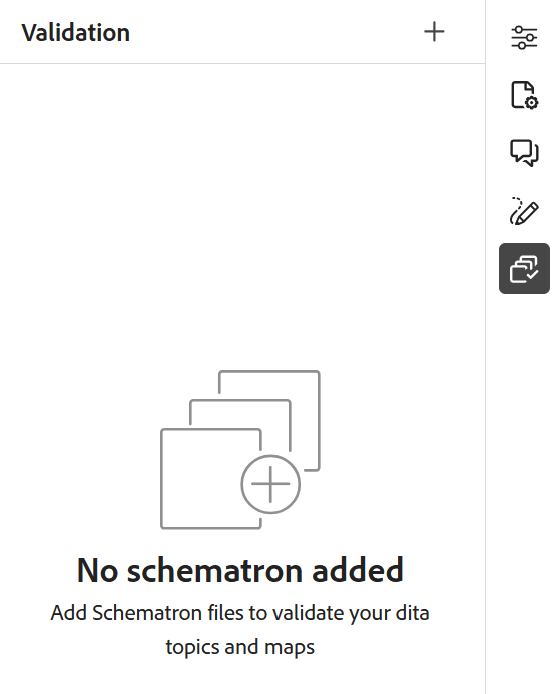
In the Validation panel, an empty‑state message is displayed when no Schematron file is added, providing better clarity and direction for next steps.
-
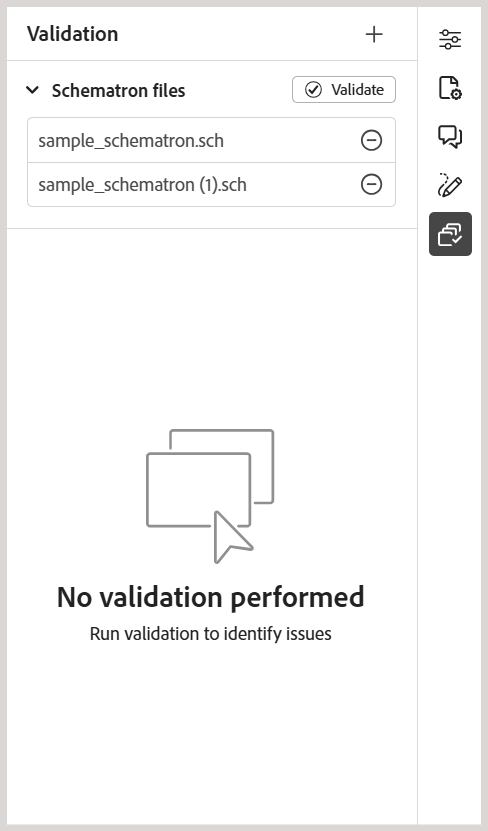
When multiple Schematron files are added, they are organized under a consolidated accordion, providing better visibility into the configured Schematron files.
-
Based on the role attribute defined in the Schematron file, validation results are now categorized as:
Fatal,Error,Warn, orInfo. Each category includes a visible count along with a contextual tooltip for clearer interpretation.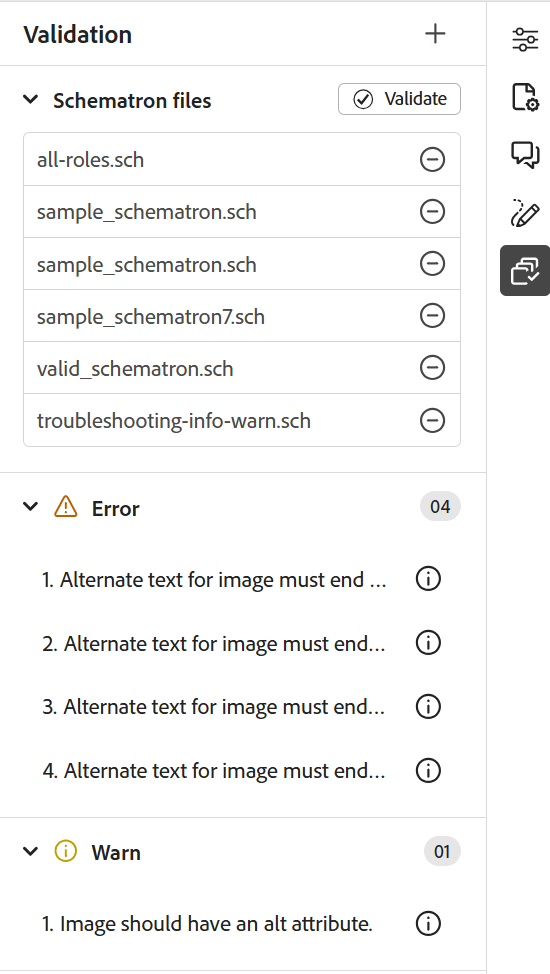
For more details on using Schematron files in Experience Manager Guides, view Support for Schematron files.
Translation language copies are now available in the Right panel of the Editor interface
A new Translations section is now available in the Right panel under File properties in the Editor. This section provides direct access to all available language copies for the currently opened asset (map, topic, image, etc.). You no longer need to navigate to the Assets UI to view or access these language copies.
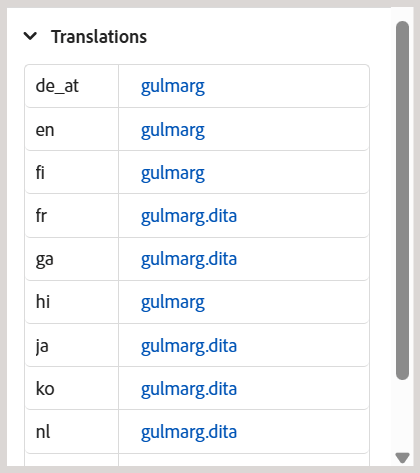
For each language copy, you can hover-over the file to locate its path in the repository or simply select it to open in the Editor. In addition to opening files, you can also perform many actions using the Options menu. Some of the actions that you can perform include Edit, Preview, Copy UUID, Copy Path, Add to collections, and Properties.
For more details, view Right panel in the Editor.
Search citations across all Journal fields
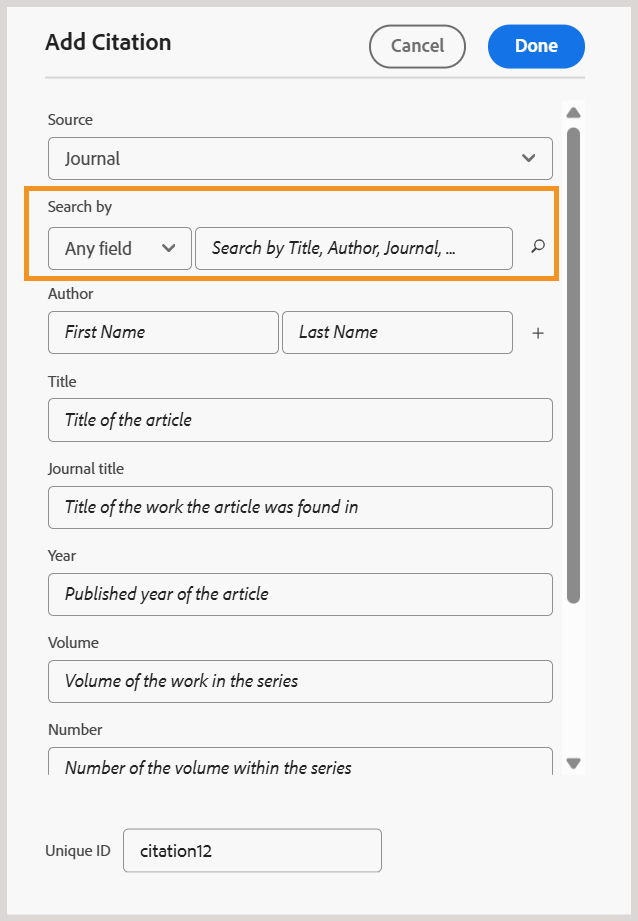
Now, you can search citations across all Journal fields, such as Title, Journal title, Author, Year, Volume, Number, and Pages, using the Any field option in the Add citation dialog. The search returns the closest matching citation based on the entered text.
For more details on adding citations in Experience Manager Guides, view Add and manage citations in your content.
Review enhancements
The following enhancements are available for the Review feature in this release:
-
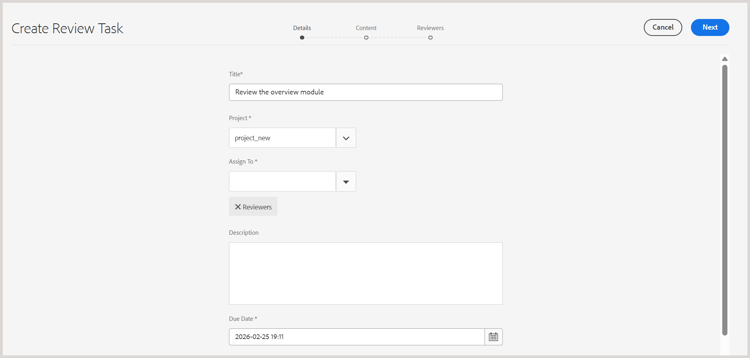
Assigning a Reviewer to a review task is now dependent on an active project selection. The Assign To field on the Create Review Task page remains disabled until an active project is selected. After a project is selected, the Assign To field is enabled and lists only the users and user groups associated with that project. This ensures that review tasks are assigned only to valid project members and prevents unintended Reviewer selection.
-
The Assign To field now supports typeahead search, allowing you to quickly locate users or user groups by typing text.
Together, these enhancements make Reviewer selection more accurate, efficient, and aligned with project-specific review workflows.
For more details, view Send topics for review.
Asset management enhancements
This release introduces the following enhancements to asset management:
Use Flatten file hierarchy to download maps with original file names and associated metadata
Now, you can use the Flatten file hierarchy option to download a map with its original file name. Additionally, the downloaded package includes a metadata.json file, making the associated metadata easily accessible and reusable outside Experience Manager Guides.
For more details on downloading files in Experience Manager Guides, view Download files.
Use regex to enable or disable post processing
You can now use regex to enable or disable post-processing for folders. This enhancement allows Administrators to define post-processing rules that apply to multiple folders or entire folder hierarchies using a single configuration, instead of specifying individual folder paths.
For more details, view Use regex to enable or disable post processing.