Web Console web-console
Learn how to use the Adobe Experience Manager’s (AEM) Web Console to manage OSGi settings and bundles for local development.
Overview overview
AEM as a Cloud Service treats configuration and code as immutable at run time. This means that all configurations must be deployed as you would code in a production environment. For production instances, this ensures that quality gates are passed and offers a level of stability and clarity of your current environment.
However, ad-hoc OSGi configuration updates and bundle changes are often needed to test local developments. As part of the AEM as a Cloud Service SDK, the Web Console enables such real-time updates.
With the AEM as a Cloud Service running locally, the console can be accessed from http://<host>:<port>/system/console.
The Web Console offers a selection of screens and options for maintaining the OSGi bundles, including:
- Configuration: For configuring the OSGi bundles, and is therefore the underlying mechanism for configuring AEM system parameters
- Bundles: For installing bundles
- Components: For controlling the status of components required for AEM
- Generating OSGi Configurations: For automatically generating OSGi configurations as JSON
Any changes made are immediately applied to the running SDK. No restart is required.
In the Web Console, any descriptions that mention default settings relate to Sling defaults. AEM has its own defaults and so the defaults set might differ from those documented by the console.
The Web Console in Adobe Experience Manager (AEM) is based on the Apache Felix Web Management Console. Apache Felix is a community effort to implement the OSGi R4 Service Platform, which includes the OSGi framework and standard services.
Configuration configuration
The Configuration screen is used for configuring OSGi bundles and is therefore the underlying mechanism for configuring AEM system parameters. The Configuration tab can be accessed by either:
- The drop-down menu: OSGi -> Configuration
- URL:
http://<host>:<port>/system/console/configMgr
A list of configurations is shown:
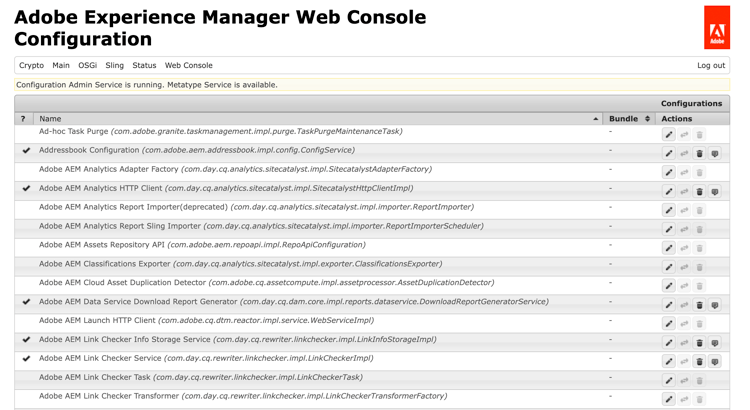
There are two types of configurations available from the list on this screen:
-
Configurations allow you to update the existing configurations. These have a persistent identity (PID) and can be either:
- Standard and integral to AEM - These are required, if deleted the values return to the default settings.
- Instances created from factory configurations - These instances are created by the user, deletion removes the instance.
-
Factory Configurations allow you to create an instance of the required functionality object. This is allocated to a Persistent Identity and then listed in the Configurations list.
Selecting any entry from the list displays the parameters related to that configuration:
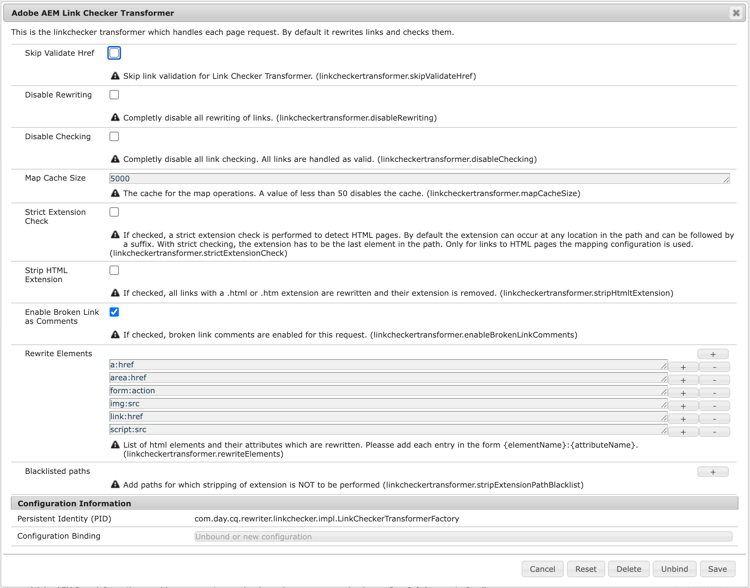
You can then update the parameters as required and:
-
Save to save the changes made.
- For a factory configuration, this creates an instance with a persistent identity.
- The new instance is then listed under Configurations.
-
Reset to reset the parameters shown on the screen to those saved last.
-
Delete to delete the current configuration.
- If standard, the parameters are returned to the default settings.
- If created from a factory configuration, then the specific instance is deleted.
-
Unbind to unbind the current configuration from the bundle.
-
Cancel to cancel any current changes.
Bundles bundles
The Bundles screen is used to install OSGi bundles required for AEM. The screen is accessed by either of the following methods:
- The drop-down menu: OSGi -> Bundles
- URL:
http://<host>:<port>/system/console/bundles
A list of bundles is shown:
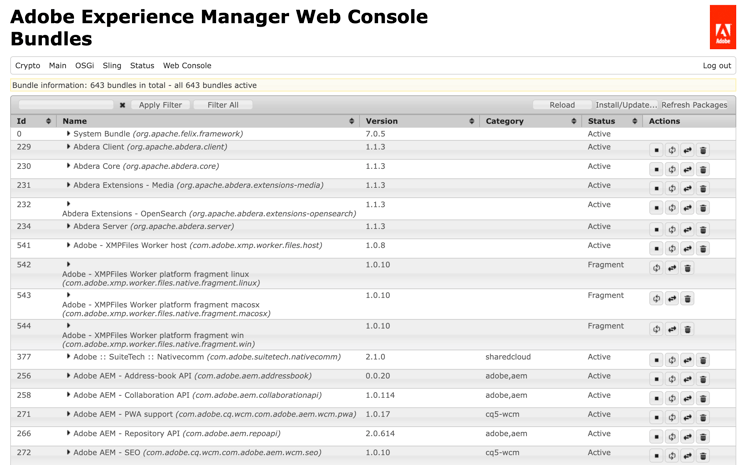
Using this screen you can:
- Install or Update to install a new bundle or update an existing bundle.
- You can Browse to find the file containing your bundle and specify whether it should Start immediately and at which Start Level.
- Reload to refresh the list displayed.
- Refresh Packages to check the references of all the packages and refresh, as necessary.
- For example, after an update both the old and new version may still be running due to prior references. This option checks and moves all references to the new version, allowing the old version to stop.
- Start to start a bundle according to the start level specified.
- Stop to stop the bundle.
- Uninstall to uninstall the bundle from the system.
The list specifies the status of the bundle. clicking the name of a specific bundle with show further information.
Components components
The Components screen allows you to enable and disable components. It can be accessed by either:
- The drop-down menu: Main -> Components
- URL:
http://<host>:<port>/system/console/components
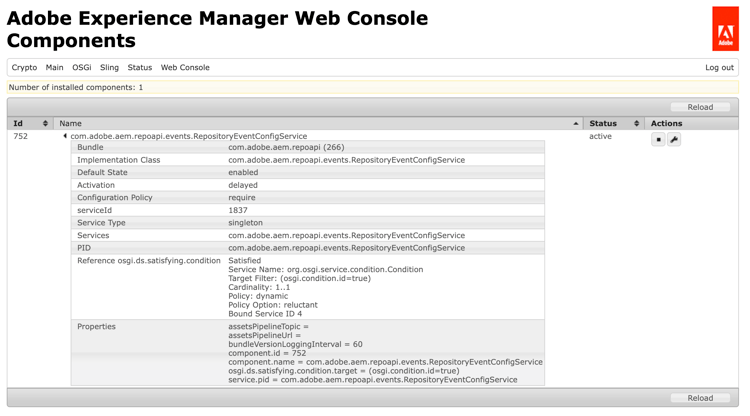
A list of components is shown. Icons are available for each row to enable you to enable, disable or (where appropriate) open configuration details for a specific component.
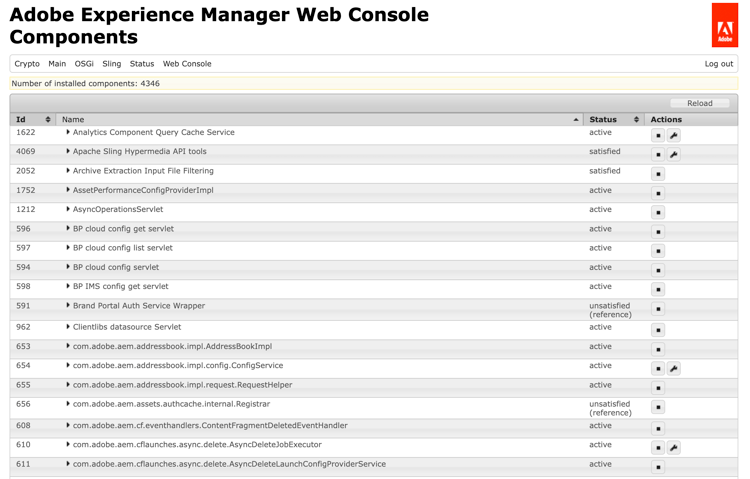
Clicking the name of a particular component displays further information on its status. Here you can also enable, disable, or reload the component.
Generating OSGi Configurations generating-osgi-configs
The Web Console can be used to configure OSGi components and export OSGi configurations as JSON. This is useful for configuring AEM-provided OSGi components whose OSGi properties and value formats you may not be familiar with as you are defining OSGi configurations in your AEM project.
Please see the document Configuring OSGi for Adobe Experience Manager as a Cloud Service for more information.