Micro-Frontend Content Fragment Creator micro-frontend-content-fragment-creator
The Micro-Frontend Content Fragment Creator provides a user interface that easily integrates with the Adobe Experience Manager (AEM) as a Cloud Service repository. The interface allows you to create Content Fragments in the selected repository, and use them in your application.
The Micro-Frontend user interface is made available in your application using the Content Fragment Creator package. Any updates to the package are automatically imported and loaded into your application.
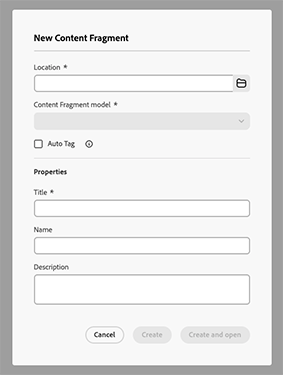
@aem-sites/content-fragment-creator is a npm package that provides the Create Content Fragment Dialog (CreateContentFragmentDialog) for creating Content Fragments (title, optional description, optional model). Use it when your app needs to create fragments, for example from an inventory view or an editor.
Installation installation
import map.To install the package you can either:
-
npm
code language-html npm install @aem-sites/content-fragment-creator -
yarn
code language-html yarn add @aem-sites/content-fragment-creator
@aem-sites/content-fragment-creator also requires the following peer dependencies to be installed:
reactreact-domprop-types@adobe/react-spectrum@assets/microfrontend- the Micro Frontend embed library used to load the dialog
Integrate the Content Fragment Creator with applications integrate-the-content-fragment-creator-with-applications
You can integrate the Content Fragment Creator with React applications:
Related Resources related-resources
For a complete list of all supported properties, their types, defaults, and descriptions, see: