Custom Attributes to CIF Product Carousel product-carousel
Learn how to extend the AEM CIF Product Carousel component by updating the Sling Model and customizing the markup.
Introduction intro
The Product Carousel component is extended throughout this tutorial. As a first step, add an instance of the Product Carousel to the Home page to understand the baseline functionality:
-
Navigate to the Home Page of the site, for example http://localhost:4502/editor.html/content/acme/us/en.html
-
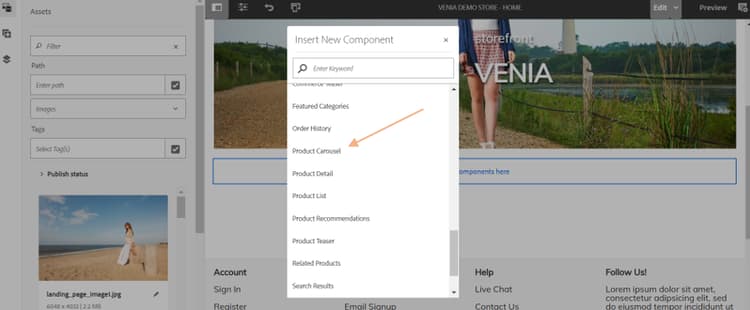
Insert a new Product Carousel component into the main layout container on the page.
-
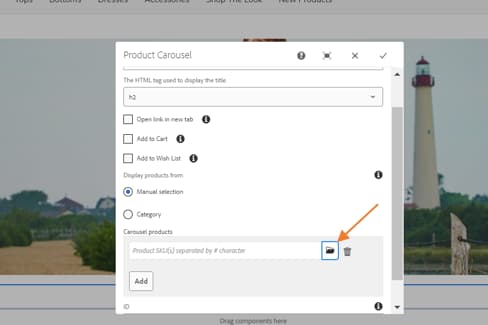
Expand the Side Panel (if not already toggled) and switch the asset finder dropdown to Products.
-
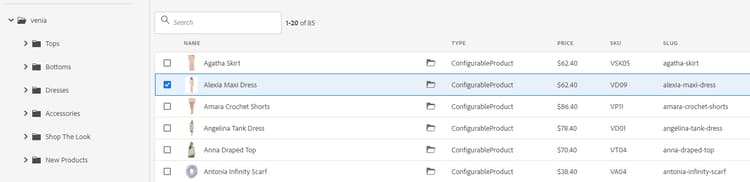
This should display a list of available products from a connected Adobe Commerce instance.
-
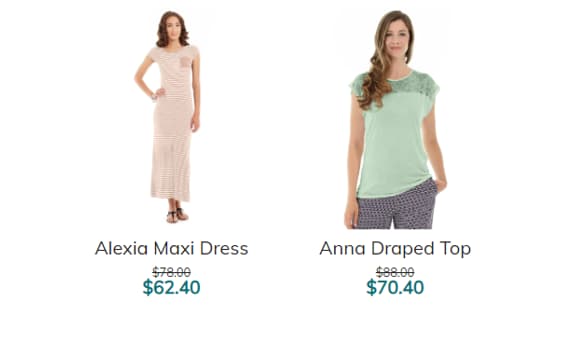
Products will be shown like below with default properties:
Update the Sling Model update-sling-model
You can extend the business logic of the Product Carousel by implementing a Sling Model:
-
In your IDE, navigate under the core module to
core/src/main/java/com/venia/core/models/commerceand create a CustomCarousel Interface that extends the CIF ProductCarousel interface:code language-text package com.venia.core.models.commerce; import com.adobe.cq.commerce.core.components.models.productcarousel.ProductCarousel; public interface CustomCarousel extends ProductCarousel { } -
Next, create an implementation class
CustomCarouselImpl.javaatcore/src/main/java/com/venia/core/models/commerce/CustomCarouselImpl.java.The delegation pattern for Sling Models allows
CustomCarouselImplto referenceProductCarouselmodel via thesling:resourceSuperTypeproperty:code language-text @Self @Via(type = ResourceSuperType.class) private ProductCarousel productCarousel; -
The
@PostConstructannotation ensures that this method is called when the Sling Model is initialized. The product GraphQL query has already been extended using the extendProductQueryWith method to retrieve attributes. Update the GraphQL query to include the attribute in the partial query:code language-javascript @PostConstruct private void initModel() { productsRetriever = productCarousel.getProductsRetriever(); if(productCarousel.getProductsRetriever() != null) productCarousel.getProductsRetriever().extendProductQueryWith(p -> p .createdAt() .addCustomSimpleField("accessory_gemstone_addon") ); }In the above code, the
addCustomSimpleFieldis used to retrieve theaccessory_gemstone_addonattribute.
Customizing the Markup customize-markup
To further customize the markup:
-
Create a copy of
productcard.htmlfrom/apps/core/cif/components/commerce/productcarousel/v1/productcarousel(the core component crxde path) to ui.apps moduleui.apps/src/main/content/jcr_root/apps/venia/components/commerce/productcarousel/productcard.html. -
Edit
productcard.htmlto call the custom attribute, which is mentioned in the implementation class:code language-xml .. <div data-product-sku="${product.commerceIdentifier.value}" data-product-base-sku="${product.combinedSku.baseSku}" id="${product.id}" data-cmp-data-layer="${product.data.json}" class="card product__card"> <span>${product.product.responseData['accessory_gemstone_addon']}</span> <a href="${product.URL}" target="${productCarousel.linkTarget}" .. -
Save the changes and deploy the updates to AEM using your Maven command, from a command-line terminal. You will be able to see the custom attribute
accessory_gemstone_addonvalue for the selected products on the page.