Setting Up Microsoft Copilot Studio with AEM MCP setup-microsoft-copilot-studio
Follow these steps to connect Microsoft Copilot Studio to AEM’s MCP servers.
-
In Agents, start the flow to add an agent that will use AEM MCP tools.
- Create a new agent.
-
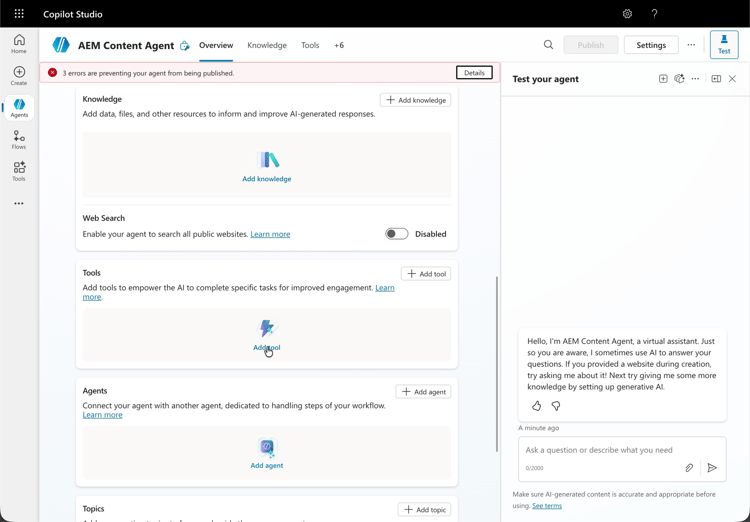
Open the tools area for that agent so you can register how it calls external capabilities.
- Navigate to the tool section and click Add tool.
-
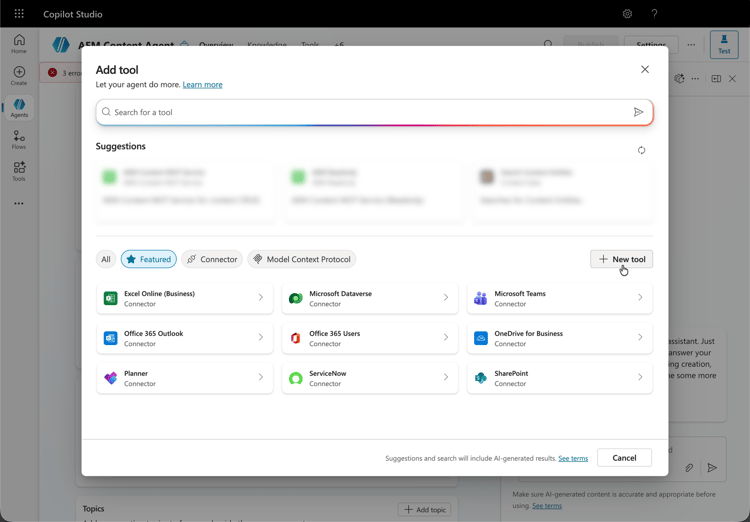
Decide whether to reuse an existing integration or define a new MCP-backed tool.
- Select an existing tool or create a new one.
-
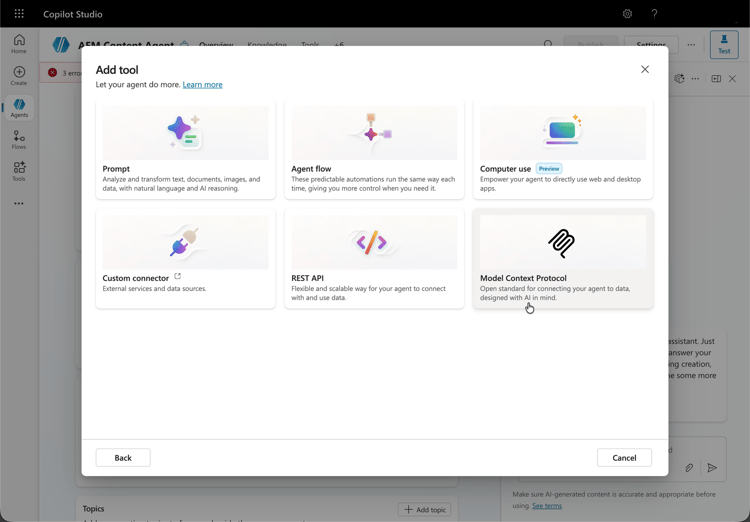
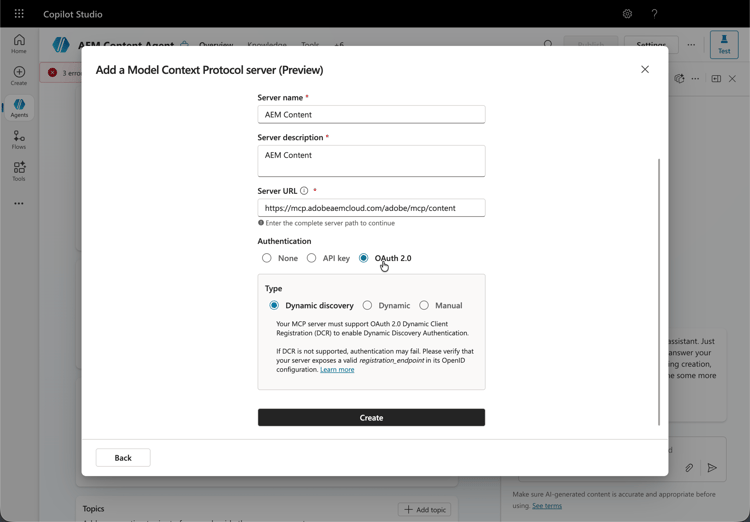
When you create a new MCP tool, continue through the Model Context Protocol server step, including preview mode when it appears.
- Configure a new MCP tool pointing to one or more AEM MCP server URLs.
-
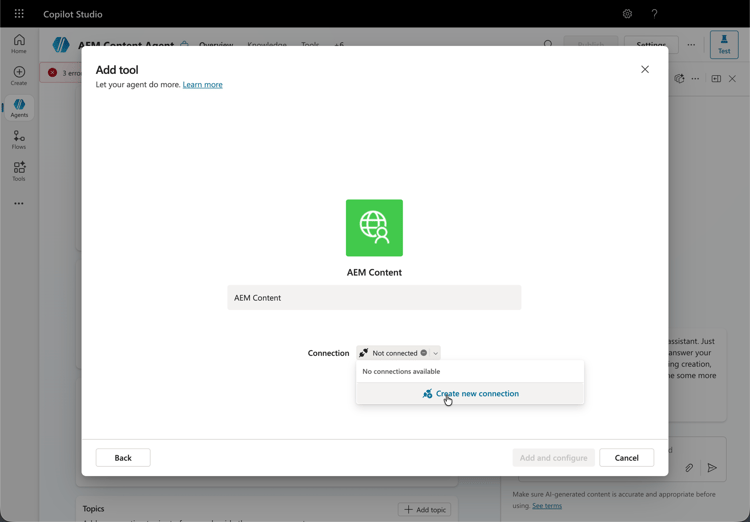
Define how this MCP endpoint is reached by the agent, including whether access is shared or dedicated.
- Establish a connection, which can be shared or dedicated between agents.
-
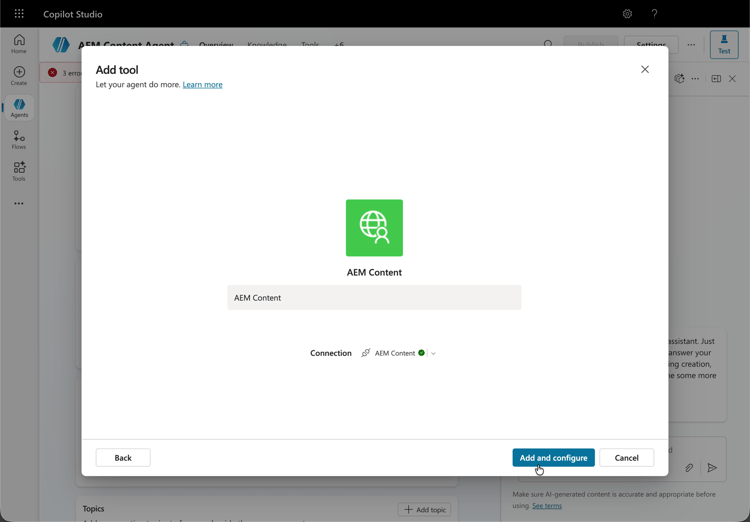
On Add and configure, supply or confirm MCP tool details so the agent can reach your AEM environment.
-
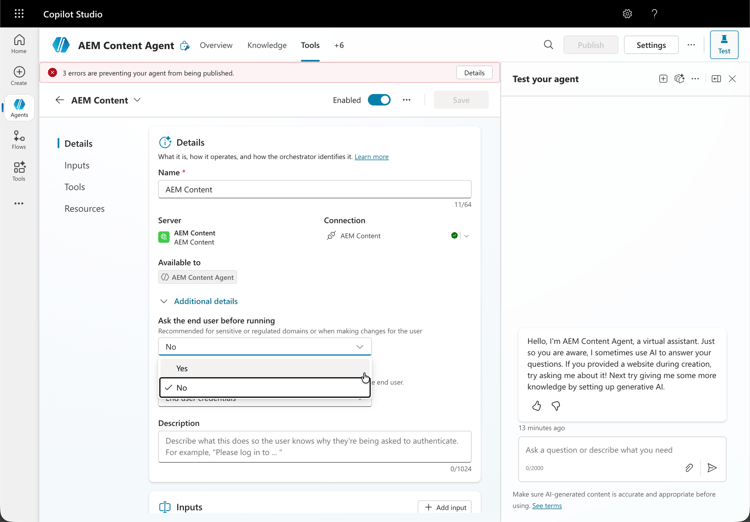
Finish fields on the MCP tool form (for example, server URLs and authentication-related options).
- Optionally, enable auto-confirm mode or require end-user confirmation for all tool interactions.
-
Validate connectivity to the MCP server; complete browser-based sign-in when Copilot Studio redirects you.
- Sign in using your Adobe ID when redirected.
-
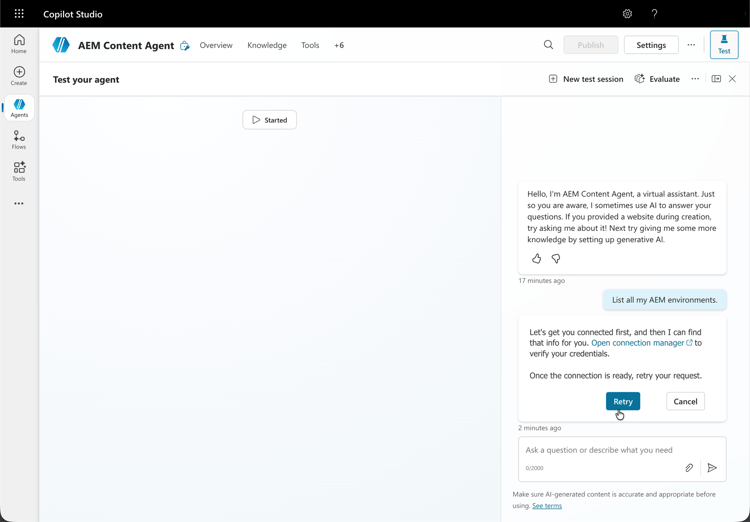
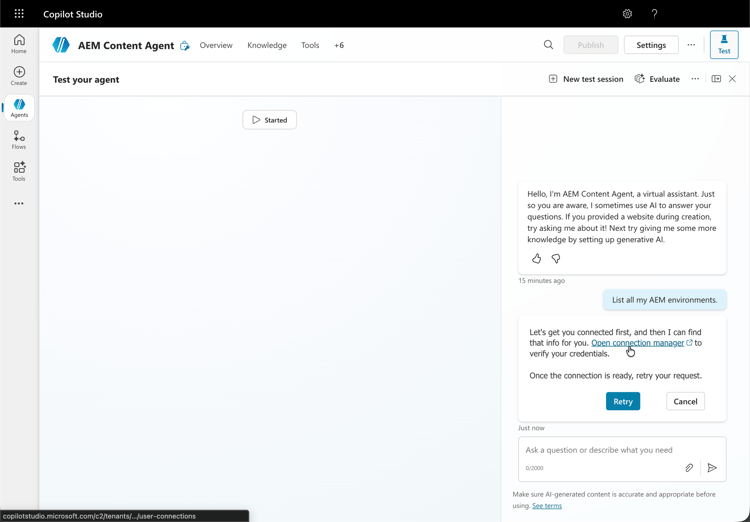
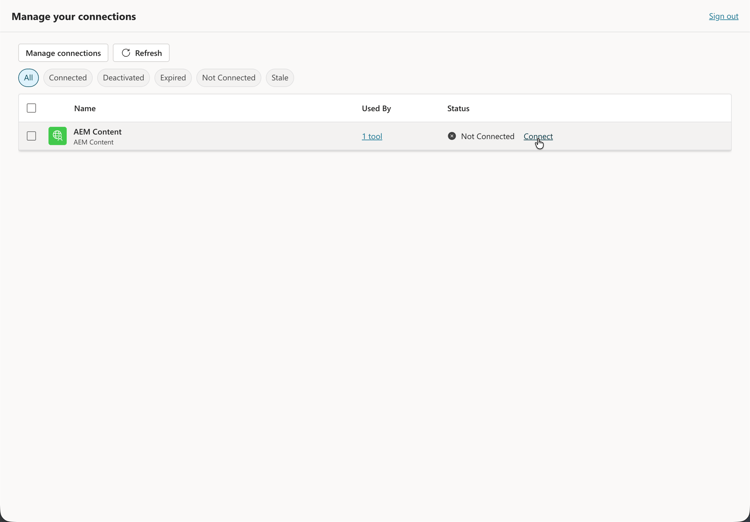
Before running a test, open Manage Connections (or the connection manager) and assign the right connection to your session.
- When testing your agent, open the connection manager first to assign a connection to your session.
-
In the test experience, run the agent against your AEM MCP connection.
- When testing your agent, press Retry after you assign a connection in the connection manager.