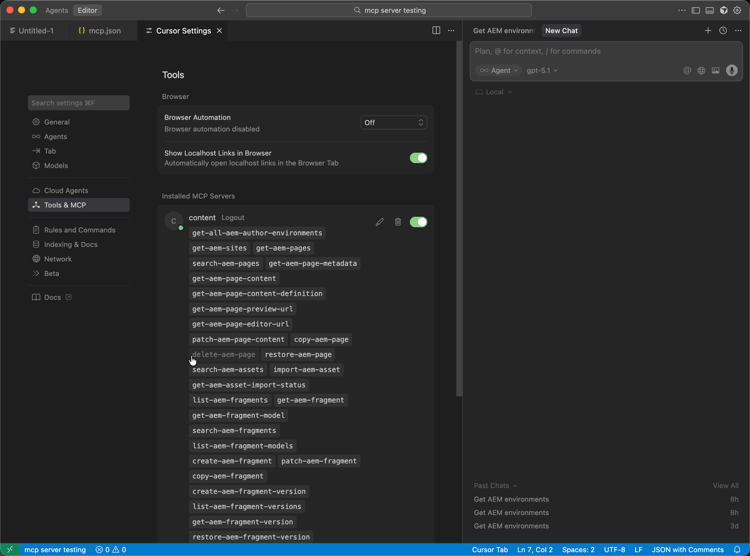
Setting Up Cursor with AEM MCP setup-cursor
Follow these steps to connect Cursor to AEM’s MCP servers.
- In Cursor’s MCP settings, create a new MCP server entry with one or more AEM MCP URLs.
- Authenticate with your Adobe ID when prompted.
- Optionally, enable or disable individual tools by clicking on the tool names. All tools are enabled by default.
- Use Cursor’s editor or chat to invoke AEM Tools as part of development or content workflows.
-
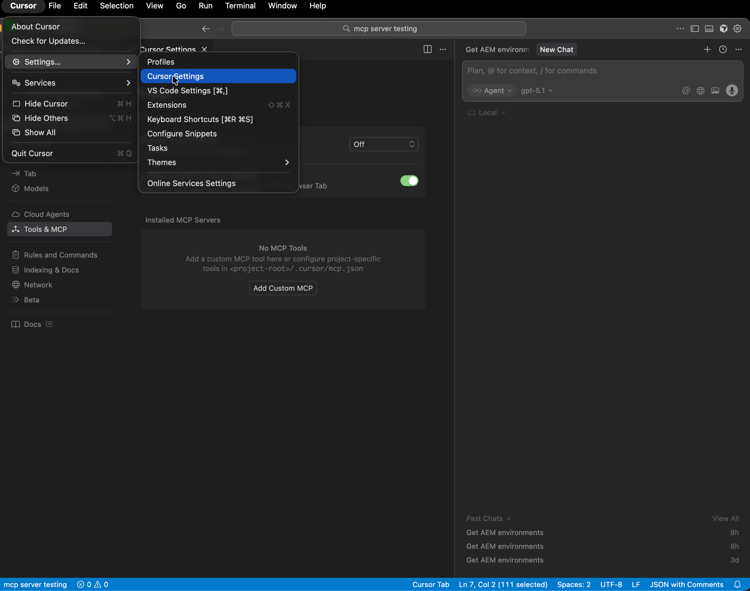
Open Cursor Settings so you can configure how Cursor connects to MCP servers.
-
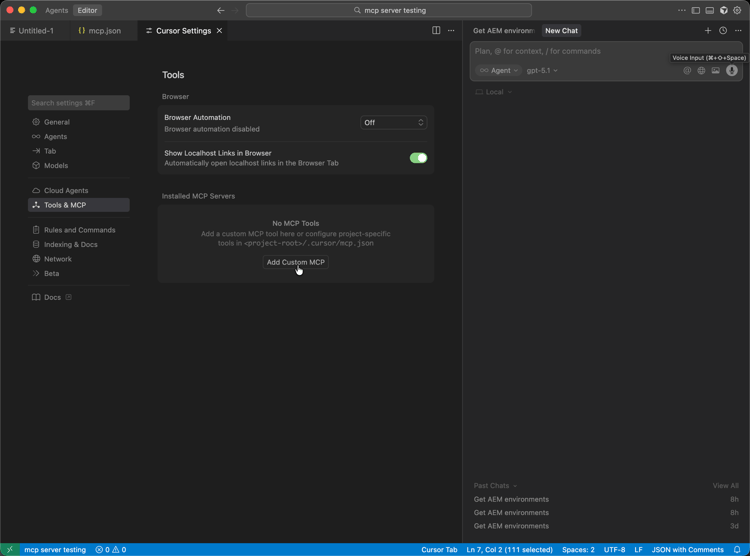
Open Tools and MCP, then choose Add Custom MCP to start a custom MCP server entry.
-
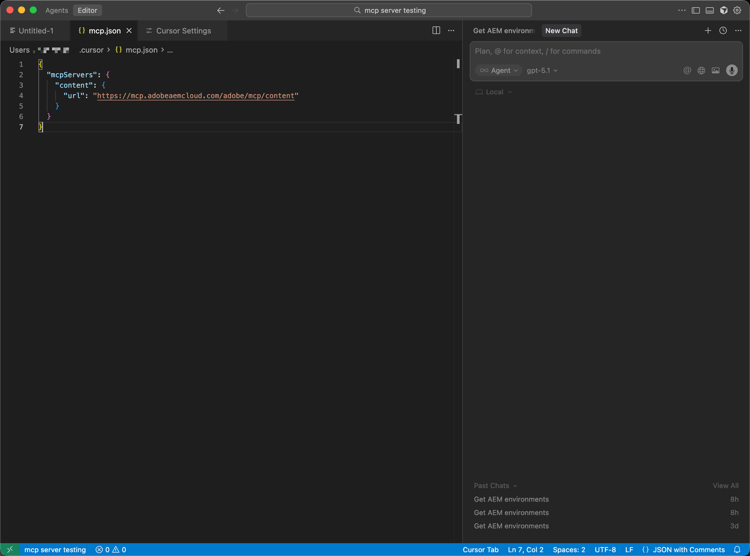
On the custom MCP server form, enter the Name, your AEM MCP URL (or URLs), and any other required fields, then Save.
-
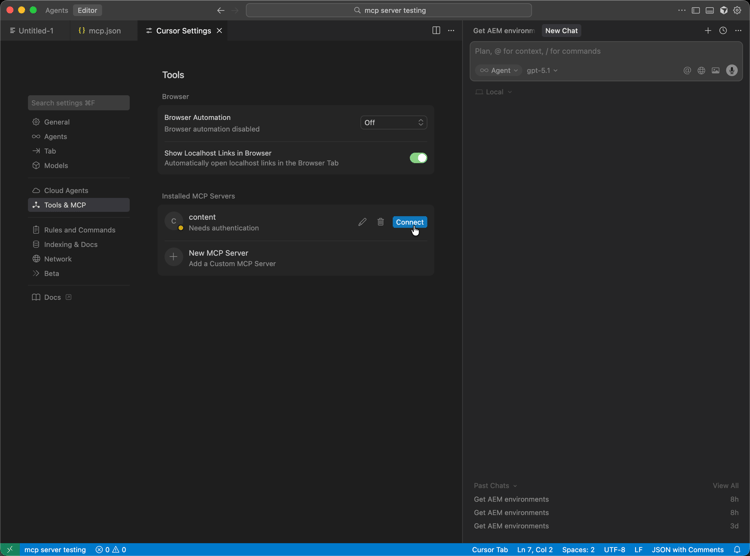
When the connection dialog appears, complete sign-in by pressing Connect so the new MCP server is authorized.
-
In Chat or the editor, write prompts that invoke AEM Tools so the configured MCP server participates in your workflow.