Setting Up Anthropic Claude with AEM MCP setup-claude
This article covers two separate ways to use Anthropic Claude with AEM:
- Manually configure one or more of AEM’s MCP servers in Claude — either the unified AEM MCP Server (recommended) or one of the domain-specific MCP servers.
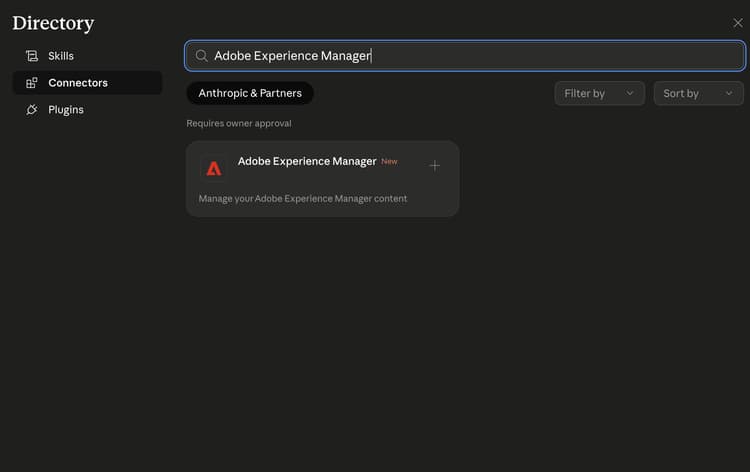
- Install the Adobe Experience Manager Connector from Anthropic’s connector marketplace. It currently has feature parity with Content MCP Server and will expose a growing subset of tools available in AEM’s MCP servers.
Manually configure AEM’s MCP servers in Claude manual-configure-aems-mcp-servers-in-claude
This section describes the manual configuration approach, where you add one or more of AEM’s MCP servers to Claude as custom connectors.
-
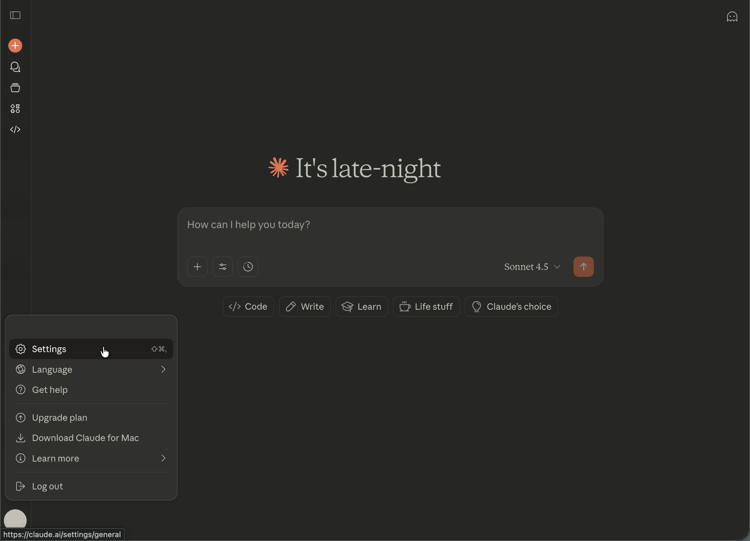
Open the account menu in the lower-left corner of the Claude web app and choose Settings to open the Settings area.
-
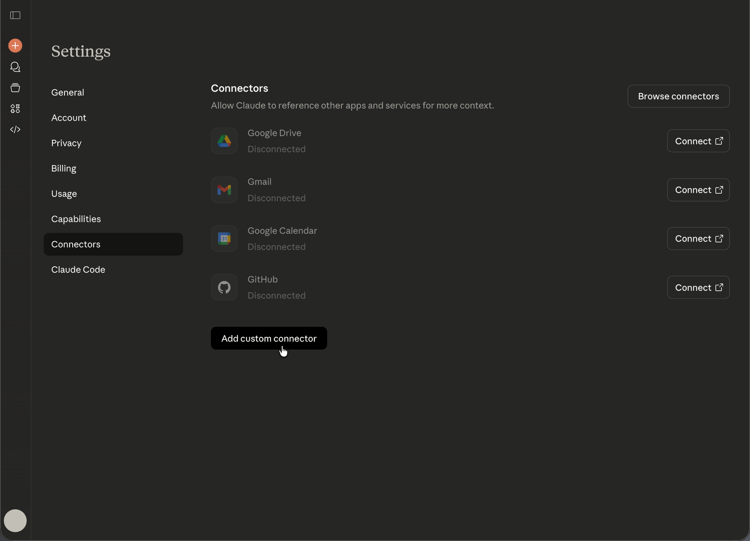
In the Settings sidebar, select Connectors. On the Connectors page, choose Add custom connector to register a custom MCP endpoint.
-
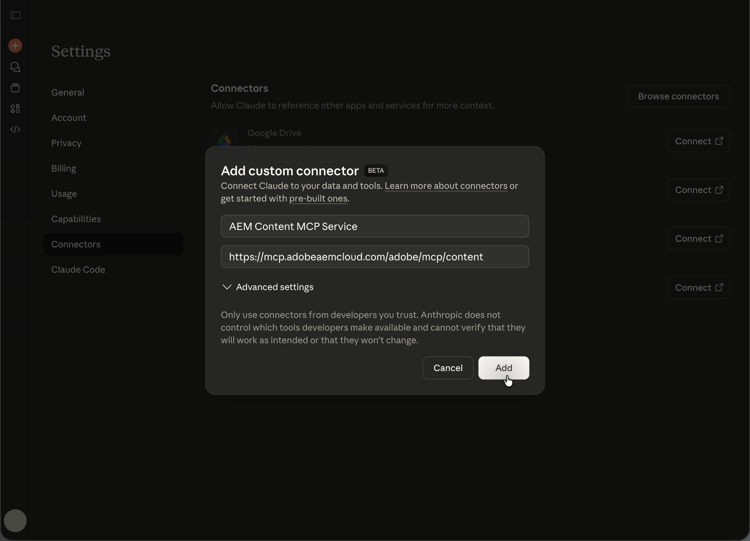
In the Add custom connector dialog, enter a display name (for example, AEM Content MCP Service) and your MCP server URL, then choose Add. Use Advanced settings only when your deployment requires extra options.
-
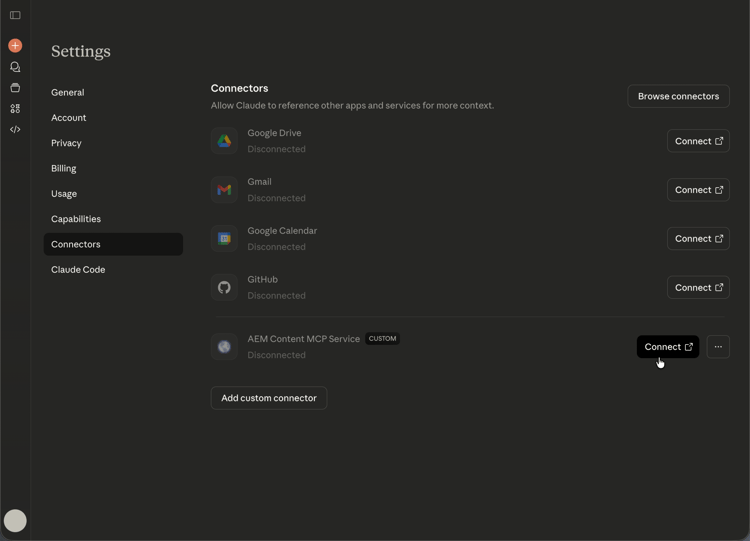
On the Connectors list, find your custom connector entry (it shows a CUSTOM label) and choose Connect to sign in and link the connector to your Claude account.
-
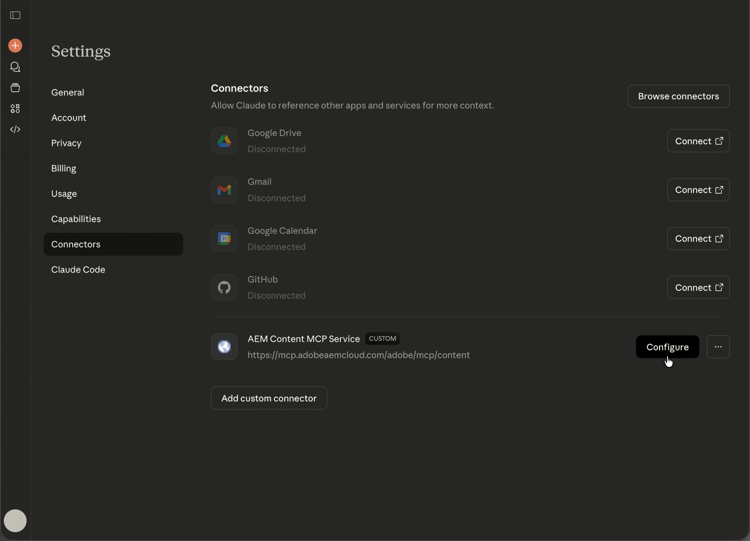
When the connector appears in the list with its URL, choose Configure next to AEM Content MCP Service to open the connector details and continue setup.
-
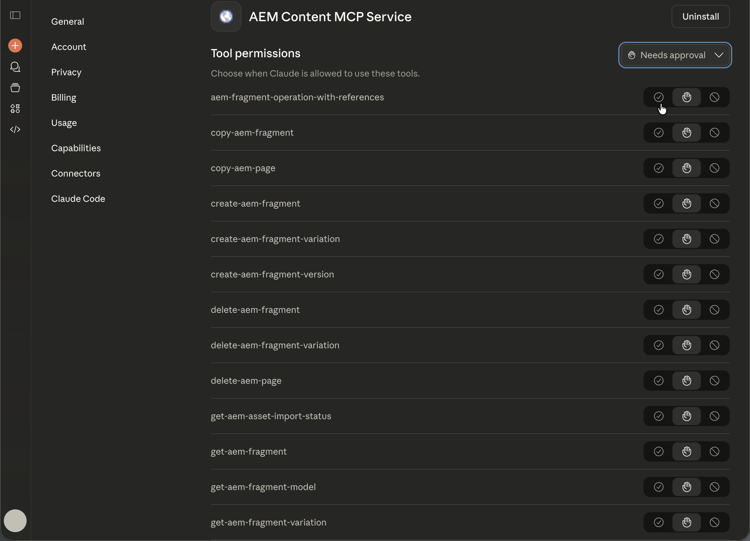
On the Tool permissions page, review the default (for example, Needs approval), then set each AEM tool to Always allow, Ask for permission, or Never allow according to your security policy.
-
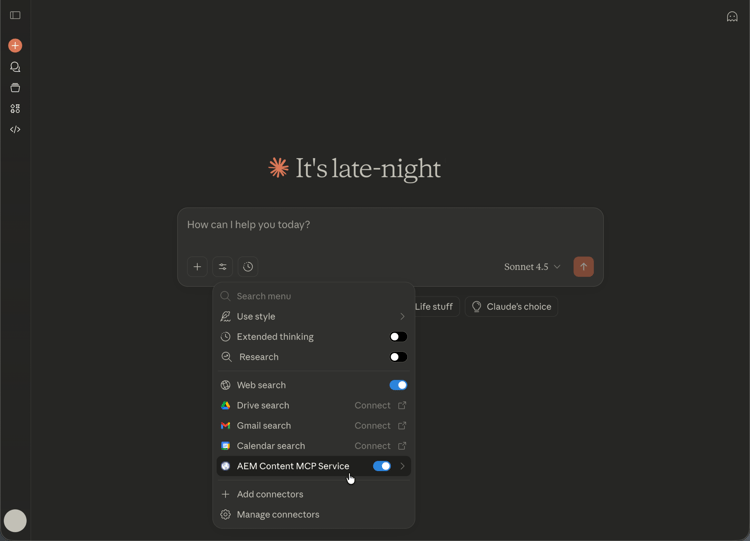
Open a conversation. Select the tools and model menu (sliders icon) to the left of the message field, enable AEM Content MCP Service under Connectors, then enter your prompt so Claude can use the MCP tools for that chat.
Install the Adobe Experience Manager Connector (Anthropic connector marketplace) install-adobe-experience-manager-connector
This section describes the installable connector from Anthropic’s connector marketplace (as opposed to adding a custom connector URL). It includes a subset of the tools available in AEM’s MCP servers.
To install the Adobe Experience Manager Connector, open Settings > Connectors in Claude. You can also open the Connectors page directly at https://claude.ai/settings/connectors. The connector registers an MCP server that exposes a growing set of tools for AEM workflows.