Manage access tokens for external repositories manage-access-tokens
Cloud Manager uses access tokens to manage repositories hosted on external Git platforms. Previously, if a token expired, the associated repository had to be re-onboarded to remain operational.
Now, Manage Access Tokens lets you manage tokens more efficiently. You can manage tokens for supported Git providers: GitHub Enterprise, GitLab, Bitbucket, and Azure DevOps.
See also Add External Repositories in Cloud Manager.
View access tokens view-access-tokens
-
Log in to Cloud Manager at my.cloudmanager.adobe.com and select the appropriate organization.
-
On the My Programs console, select the program whose Bring Your Own Git access token you want to manage.
-
In the side menu, under Program, click
Repositories.
-
Near the upper-right corner of the page, click Manage Access Tokens.
The Manage Access Tokens button is only visible if your program is using the Bring Your Own Git feature.
-
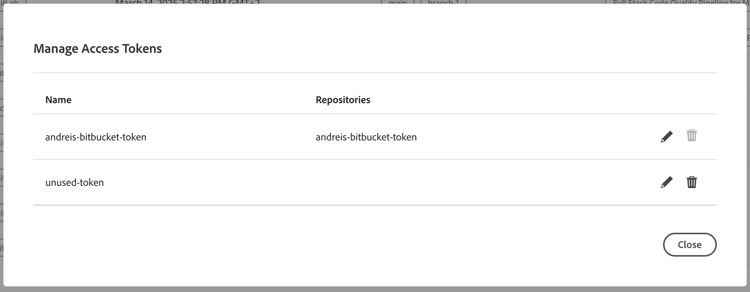
In the Manage Access Tokens dialog box:
- All access tokens are listed.
- You can edit any token.
- You can delete only those tokens that are not currently in use. If a token is in use, the
Edit an access token edit-access-tokens
-
In the Manage Access Tokens dialog box, to the right of a token name, click
-
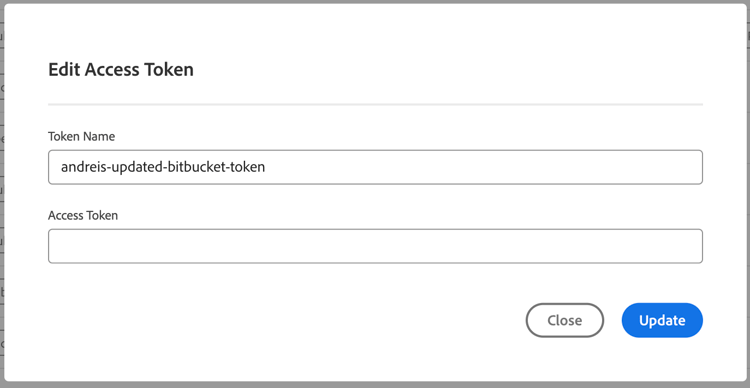
In the Edit Access Token dialog box, update the Token Name, or the Access Token value, or both.
-
If the Access Token is currently in use, a notification appears warning you that all associated repositories are automatically revalidated after the update.
-
Click Update to save the changes.
Delete an access token delete-access-token
-
In the Manage Access Tokens dialog box, to the right of a token name, click
The icon is disabled (
-
In Delete Access Token, click Delete to remove the token permanently.