Catalog > Product File Attributes
To access the store configuration settings, choose Stores > Settings > Configuration from the Admin sidebar.
Configure Allowed File Types and Size
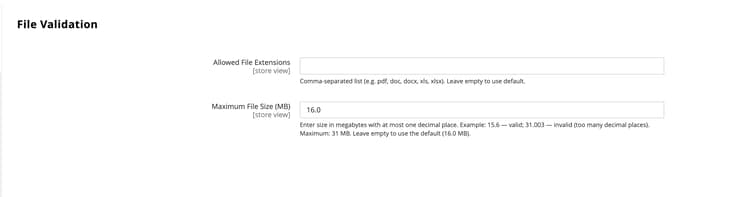
Allowed File Extensions
Global
A comma-separated list of permitted file types, such as
pdf,doc,docx,txt. Leave blank to use the default allowed file types: pdf, doc, docx, xls, xlsx, ppt, pptx, txt, csv, zip.Maximum File Size
Global
The maximum allowed file size in MB, such as
20.0. The default limit is 16 MB. The maximum allowed file size is 31 MB.recommendation-more-help
commerce-admin-help-configuration-reference