Continuous delivery continuous-delivery
The Continuous delivery activity allows you to add new recipients to an existing delivery. This delivery type avoids having to create a new delivery each time, making it more efficient for low-volume alerts or notifications sent as needed.
A continuous delivery creates a single delivery instance. All delivery logs (broadLog) and tracking logs reference this one delivery, simplifying monitoring and reporting.
Configure the Continuous delivery activity configure
-
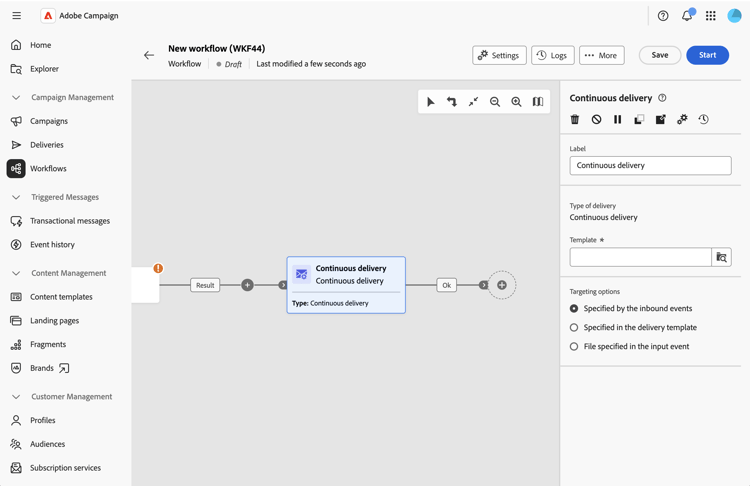
Add a Continuous delivery activity to your workflow canvas.
-
Enter a custom Label for the activity (optional). By default, it is labeled “Continuous delivery”.
-
Next to the Template field, click the search icon to select a delivery template. Only templates (not standard deliveries) are available for selection. The template defines the delivery channel, content, and configuration.
-
In the Targeting options, choose how the target population is defined:
-
Specified by the inbound events: the target comes from the inbound transition (from upstream activities like Build audience or Incremental query). This is the most common option.
-
Specified in the delivery template: The target is defined in the template itself.
-
File specified in the input event: The target is provided via a file passed through the workflow.
-
The continuous delivery activity automatically generates an outbound transition to continue your workflow.