Review offer environment settings offer-environment
An offer environment is the container in which you organize your offer catalog and the related offer spaces. There are two types of environments:
- a Design environment, where offers are created, configured, and approved,
- a read-only Live environment, where the approved and deployed offers are available for delivery selection.
Each Design environment is linked to a Live environment. When an offer is complete and approved, it is automatically deployed to the Live environment and available for delivery.
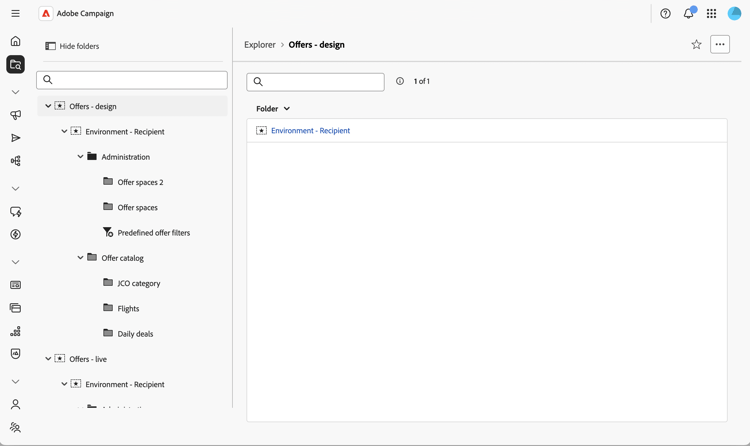
By default, Campaign comes with two Design and Live environments pre-configured to target the built-in recipient table (identified offers).
To target another table, such as anonymous profiles visiting your website for inbound interactions, you need to create additional environments (one per targeting dimension). Refer to the Campaign v8 documentation.
Access offer environments offer-environment-settings
Offer environments are stored as folders. To access and review the environment settings (eligibility, weight management, security), follow these steps:
-
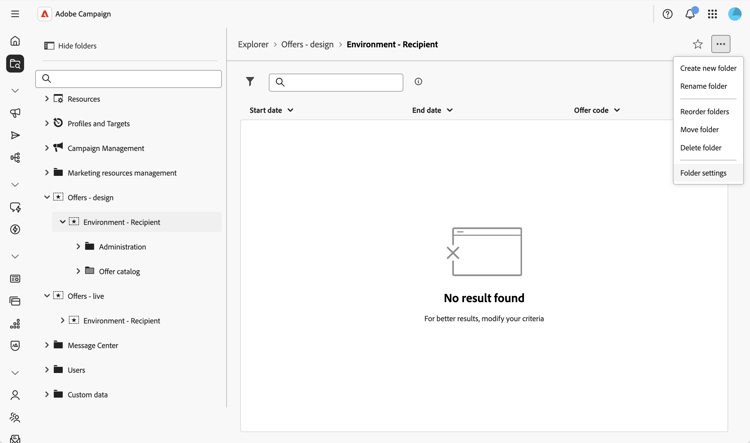
From the left navigation menu, open the Explorer and locate the offer environment folder under the Design environment node.
-
Click on the … button, and select Folder settings to display the environment settings.
-
Review the different sections. The folder settings of an offer environment group offer-specific options.
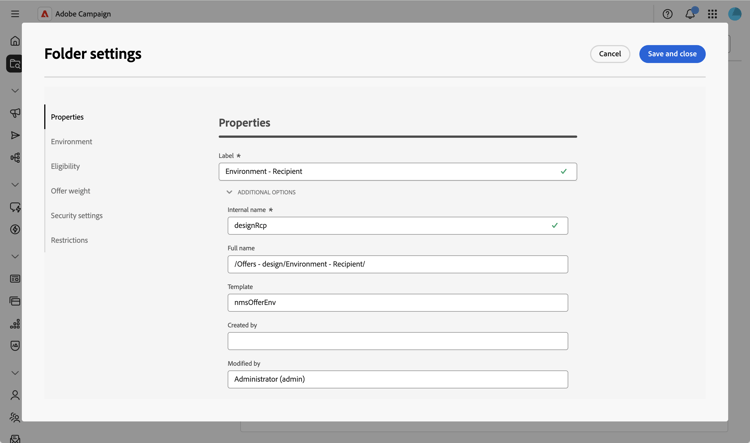
Most settings mirror the offer environment configuration available in the Client Console. For more information, refer to the Campaign v8 documentation.
Next, create an offer space to define where and how the offers are exposed.