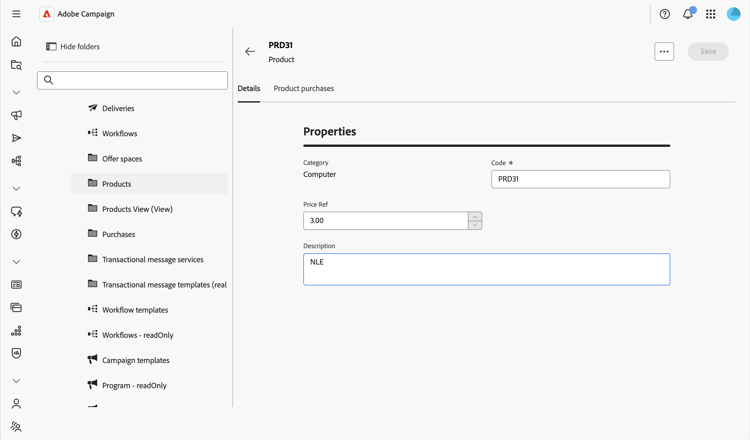
Control actions on data action-data
The Action data section allows you to restrict the actions available on a custom schema’s records, regardless of the security rules configured on individual folders. This restriction applies at the schema level, in every folder, for every user, including administrators.
For more information on the screen definition screen and how to access it, refer to the Access the screen definition section.
To configure action data, follow the steps below:
-
Browse to the Schemas menu, and locate editable schemas using the filters.
-
Select the schema name in the list to open it and click the Screen edition button in the schema details view to access the screen definition.
-
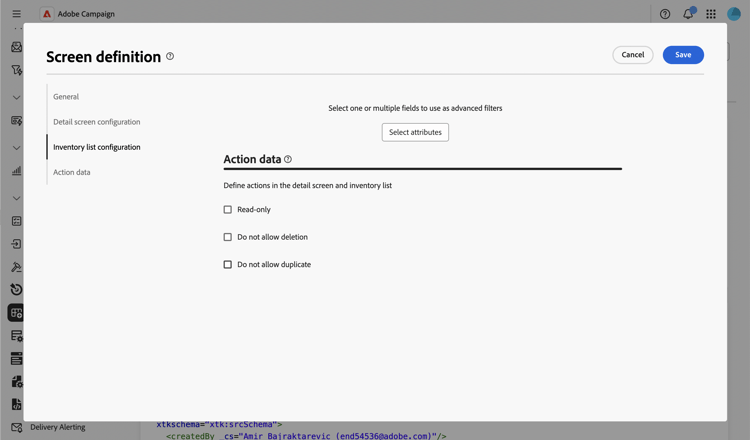
Scroll down to the Action data section, at the bottom of the screen definition.
-
Select one or more of the available options:
-
Read-only: The detail screen becomes read-only for all users. No create, duplicate, update, or delete action is available from the list, and the delete and duplicate actions are hidden from the detail screen. Selecting this option is similar to configuring a view: users can still open records and reuse them, for example when targeting a delivery, but cannot modify them.
-
Do not allow deletion: The delete action is removed from the detail screen and from the list, in every folder. Other actions, such as create, duplicate, and update, remain available.
-
Do not allow duplicate: The duplicate action is removed from the detail screen and from the list, in every folder. Other actions, such as create, delete, and update, remain available.
note NOTE Enabling Read-only automatically covers deletion and duplication as well, so the Do not allow deletion and Do not allow duplicate options are disabled while Read-only is selected.
-
-
Click Save.
-
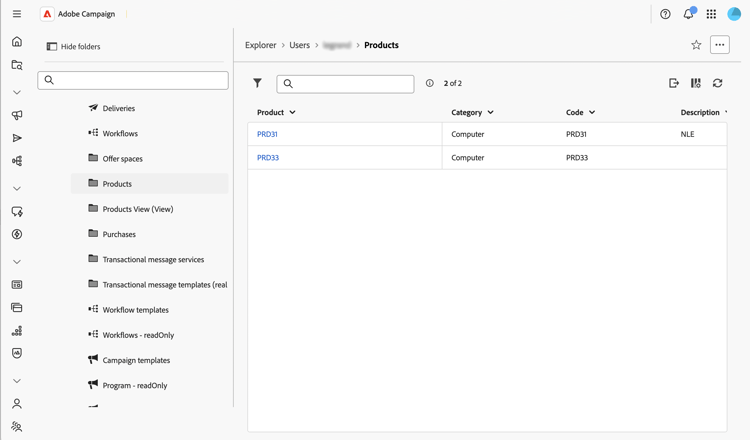
Browse to the list of records for this schema to check the result.
In this example, Read-only is enabled: the list no longer displays the duplicate and delete actions.
-
Open a record to check the detail screen. Its fields are displayed without allowing any edition.