Add fork activity
Objective
In the next set of steps you will add the Fork activity to the campaign and create identical branches of the data.
Fork activity
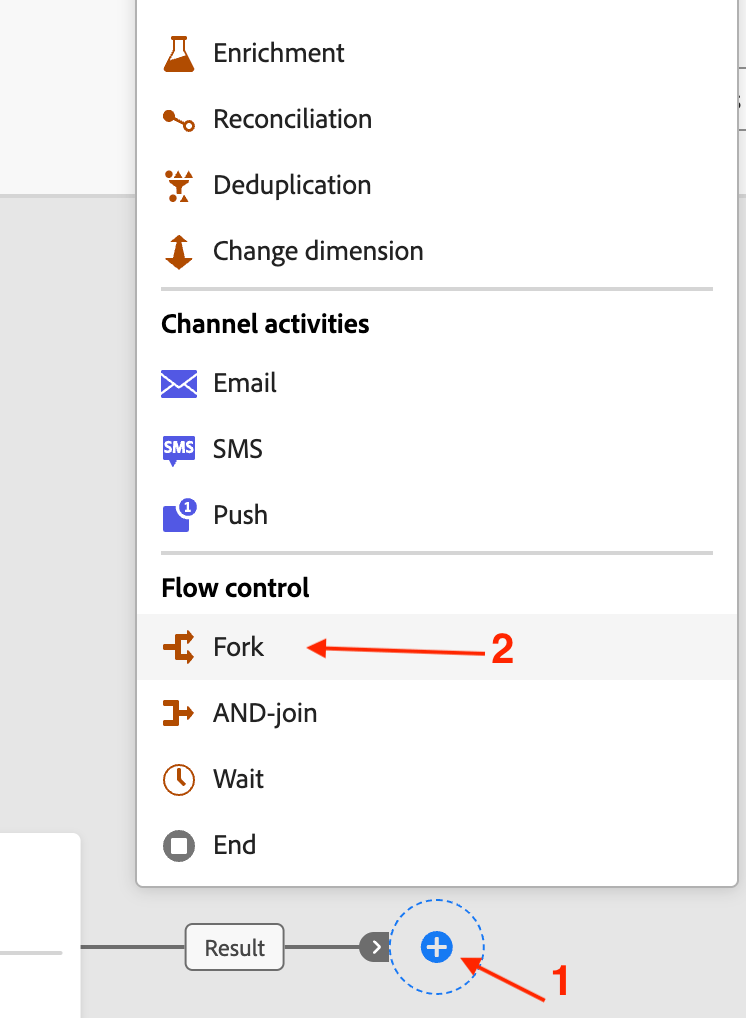
The canvas with the configured Build audience is presented. Click on the + at the end of the flow and add a Fork activity from the Flow control section
NOTE
By default a fork activity always creates two branches
Recap
You have now seen how easy it is to use the Fork activity in the campaign canvas to create identical branches of the same data flowing in. The branches of the Fork activity will be used in the next step.
You can read more here if you are interested.
recommendation-more-help
blueprints-learn-help-blueprints