Recap
The video below recaps how you built the schema, identities, and relationship descriptors via API calls, and demonstrates how JSON Patch is used to modify a schema.
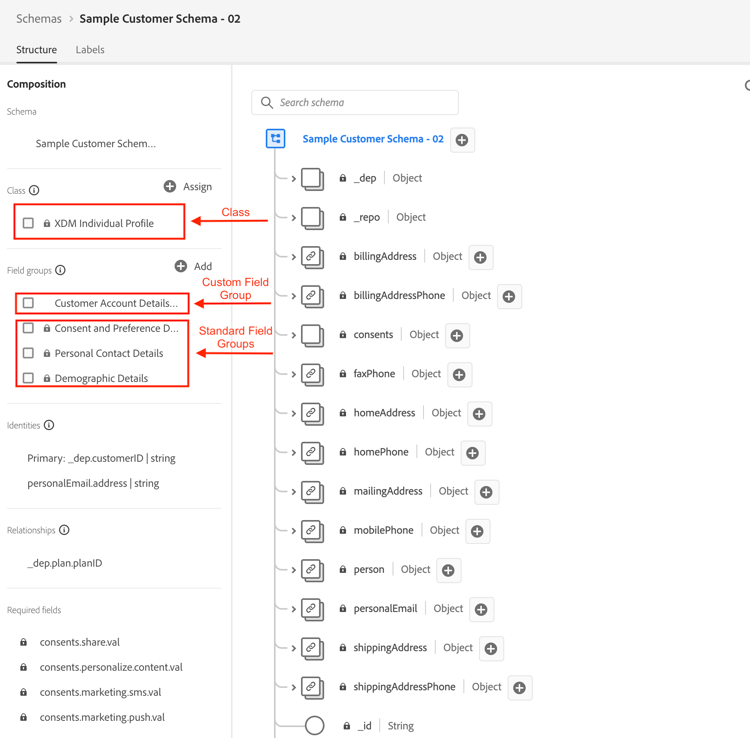
Created the Customer Account schema
You created the schema by $ref both the Adobe-created field groups and your own custom-created field group (that is, tenant). You also $ref the class the schema is meant to represent (that is, XDM Individual Profile)
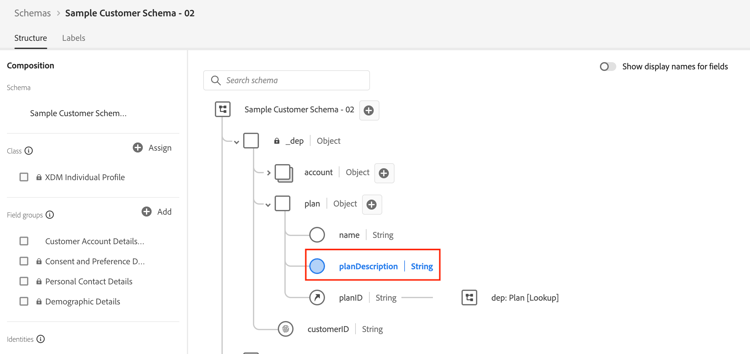
JSON-patched the Customer Account schema
You used the JSON Patch method to modify the Customer Account schema to add a new field to the plan object. You did this by patching the $ref custom field group called Customer Account Details you defined in Create Custom Field Groups, rather than patching the schema itself.
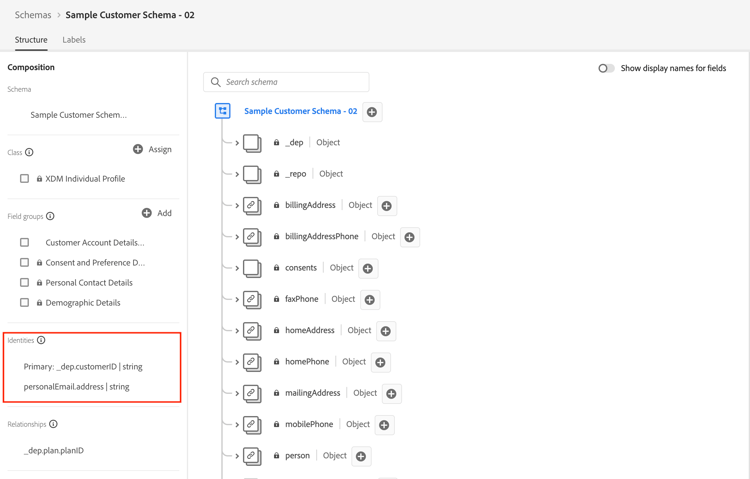
Marked identity fields
To create Identity Descriptors for both the _devbc.customerID and personalEmail.address fields within the Customer Account schema, you performed two of the same POST calls.
- The
_devbc.customerIDfield was set as the primary identity - The
personalEmail.addressfield was not set as a primary
Created lookup relationship
The last step was to create the relationship between the Customer Account and Plan schemas from the XDM ERD on Paper lab. This required you to create both a relationship descriptor (that is, how to relate the Customer Account schema to the dep: Plan [Lookup] schema) and a reference identity descriptor on the Customer Account schema.
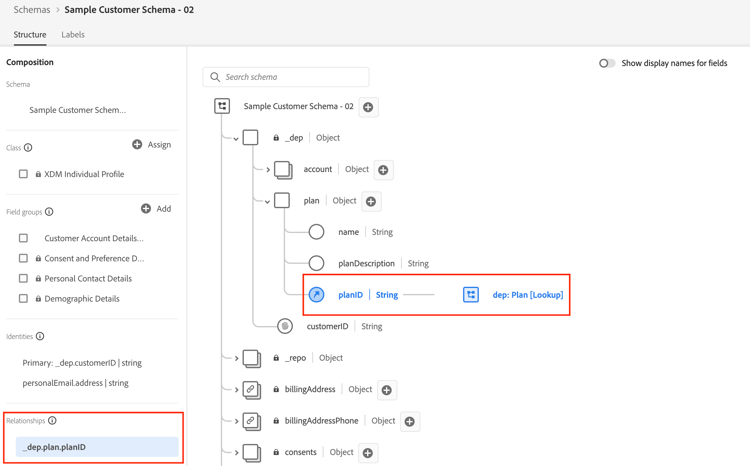
referenceIdentity descriptor tells the Real-Time Customer Profile what field in the Customer Account schema matches which identity namespace. Remember that when you define a lookup schema you must mark a field as a primary identity and assign it a namespace with a type of non-person.