ID Syncing with Media Optimizer id-syncing-with-media-optimizer
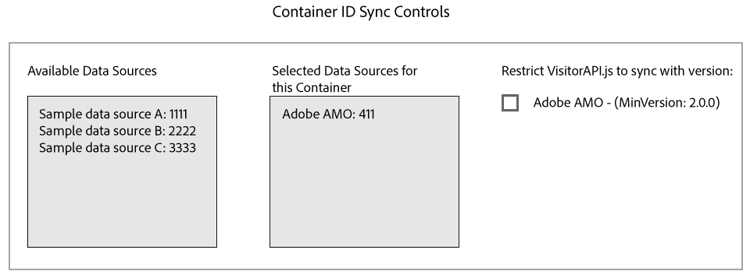
By default, all companies sync data with Adobe Media Optimizer (AMO). In the Admin UI, each company container has a data source that manages this process. This data source is Adobe AMO (ID 411). Click a container row (under the Containers tab) for a selected company to disable this default sync or to add and remove other data sources to the AMO sync process.
ID Sync Status id-sync-status
The following table describes the sync status of a data source.
Status
Description
Off
Remove all the data sources from Selected Data Sources for this container to disable ID syncs with AMO
On (regardless of ID service version)
A data source syncs with AMO regardless of ID service version when:
- The data source appears in the Selected Data Sources list.
- The AMO check box is not selected.
On (regardless of ID service version)
A data source will sync with AMO with ID service version 2.0 (or greater) when:
- The data source appears in the Selected Data Sources list.
- The AMO check box is selected.
recommendation-more-help
audience-manager-admin-help-admin