Auf dieser Seite: Erfahren Sie, wie Sie Kundenkennungen durchsuchen und Identitätsdiagramme in Adobe Journey Optimizer erkunden, einschließlich der Kombination von Identitäts-Namespaces und Werten zur Identifizierung jeder Kundin und jedes Kunden.
Bei einer Identität handelt es sich um Daten, die für eine Entität eindeutig sind. Im Normalfall ist dies ein echtes Objekt wie eine einzelne Person, ein Hardware-Gerät oder ein Webbrowser. Eine vollqualifizierte Identität besteht aus zwei Elementen:
- Der Identity-Namespace dient als Indikator für den Kontext, auf den sich eine Identität bezieht.
- Der Identitätswert ist eine Zeichenfolge, die für eine Entität steht.
Nehmen wir die Telefonnummer 555-555-1234 als Beispiel. Die Zeichenfolge „555-555-1234“ ist hier ein Identitätswert, der in einen Identity-Namespace „Telefon“ kategorisiert werden könnte.
Über das Menü Identitäten in Adobe Journey Optimizer können die verschiedenen Kennungen, mit denen die Kundinnen und Kunden in Ihrer Datenbank vorliegen, effizient durchsucht werden.
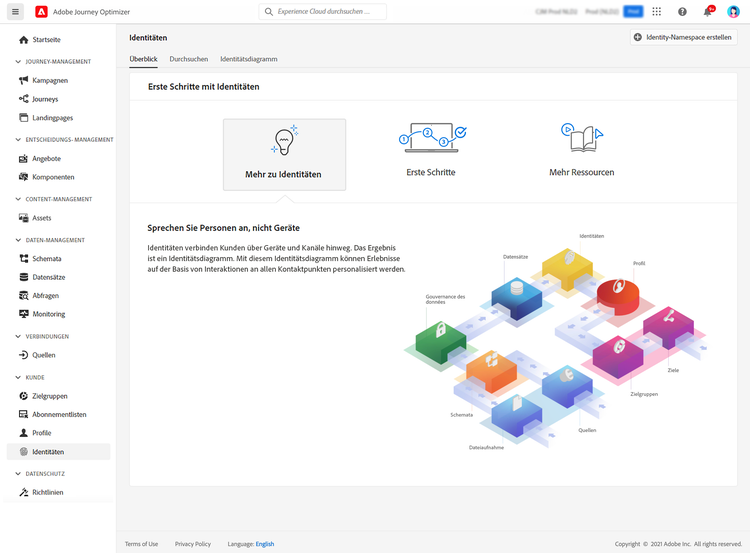
Es stellt ein Identitätsdiagramm zur Verfügung, das eine Zuordnung von Beziehungen zwischen verschiedenen Identitäten für eine bestimmte Kundin oder einen bestimmten Kunden darstellt. Dieses Diagramm zeigt visuell, wie eine Kundin oder ein Kunde über verschiedene Kanäle hinweg mit einer Marke interagiert. Alle Kunden-Identitätsdiagramme werden von Adobe Experience Platform Identity Service bei Kundenaktivität zusammen verwaltet und aktualisiert.
Detaillierte Informationen zum Arbeiten mit Identitäten sind in der Dokumentation zu Identity Service verfügbar.
This section contains structured knowledge intended to support interpretation, retrieval, and question answering related to this topic.
For complete understanding, this information should be combined with the documentation on this page. Neither source is intended to stand alone; the page describes the feature, while this section provides additional context that helps disambiguate terminology, intent, applicability, and constraints.
- TL;DR: The Identities menu in Adobe Journey Optimizer lets users browse the identifiers that make up their customers and explore an Identity Graph showing the relationships between a customer’s different identities.
Intents:
- Browse the various identifiers that make up the customers in the database
- Understand how an identity namespace and identity value combine to form a fully qualified identity
- Explore the Identity Graph for a particular customer
Glossary:
- Identity: Data that is unique to an entity, typically a real-world object such as an individual person, a hardware device, or a web browser (product-specific)
- Identity namespace: An indicator of the context to which an identity relates (product-specific)
- Identity value: A string that represents an entity (product-specific)
- Identity Graph: A map of relationships between different identities for a particular customer, offering a visual representation of how a customer interacts with a brand across different channels (product-specific)
Guardrails:
- All customer identity graphs are collectively managed and updated by Adobe Experience Platform Identity Service in response to customer activity.
Terminology:
- Canonical name: Identity Graph
- Do not confuse: “identity namespace” (indicator of context) ≠ “identity value” (string representing an entity)
FAQ:
- Q: What makes up a fully qualified identity? — Two elements: the identity namespace (the context) and the identity value (a string representing an entity).
- Q: What is the Identity Graph? — A map of relationships between a particular customer’s different identities, showing how they interact with a brand across channels.
- Q: Who manages and updates customer identity graphs? — Adobe Experience Platform Identity Service, in response to customer activity.