取消核准Predictive Content的標題 unapprove-a-title-for-predictive-content
您可以在All Content頁面或Edit Content快顯視窗中,取消核准預測性內容的任何標題。
All Content頁 all-content-page
-
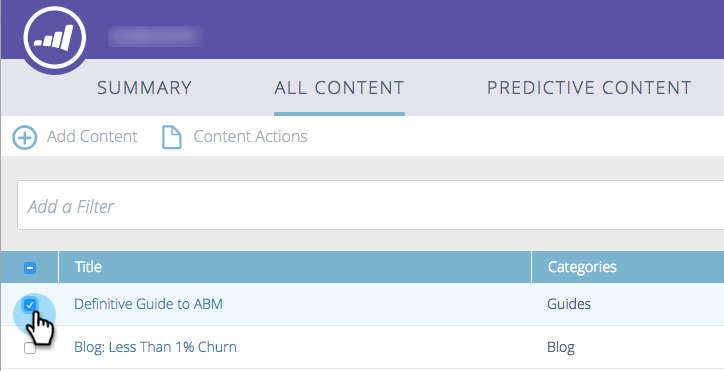
在All Content頁面上,核取內容旁的方塊以選取它。
-
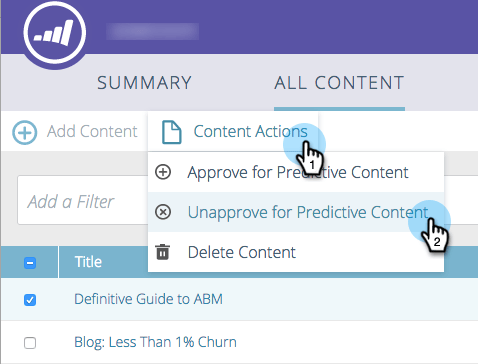
按一下「Content Actions」下拉式選單,選取「Unapprove for Predictive Content」。
Edit Content快顯視窗 edit-content-pop-up
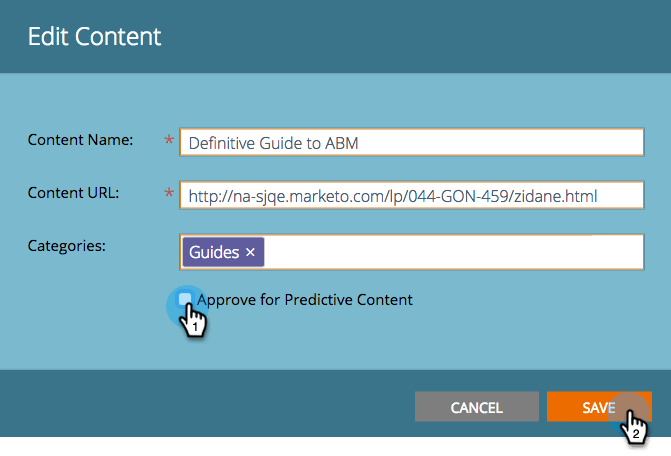
編輯標題時,您可以取消核准標題。
-
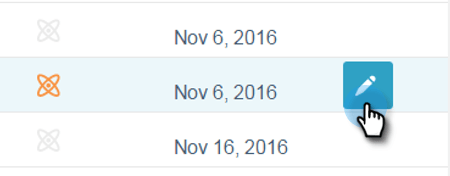
將游標暫留在內容上,然後按一下該列末尾的編輯圖示。
-
取消核取 Approve for Predictive Content 方塊並按一下 Save。
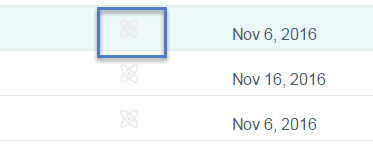
無論您使用哪種方法,All Content頁面上的核准圖示都會消失,而標題會從Predictive Content頁面消失。