SEO - 使用競爭者關鍵字趨勢報告 seo-use-the-competitor-kw-trends-report

在此報表中,瞭解您和您的競爭者在一段時間內如何依關鍵字排名。

IMPORTANT
在2026年3月31日,Marketo Engage 已棄用搜尋引擎最佳化功能。 seo.marketo.com仍在限定時間內可用。 請依照下列文章中的步驟匯出任何資料。

尋找報表 find-reports

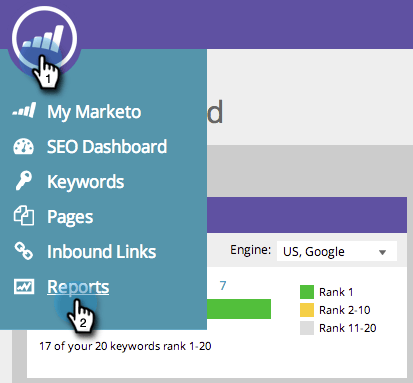
  1. 前往 Reports

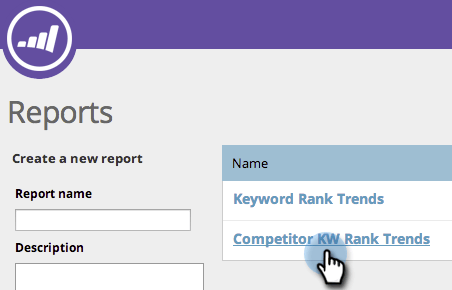
  2. 按一下「Competitor KW Rank Trends」。

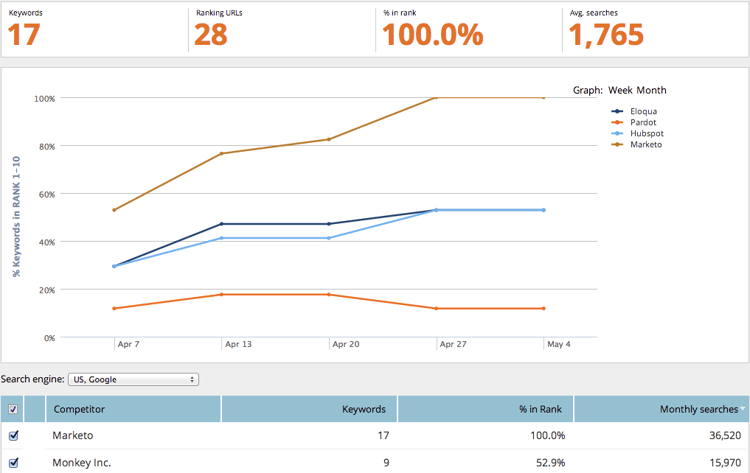
檢視您的關鍵字在指定範圍內排名的百分比,以及您的競爭對手的比較方式。

項目
說明
Keywords
您正在追蹤的關鍵字數目。
Ranking URLs
在您設定的範圍內網站排名的URL數量。
% in rank
The percentage of keywords ranking in the range you have set.
Avg. searches
The average number of searches on those keywords that occurred during the range you set (in the last 30 days on the Google US search)

篩選資料 filtering-data

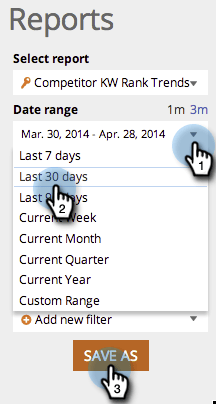
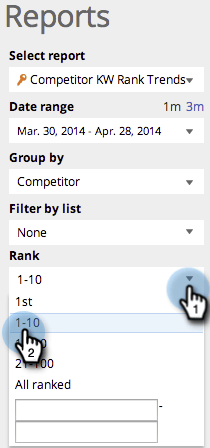
  1. 按一下下拉式清單,然後選取您想要的時段。

  2. 按一下​ Rank ​下拉式清單,選擇要檢視關鍵字的排名範圍。

Exporting Data exporting-data

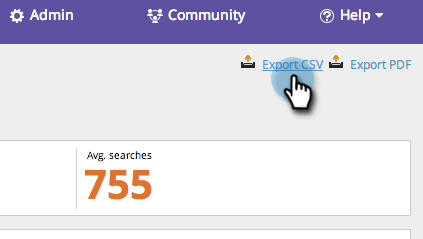
  1. 按一下「Export CSV」或「Export PDF」。

recommendation-more-help
94ec3174-1d6c-4f51-822d-5424bedeecac