建立自訂Marketo Measure報表型別 creating-custom-marketo-measure-report-types
瞭解如何建立自訂Marketo Measure Salesforce報告型別。 我們建議建立三種不同的報表型別:具有購買者接觸點的銷售機會(自訂)、Marketo Measure具有購買者接觸點的人員(自訂)、具有Buyer Attribution Touchpoint的機會(自訂)。
具有購買者接觸點的銷售機會(自訂) leads-with-buyer-touchpoints-custom
-
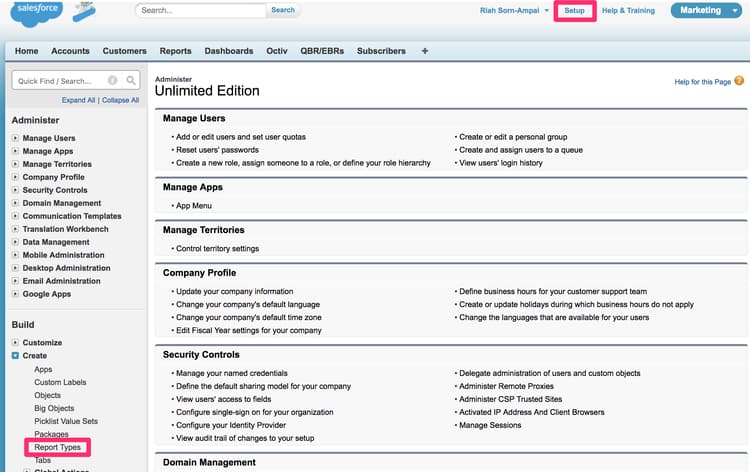
前往「Setup > Build > Report Types > New Custom Report Types」。
-
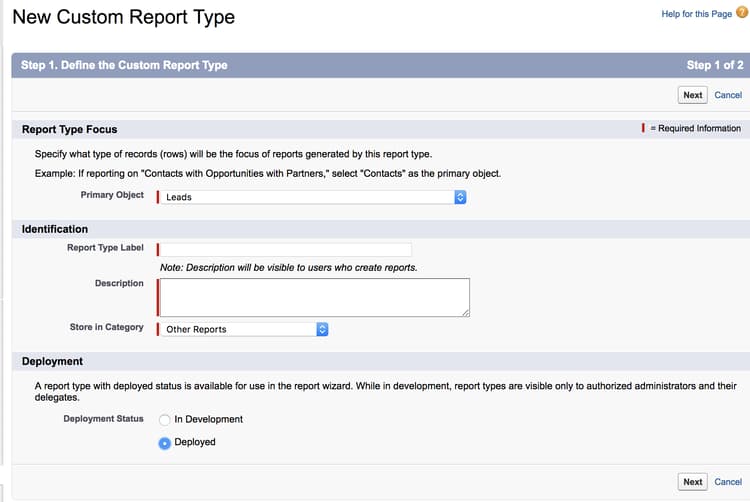
定義自訂報表型別。
- Report Type Focus > Primary Object:潛在客戶
- 識別> Report Type Label:具有購買者接觸點的銷售機會(自訂)
- Store in Category:其他報告
- Deployment > Deployment Status:已部署
-
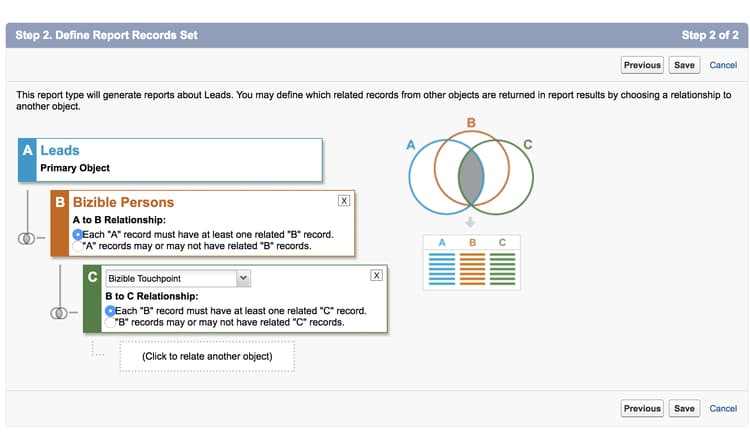
定義物件關係。
- 將Lead物件(A)與Marketo Measure個人物件(B)建立關聯,然後再與Buyer Touchpoint物件©建立關聯
- 確定已選取"Each A/B record must have at least one B/C"記錄
- Save
Marketo Measure個人具有購買者接觸點(自訂) marketo-measure-person-with-buyer-touchpoints-custom
-
前往「Setup > Build > Report Types > New Custom Report Types」。
-
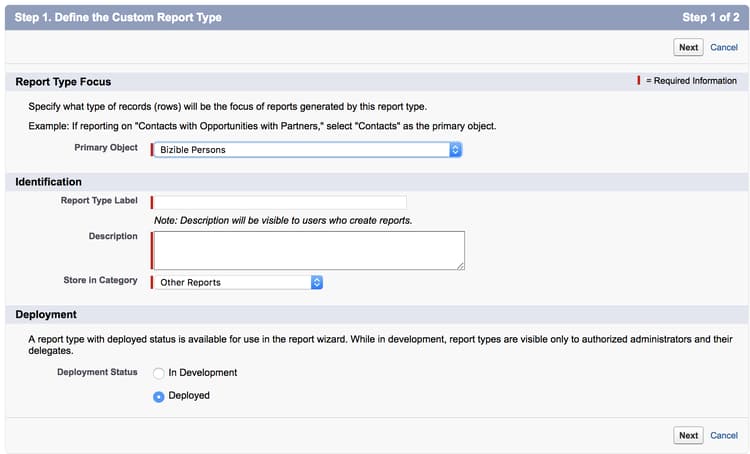
定義自訂報表型別。
- Report Type Focus > Primary Object: Marketo Measure人
- Identification > Report Type Label: Marketo Measure具有購買者接觸點的人員(自訂)
- Store in Category:其他報告
- Deployment > Deployment Status:已部署
-
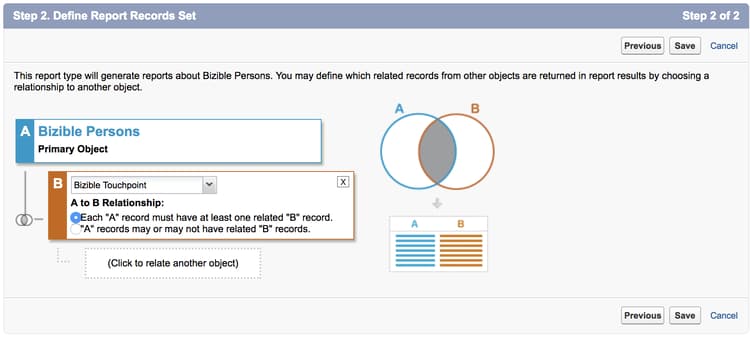
定義物件關係。
- 將Marketo Measure個人物件(A)與Buyer Touchpoint物件(B)建立關聯
- 確定已選取"Each A record must have at least one B"記錄
- Save
Buyer Attribution Touchpoint商機(自訂) opportunities-with-buyer-attribution-touchpoint-custom
-
前往「Setup > Build > Report Types > New Custom Report Types」。
-
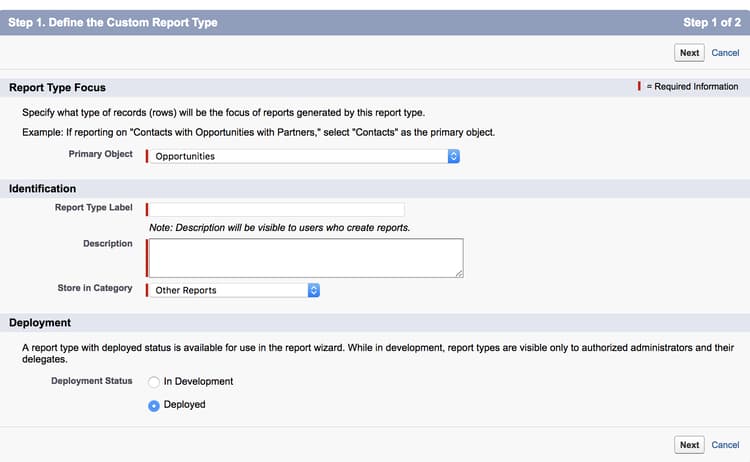
定義自訂報表型別。
- Report Type Focus > Primary Object:機會
- Identification > Report Type Label:Buyer Attribution Touchpoint商機(自訂)
- Store in Category:其他報告
- Deployment > Deployment Status:已部署
-
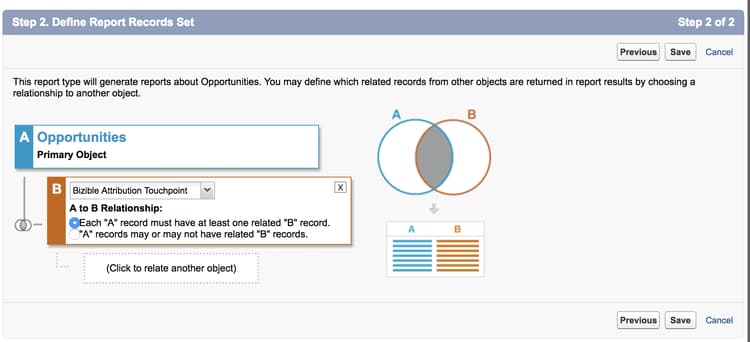
定義物件關係。
- 將Opportunities物件(A)與Buyer Attribution Touchpoint物件(B)建立關聯
- 確定已選取"Each A record must have at least one B"記錄
- Save
新增自訂欄位至自訂報表型別 adding-custom-fields-to-custom-report-types
-
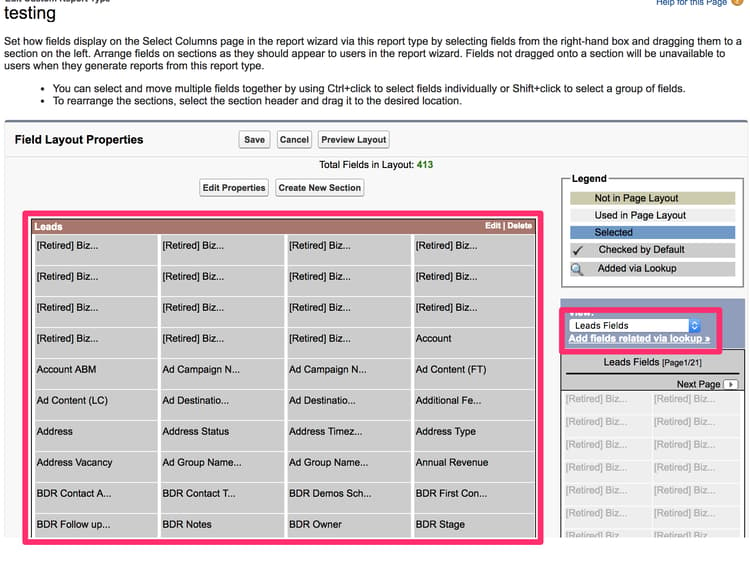
建立報表後,您將被重新導向至報表型別的概觀。 按一下「Edit Layout」。
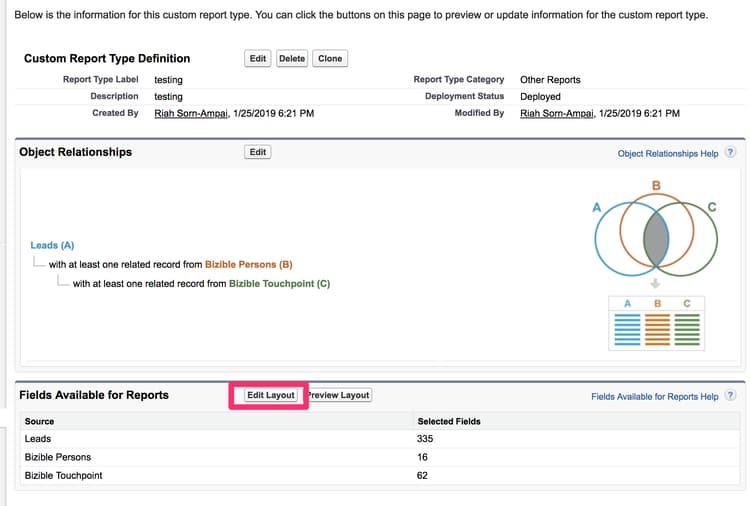
-
確認您要新增至報表的自訂欄位會出現在欄位配置屬性區段中。 如果您想要新增任何其他欄位,請使用"Add fields related via lookup"選項。