記錄轉送:Fastly log-forwarding-fastly
本頁面說明如何將內容傳遞網路記錄從 Fastly 轉送至 Adobe 的 S3 貯體,以收集代理式流量資料。 您將使用 LLM Optimizer 內容傳遞網路設定頁面,在 LLM Optimizer 上線。 完成上線流程後,請依照本頁面提供的步驟,在 Fastly 網頁控制台中設定記錄轉送。
步驟 1:在 LLM Optimizer 上線 step-1
在 LLM Optimizer 頁面 https://llmo.now/:
-
前往「設定」。
-
按一下「內容傳遞網路設定」分頁。
-
按一下「開始使用」。
-
在「啟用 AI 流量洞察」旁邊,按一下「設定」。

-
選取「Fastly (BYOCDN)」。

-
按一下「上線」。
步驟 2:在 Fastly 中建立 S3 端點 step-2
若要建立 S3 端點,請在 Fastly 控制面板上:
- 在 Fastly 儀表板中,前往內容傳遞網路服務 (不是運算服務)。
- 在「Amazon Web Services S3」區域中,按一下「建立端點」。
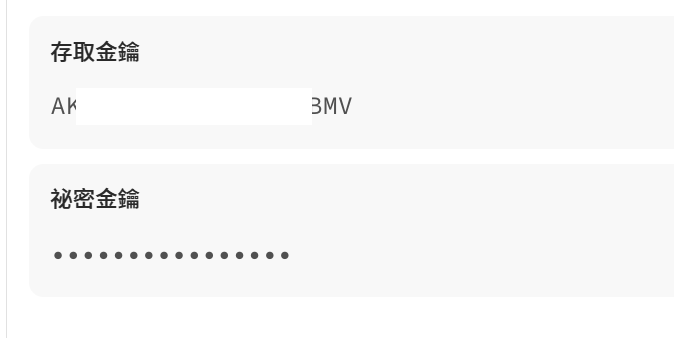
- 填寫「建立 Amazon S3 端點」欄位:
%Y-%m-%dT%H:%M:%S.000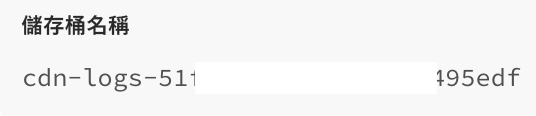
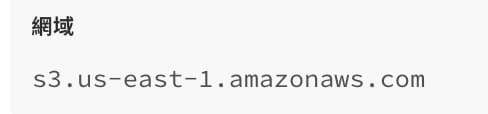
300記錄格式字串:
{ "timestamp": "%{strftime(\{"%Y-%m-%dT%H:%M:%S%z"\}, time.start)}V", "host": "%{if(req.http.Fastly-Orig-Host, req.http.Fastly-Orig-Host, req.http.Host)}V", "url": "%{json.escape(req.url)}V", "request_method": "%{json.escape(req.method)}V", "request_referer": "%{json.escape(req.http.referer)}V", "request_user_agent": "%{json.escape(req.http.User-Agent)}V", "response_status": %{resp.status}V, "response_content_type": "%{json.escape(resp.http.Content-Type)}V", "client_country_code": "%{client.geo.country_name}V", "time_to_first_byte": "%{time.to_first_byte}V" }
完成上述步驟後,按一下「進階選項」並設定:

設定進階選項後:
- 按一下「建立」以建立端點。
- 在「啟動」選單中選取「在生產環境中啟動」,以便進行部署。
範例記錄項目 example
以下是傳送資料至 Amazon S3 的格式字串範例:
{
  "timestamp": "2026-02-10T05:05:36+0000",
  "host": "example.com",
  "url": "/my/path",
  "request_method": "GET",
  "request_referer": "https://example.com/my/other/path",
  "request_user_agent": "Mozilla/5.0 (iPhone; CPU iPhone OS 13_2_3 like Mac OS X) AppleWebKit/605.1.15 (KHTML, like Gecko) Version/13.0.3 Mobile/15E148 Safari/604.1",
  "response_status": 200,
  "response_content_type": "text/css; charset=utf-8",
  "client_country_code": "argentina",
  "time_to_first_byte": "0.138"
}