設定DITA資產復寫
下列標籤提供根據Experience Manager Guides設定設定DITA資產複製功能的指示: Cloud Service或內部部署。
Cloud Service
-
使用組態覆寫中提供的指示來建立組態檔。
-
在設定檔案中,提供下列(屬性)詳細資訊:
table 0-row-3 1-row-3 PID 屬性索引鍵 屬性值 com.adobe.fmdita.config.ConfigManagerpublish.replicate預設值: “true”
內部部署
-
開啟Adobe Experience Manager Web主控台設定頁面。
存取設定頁面的預設URL為:
code language-http http://<server name>:<port>/system/console/configMgr -
搜尋並選取 com.adobe.fmdita.config.ConfigManager 套件。
-
依照您的需求設定設定復寫DITA資產 (
publish.replicate)。 預設會啟用此設定。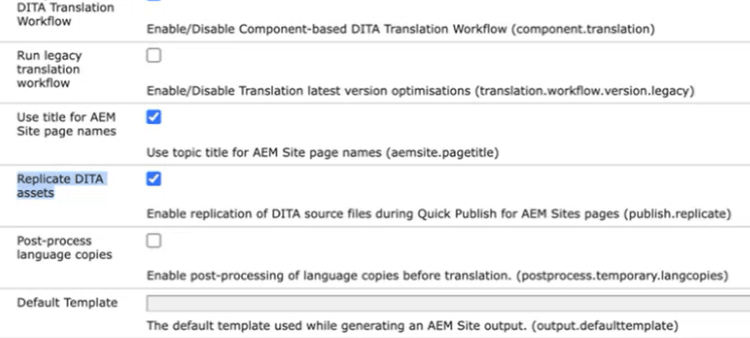
-
選取「儲存」。
recommendation-more-help
experience-manager-guides-help-product-guide