[AEM Forms]{class="badge positive" title="適用於AEM Forms)。"}
OAuth伺服器對伺服器驗證
OAuth伺服器對伺服器驗證允許以權杖為基礎的安全存取AEM Forms Communications API,而不需要使用者互動。 Adobe Developer Console支援OAuth伺服器對伺服器驗證。
先決條件
開始之前,請確定符合下列必要條件:
- 確保您擁有存取您使用環境專屬的Adobe Developer Console的許可權。
- 在Adobe Admin Console中指派系統管理員或開發人員角色以啟用Adobe Developer Console的存取權。
如何使用OAuth伺服器對伺服器驗證產生存取權杖?
請依照下列步驟,從Adobe Developer主控台產生存取權杖,並透過OAuth伺服器對伺服器驗證發出第一個API呼叫。
1. Adobe Developer Console專案設定
-
使用您的Adobe ID登入
-
建立新專案或導覽至您現有的專案
-
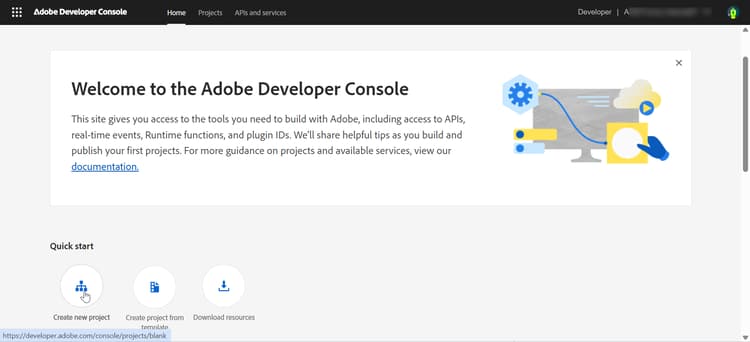
在 快速入門 區段中,按一下建立新專案
-
使用預設名稱建立新專案
-
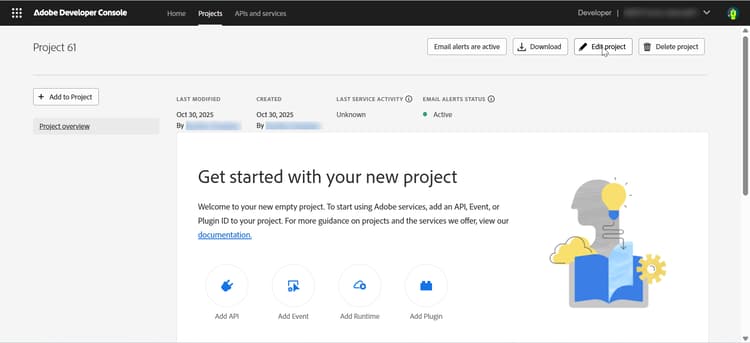
按一下右上角的編輯專案
-
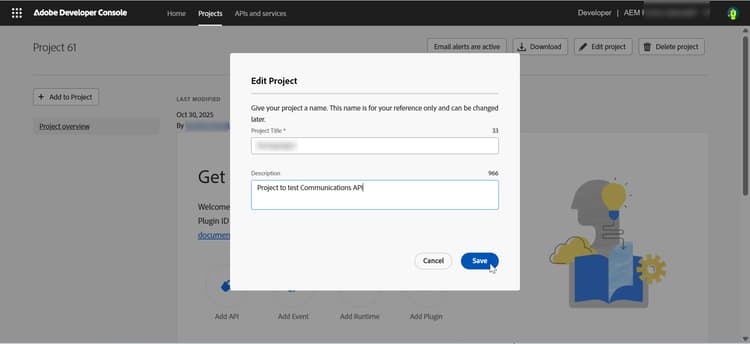
提供有意義的名稱(例如「formsproject」)
-
按一下「儲存」
-
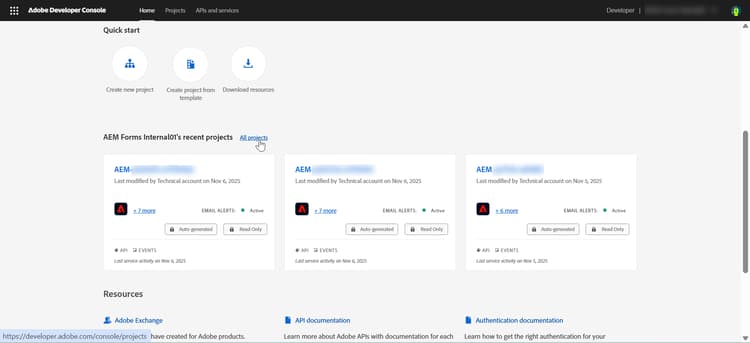
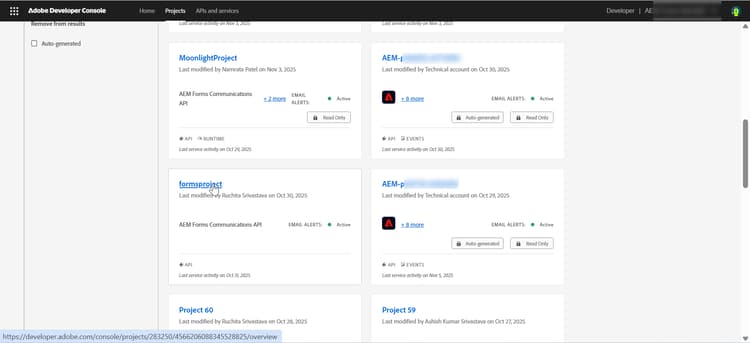
從Adobe Developer Console按一下所有專案
-
找到您的專案,然後按一下以開啟。
2. 新增Forms API
根據您想要做的以下工作新增Forms API:
- AEM Forms Communications API:需要產生、轉換、組合或保護檔案(PDF及相關格式)時使用。
- Adaptive Forms Runtime API — 在執行階段需要轉譯、提交或處理Adaptive Forms時使用。
-
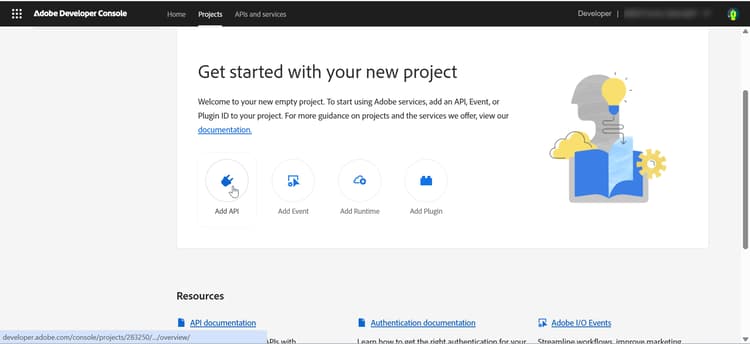
按一下新增API
-
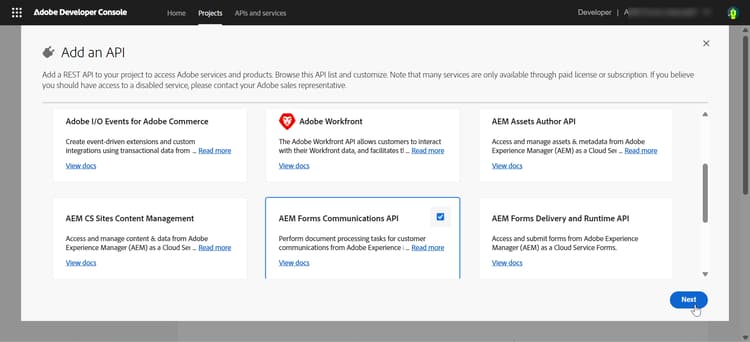
選取Forms通訊API
-
在 新增API 對話方塊中,依 Experience Cloud 篩選
-
選取「Forms通訊API」
-
按一下「下一步」。
-
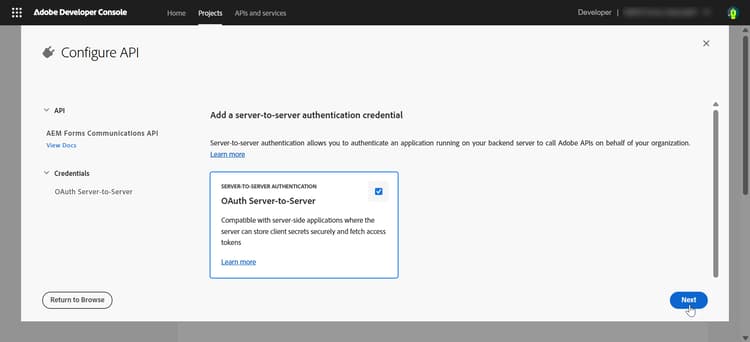
選取 OAuth伺服器對伺服器 驗證方法
-
-
按一下[新增API]
-
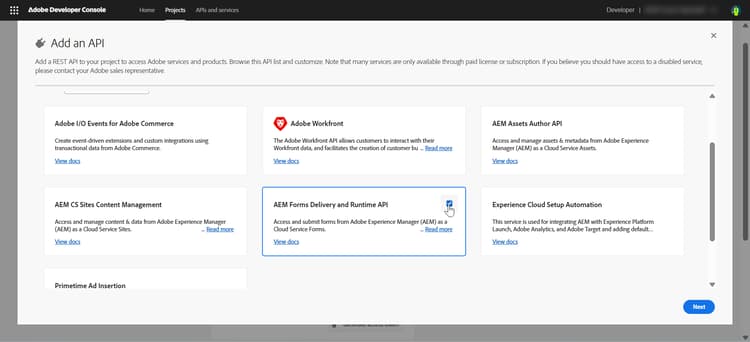
選取AEM Forms傳遞和執行階段API
-
在 新增API 對話方塊中,依 Experience Cloud 篩選
-
選取「AEM Forms傳遞和執行階段API」
-
按一下「下一步」。
-
選取 OAuth伺服器對伺服器 驗證方法。
-
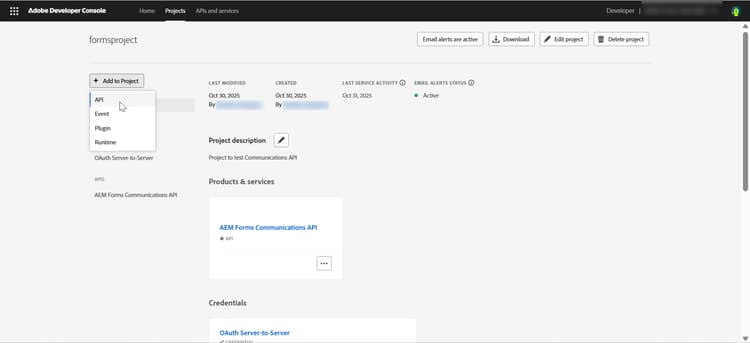
您也可以按一下新增至專案 > API,將API和驗證方法新增至您現有的專案
3. 新增產品設定檔
產品設定檔提供存取AEM資源的憑證許可權(或授權)。
-
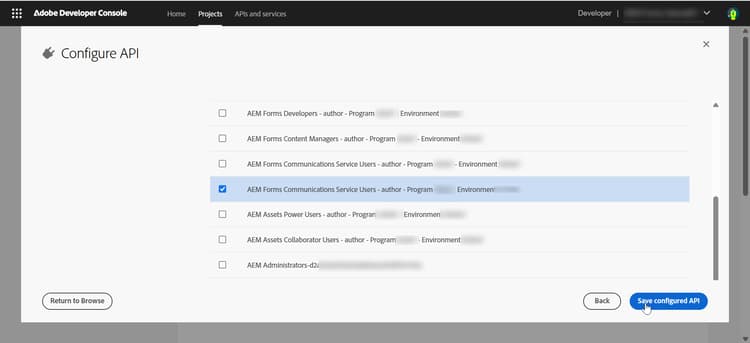
選取符合您AEM執行個體URL (
https://Service Type -Environment Type-Program XXX-Environment XXX.adobeaemcloud.com)的產品設定檔。-
服務型別 — 指定與AEM執行個體關聯的服務或許可權
-
環境型別 — 指定環境是用於作者或發佈服務
-
方案XXX — 識別Cloud Manager方案識別碼
-
環境XXX — 識別該程式中的特定環境ID
note NOTE 產品設定檔會繫結至特定的AEM執行個體(程式+環境)。 一律選擇符合執行個體URL的設定檔。 -
-
按一下「儲存已設定的 API」。 API和產品描述檔已新增到您的專案
4. 產生並儲存認證
-
在Adobe Developer Console中導覽至您的專案
-
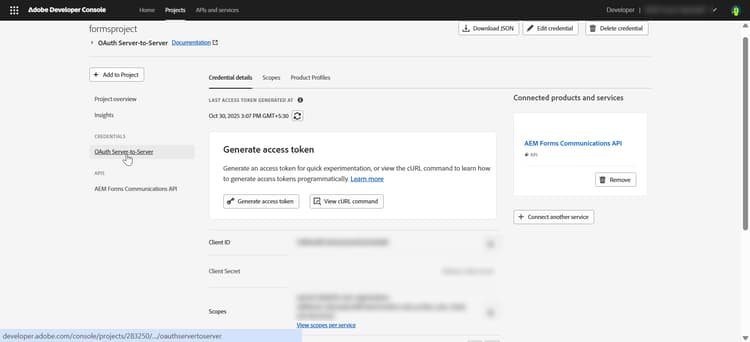
按一下 OAuth伺服器對伺服器 認證
-
檢視 認證詳細資料 區段
記錄API認證
    API Credentials:
    ================
    Client ID: <your_client_id>
    Client Secret: <your_client_secret>
    Technical Account ID: <tech_account_id>
    Organization ID: <org_id>
    Scopes: AdobeID,openid,read_organizations
5. 產生存取權杖
手動或以程式設計方式產生存取權杖:
在Adobe Developer Console中手動產生存取權杖:
-
瀏覽至您的專案
- 在Adobe Developer Console中,開啟您的專案
- 按一下OAuth伺服器對伺服器
-
產生存取權杖
- 按一下專案API區段中的 「產生存取權杖」 按鈕
- 複製產生的存取權杖
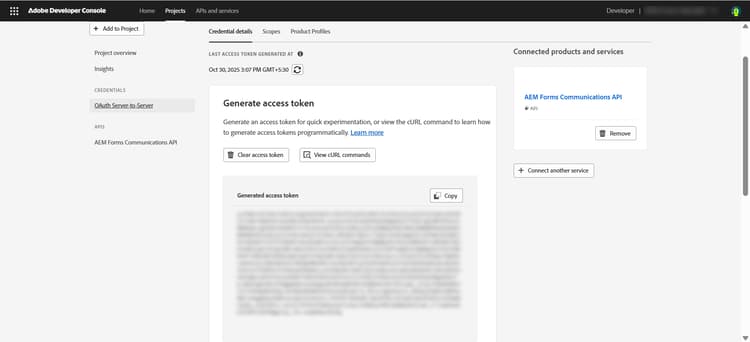
note NOTE 存取權杖僅對 24小時 有效
使用Adobe IMS API以程式設計方式產生權杖:
必要的認證:
- 用戶端 ID
- 用戶端密碼
- 範圍(通常:
openid, AdobeID, read_organizations, additional_info.projectedProductContext, read_pc.dma_aem_cloud, aem.document)
權杖端點:
| code language-none |
|---|
|
範例要求(curl):
| code language-bash |
|---|
|
回應:
| code language-json |
|---|
|
您現在可以使用產生的存取Token針對開發、預備或生產環境進行API呼叫。
最佳實務:管理開發、測試和生產的認證
-
請一律使用開發、測試和生產的個別認證。
-
將每個認證對應至正確的AEM環境URL。
-
安全地儲存秘密,並且絕不將其提交至原始檔控制。
-
追蹤存取權杖有效性,因為權杖僅在24小時內有效。
後續步驟
若要瞭解如何設定同步Forms通訊API的環境,請參閱AEM Forms as a Cloud Service通訊同步處理。
相關文章
瞭解如何設定同步(隨選)和非同步(批次) Forms Communications API的環境:
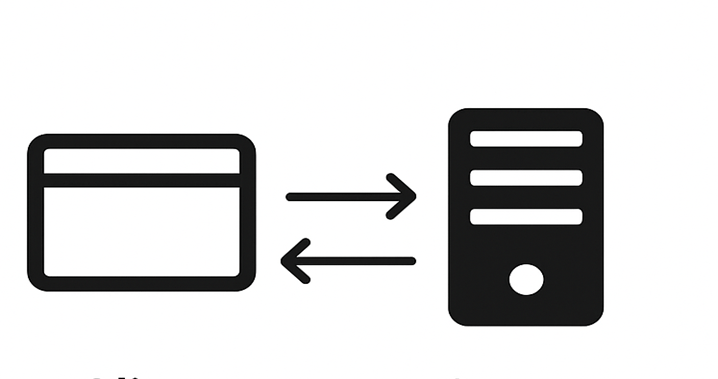
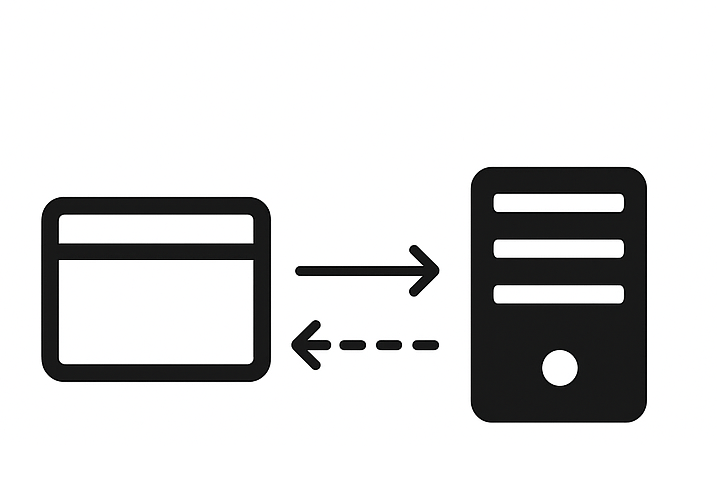
AEM Forms Communications API — 非同步(批次)
瞭解如何為非同步(批次) Forms Communications API設定環境,以排程方式產生或處理多個檔案。