存取您已啟用的Adobe Commerce Intelligence帳戶
在您針對內部部署或雲端啟用Commerce Intelligence帳戶,並已與Adobe帳戶團隊合作完成設定步驟後,您現在可以登入您的帳戶。
使用您的Adobe ID登入
-
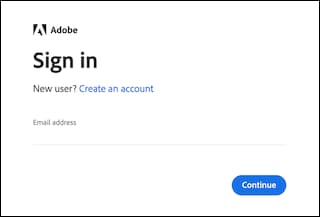
按一下Sign in with Adobe ID。
-
輸入您建立Commerce Intelligence帳戶時使用的電子郵件地址。 如果您還沒有Adobe帳戶,請按一下 Create an account 並輸入您的資訊。 請記得使用您建立Commerce Intelligence帳戶時使用的電子郵件地址。 電子郵件地址是存取Adobe帳戶所需的金鑰。
NOTE
如果您使用Adobe ID登入,則無法變更Commerce Intelligence設定檔密碼。
使用您的使用者名稱和密碼登入
輸入您的電子郵件地址和密碼,然後按一下Sign In。
您現在可以存取Commerce Intelligence。
recommendation-more-help
commerce-business-intelligence-help-mbi