擴充綱要 extend-schemas
身為技術使用者,您可以自訂Campaign資料模型以符合實作需求:新增元素至現有結構描述、修改結構描述中的元素或刪除元素。
自訂Campaign資料模型的主要步驟為:
- 建立擴充功能綱要
- 更新Campaign資料庫
- 調整輸入表單
如需深入瞭解Campaign內建資料表及其互動,請參閱開始使用Campaign資料模型。 在在Campaign中建立新結構描述時,另請參閱建議。
若要擴充方案,請遵循下列步驟:
-
導覽至Explorer中的 Administration > Configuration > Data schemas 資料夾。
-
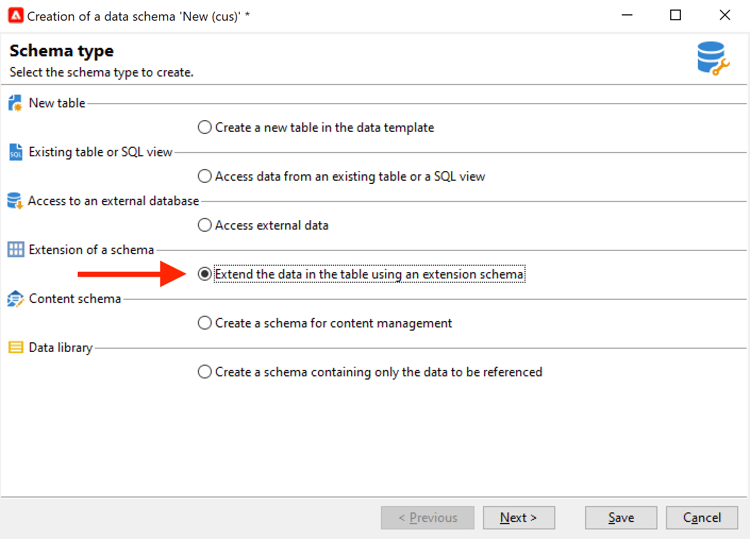
按一下「新增」按鈕並選取「Extend the data in a table using an extension schema」。
-
識別要擴充的內建方案並加以選取。
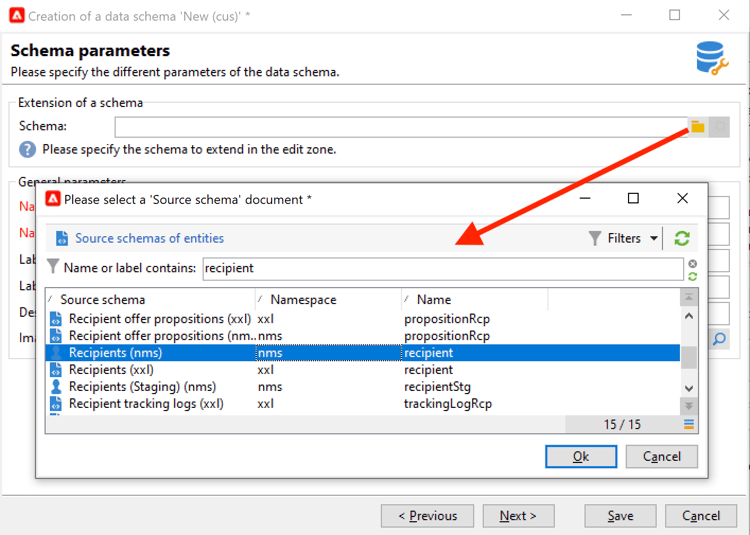
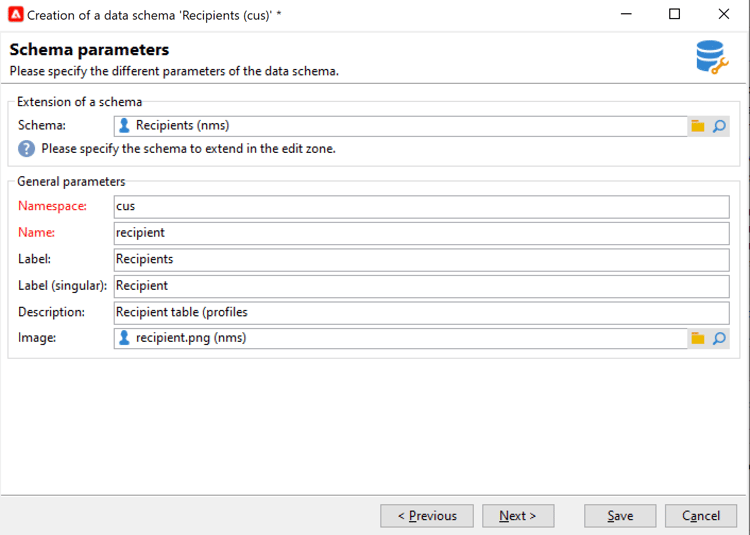
依照慣例,請將擴充功能綱要命名為與內建綱要相同的名稱,並使用自訂名稱空間。 請注意,某些名稱空間僅供內部使用。 了解更多
具有名稱空間cus、名稱收件者及標籤收件者的擴充結構描述的
-
在架構編輯器中,使用內容功能表新增所需的元素並儲存。
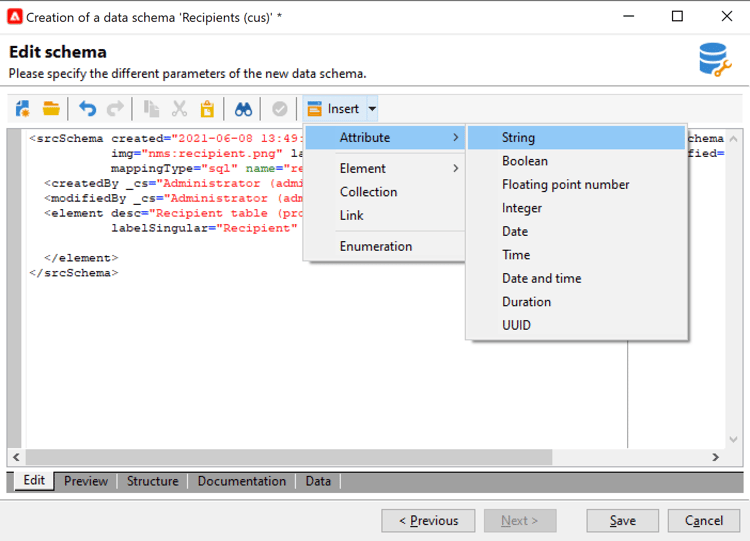
在下列範例中,我們新增 MembershipYear 屬性、設定姓氏的長度限制(此限制會覆寫預設值),並從內建結構描述中移除出生日期。
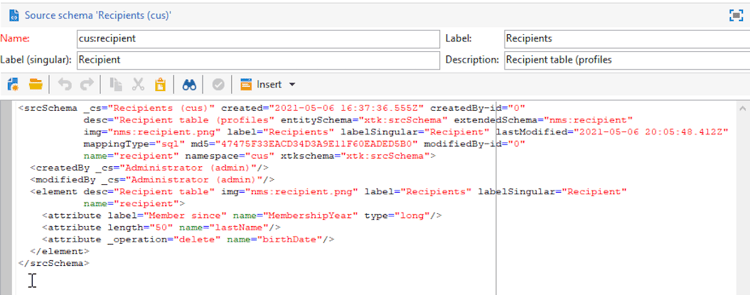
code language-xml <srcSchema created="YYYY-MM-DD" desc="Recipient table" extendedSchema="nms:recipient" img="nms:recipient.png" label="Recipients" labelSingular="Recipient" lastModified="YYYY-MM-DD" mappingType="sql" name="recipient" namespace="cus" xtkschema="xtk:srcSchema"> <element desc="Recipient table" img="nms:recipient.png" label="Recipients" labelSingular="Recipient" name="recipient"> <attribute label="Member since" name="MembershipYear" type="long"/> <attribute length="50" name="lastName"/> <attribute _operation="delete" name="birthDate"/> </element> </srcSchema> -
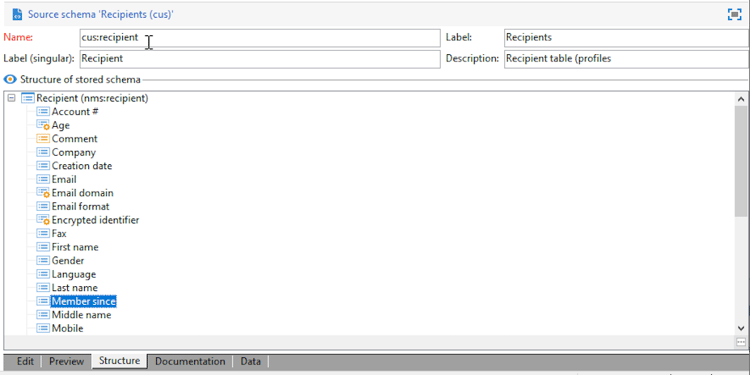
中斷連線並重新連線至Campaign,以檢查 Structure 索引標籤中的結構描述結構更新。
cus:recipient結構描述清單欄位的
-
更新資料庫結構以套用變更。 了解更多
-
在資料庫中實作變更後,您可以調整收件者輸入表單以顯示變更。 了解更多