取消批准Predictive Content的标题 unapprove-a-title-for-predictive-content
您可以在All Content页面或Edit Content弹出窗口中取消批准预测内容的任何标题。
All Content页 all-content-page
-
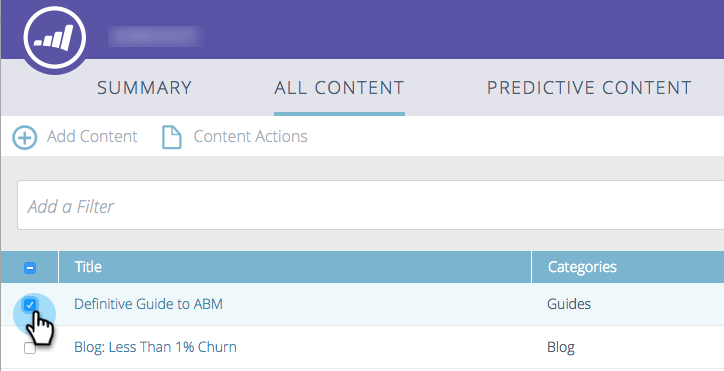
在All Content页面上,选中内容旁边的框以将其选中。
-
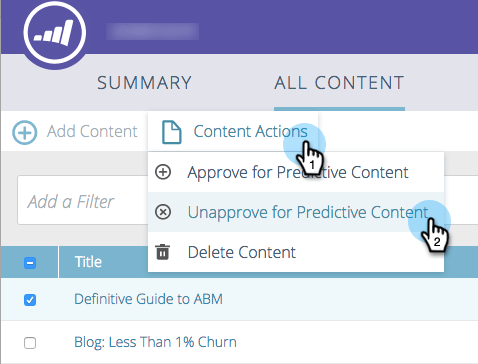
点击 Content Actions 下拉菜单,并选择 Unapprove for Predictive Content。
Edit Content弹出窗口 edit-content-pop-up
编辑标题时,您可以取消批准标题。
-
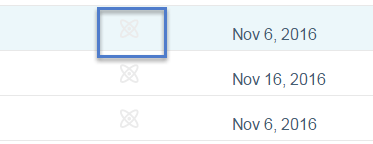
将鼠标悬停在某个内容上,然后单击行末的编辑图标。

-
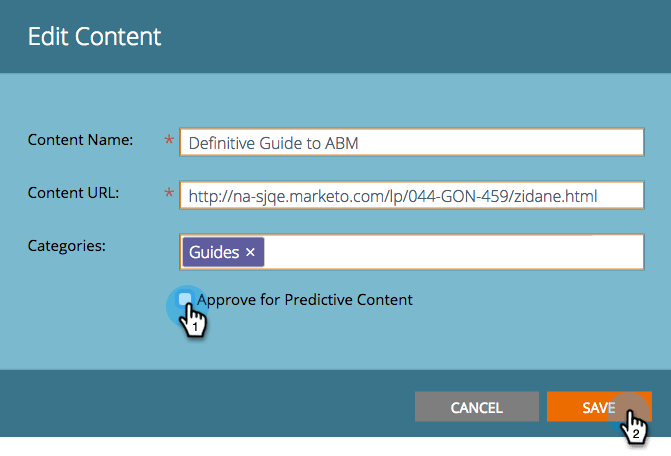
取消选中 Approve for Predictive Content 框并单击Save。
无论您使用哪种方法,All Content页面上的批准图标都会消失,并且标题会从Predictive Content页面中消失。