将Google客户匹配项添加为LaunchPoint服务 add-google-customer-match-as-a-launchpoint-service
利用此集成,您可以将Marketo受众发送到Google以使用Google AdWords进行定位,以及跨YouTube、Search和Gmail重新定位受众。
-
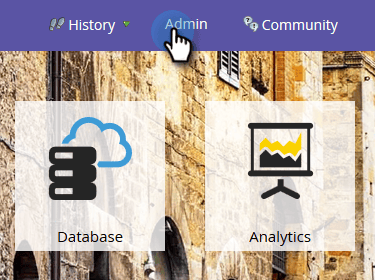
转到 Admin。
-
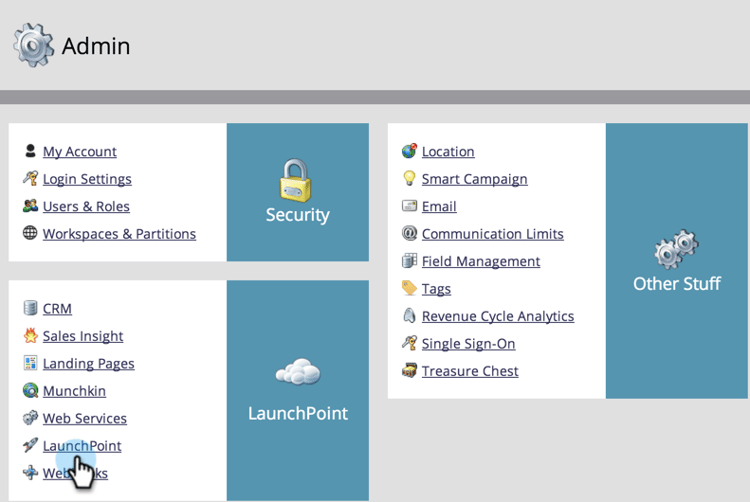
单击 LaunchPoint。
-
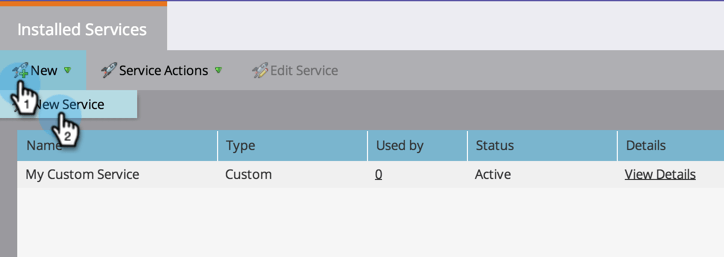
选择 New,然后选择 New Service。
-
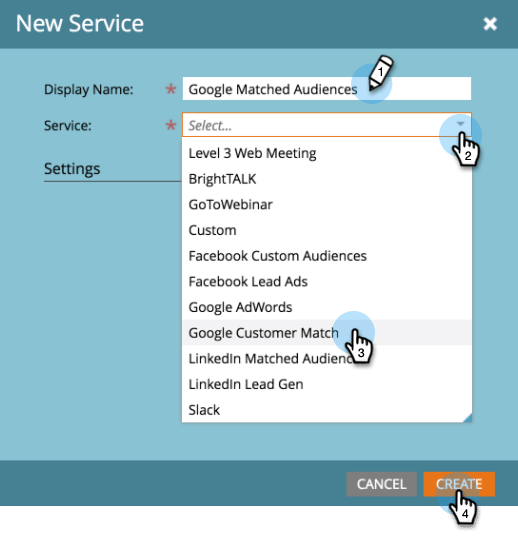
输入 Display Name 并从 Google Customer Match 下拉列表中选择 Service。 单击 Create。
-
要连接Google AdWords帐户,请单击 Authorize。
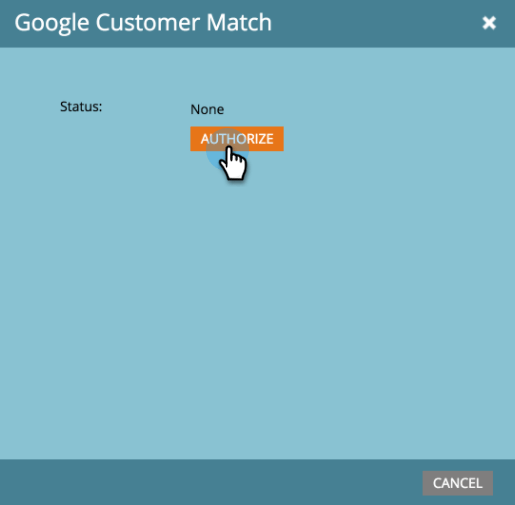
-
Google将在新选项卡中打开。 从这里,登录到您的Google AdWords帐户。
note caution CAUTION 为了使Marketo能够跨多个AdWords帐户发送受众,您在以下步骤中授权的Google用户需要有权访问这些帐户中的_所有_。 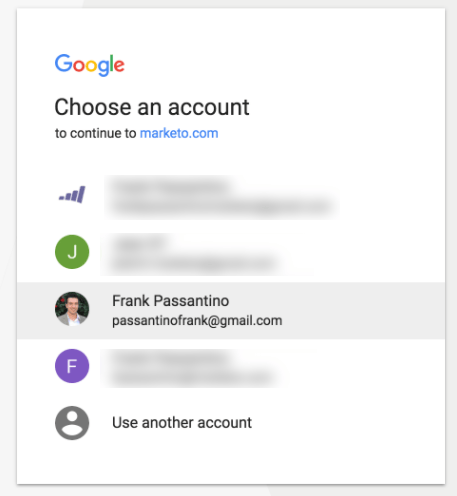
-
查看请求的权限,然后单击 Allow。
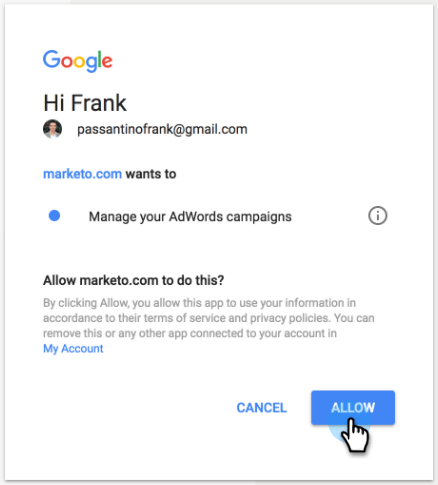
-
您的Google AdWords帐户现已连接到Marketo。 单击 Create。
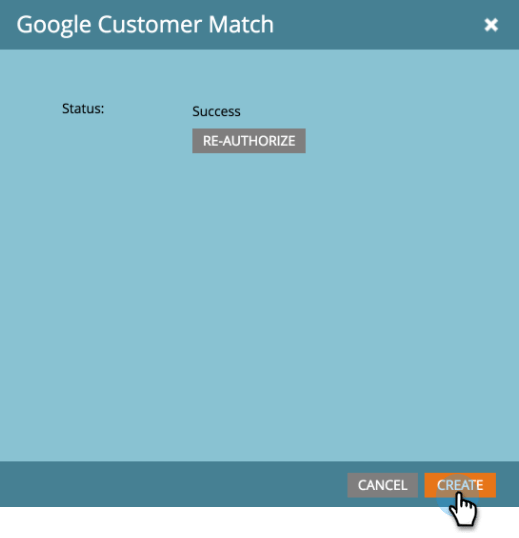
太棒了! 现在,您将在“已安装的服务”选项卡中看到作为LaunchPoint服务列出的Google匹配受众。