创建按钮组件的变体
[AEM Forms as a Cloud Service]{class="badge informative"}
在克隆主题后,使用Visual Studio代码打开该项目。 您应会看到类似视图
在visual studio code中
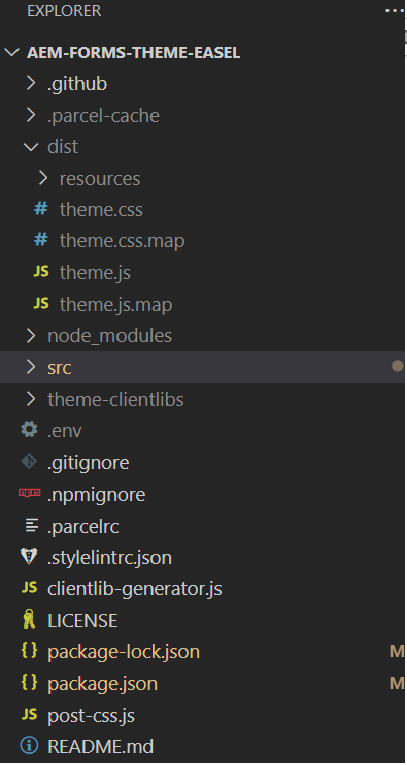
打开src->组件 — >按钮 — >_button.scss文件。 我们将在此文件中定义自定义变体。
公司变体
.cmp-adaptiveform-button-corporate {
  @include container;
  .cmp-adaptiveform-button {
    &__widget {
      @include primary-button;
      background: $brand-red;
      text-transform: uppercase;
      border-radius: 0px;
      color: yellow;
    }
  }
}
解释
- cmp-adaptiveform-button—corporate:这是“cmp-adaptiveform-button—corporate”组件的主包装器或容器类。
此块中的任何样式或mixin都将应用于此类中的元素。 - @include容器:它使用名为container的mixin,该容器在_mixins.scss中定义。 mixin容器通常应用与布局相关的样式(如设置边距、填充或其他结构样式)以确保容器的行为一致。
- .cmp-adaptiveform-button:在corporate-style-button块中,您正在将类别为.cmp-adaptiveform-button的子元素作为目标。
- &__小组件: &符号指的是父选择器,在本例中为.cmp-adaptiveform-button。
这意味着目标的最终类将为.cmp-adaptiveform-button__widget,它是一个BEM样式类(块元素修饰符),表示.cmp__adaptiveform-button块内的子组件(小组件元素)。 - @include primary-button:这包括一个主按钮mixin,它在_mixin.scss中定义并添加与按钮相关的样式(如填充、颜色、悬停效果等)。 将覆盖mixin主按钮中定义的属性background、text-transform、border-radius、color。
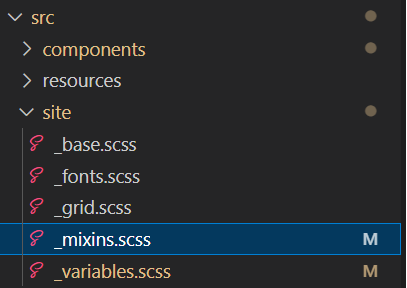
_mixins.scss文件在src->site下定义,如下面的屏幕快照所示
营销变量
.cmp-adaptiveform-button--marketing {

  @include container;
  .cmp-adaptiveform-button {
  &__widget {
    @include primary-button;
    background-color: #3498db;
    color: white;
    font-weight: bold;
    border: none;
    border-radius: 50px;
    box-shadow: 0 4px 6px rgba(0, 0, 0, 0.1);
    cursor: pointer;
    transition: all 0.3s ease;
    outline: none;
    text-transform: uppercase;
    letter-spacing: 0.05em;
    &:hover:not([disabled]) {
      position: relative;
      scale: 102%;
      transition: box-shadow 0.1s ease-out, transform 0.1s ease-out;
      background-color: #2980b9;
      box-shadow: 0 8px 15px rgba(0, 0, 0, 0.2);
      transform: translateY(-3px);
    }
  }
}

}
4859a77c-7971-4ac9-8f5c-4260823c6f69