[AEM Forms]{class="badge positive" title="适用于AEM Forms)。"}
OAuth服务器到服务器身份验证
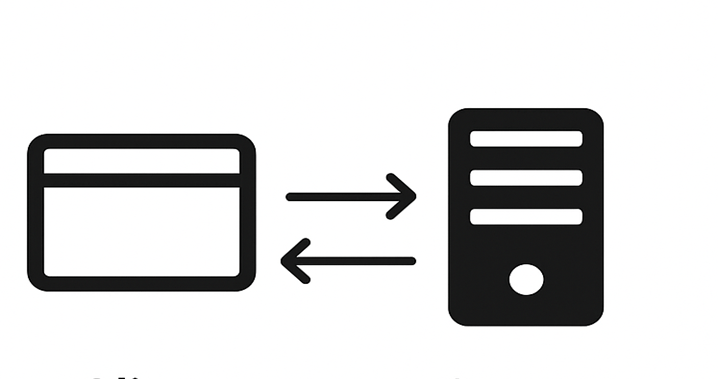
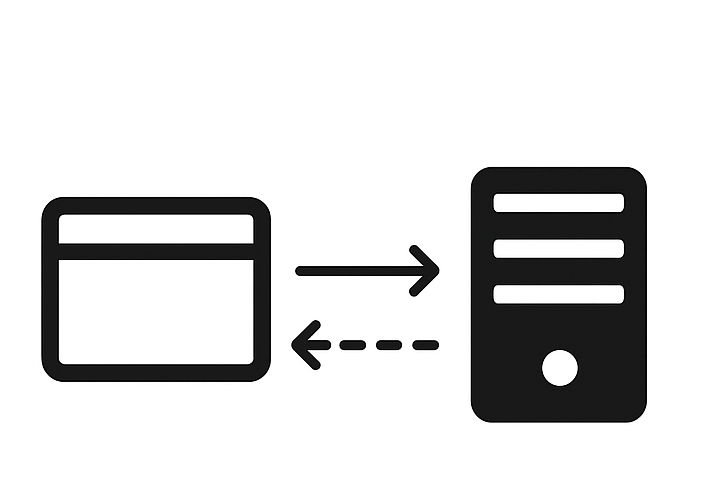
OAuth服务器到服务器身份验证允许对AEM Forms Communications API进行基于令牌的安全访问,而无需用户交互。 Adobe Developer Console支持OAuth服务器到服务器身份验证。
先决条件
在开始之前,请确保满足以下先决条件:
- 确保您具有访问特定于您使用环境的Adobe Developer Console的权限。
- 在Adobe Admin Console中分配系统管理员或开发人员角色以启用对Adobe Developer Console的访问。
如何使用OAuth服务器到服务器身份验证生成访问令牌?
按照以下步骤从Adobe Developer控制台生成访问令牌,并通过OAuth服务器到服务器身份验证进行首次API调用。
1. Adobe Developer Console项目设置
-
使用您的Adobe ID登录
-
创建新项目或导航到现有项目
-
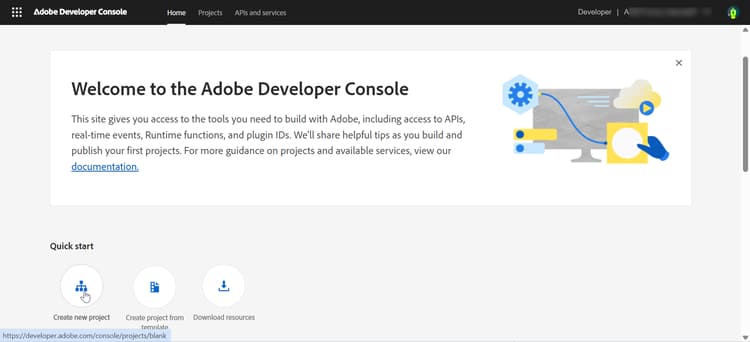
在 快速入门 部分中,单击新建项目
-
使用默认名称创建新项目
-
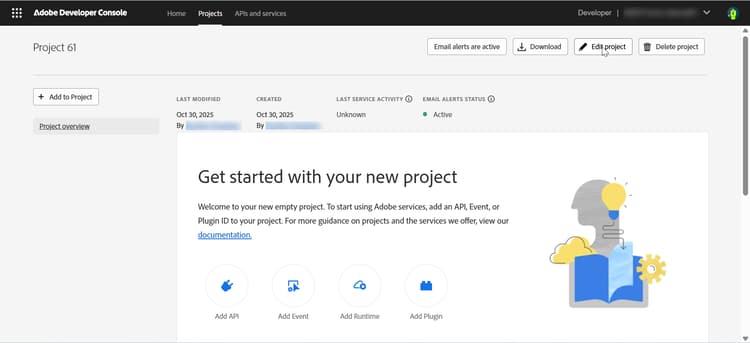
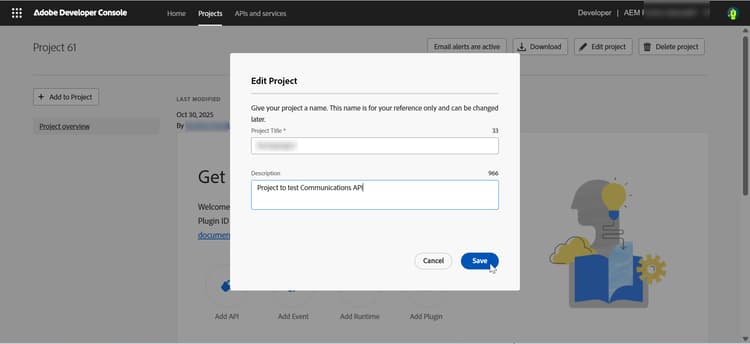
单击右上角的编辑项目
-
提供有意义的名称(例如“formsproject”)
-
单击保存
-
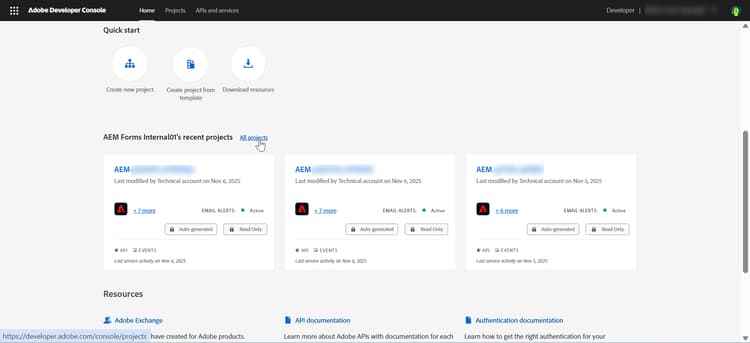
从Adobe Developer Console单击所有项目
-
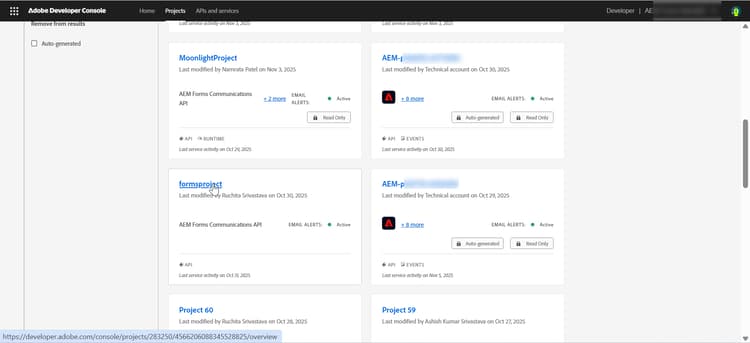
找到您的项目并单击以将其打开。
2. 添加Forms API
根据您想要执行的操作添加Forms API:
- AEM Forms Communications API:在需要生成、转换、汇编或保护文档(PDF和相关格式)时使用。
- 自适应Forms运行时API — 在运行时需要渲染、提交或处理自适应Forms时使用。
-
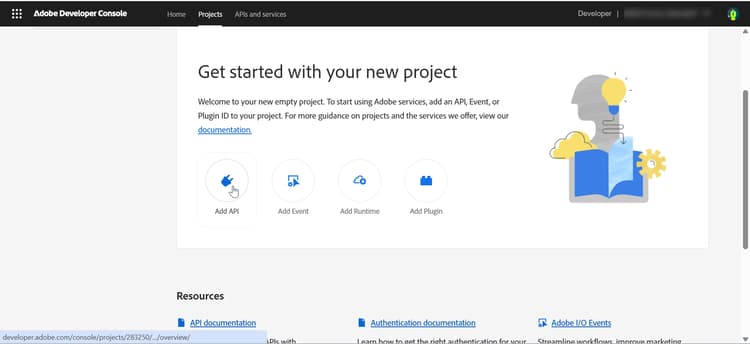
单击添加API
-
选择Forms通信API
-
在 添加API 对话框中,按 Experience Cloud 进行筛选
-
选择“Forms通信API”
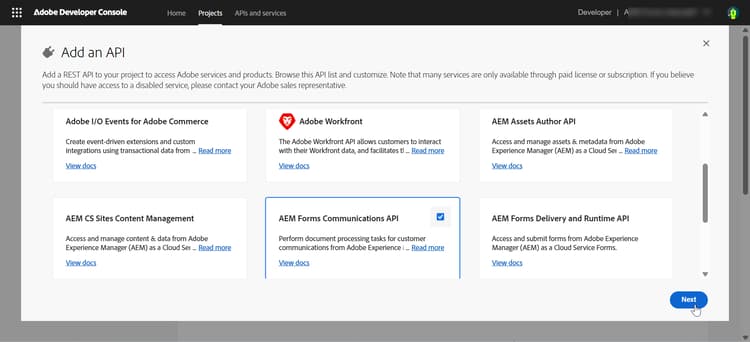
-
点击下一个
-
选择 OAuth服务器到服务器 身份验证方法
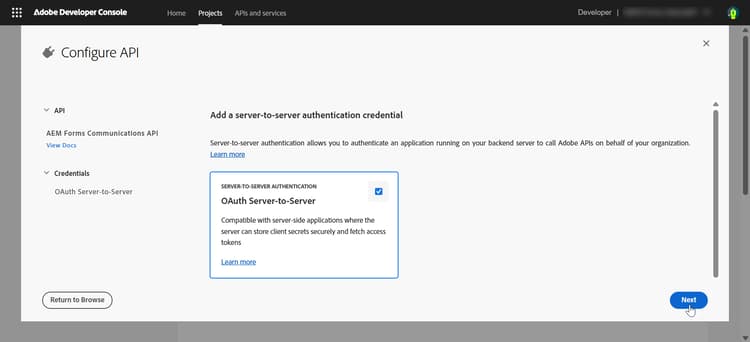
-
-
单击添加API
-
选择AEM Forms交付和运行时API
-
在 添加API 对话框中,按 Experience Cloud 进行筛选
-
选择“AEM Forms交付和运行时API”
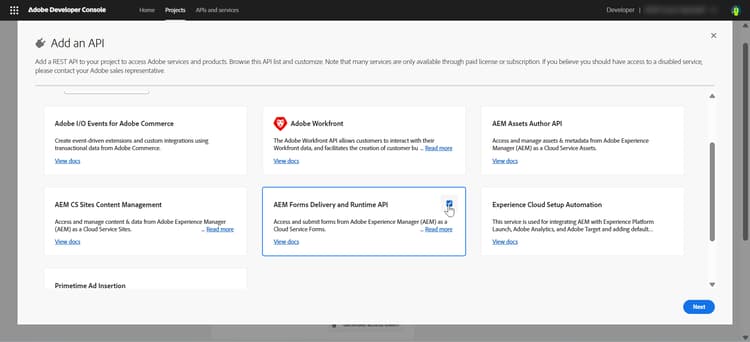
-
点击下一个
-
选择 OAuth服务器到服务器 身份验证方法。
-
您还可以通过单击添加到项目 > API,将API和身份验证方法添加到现有项目
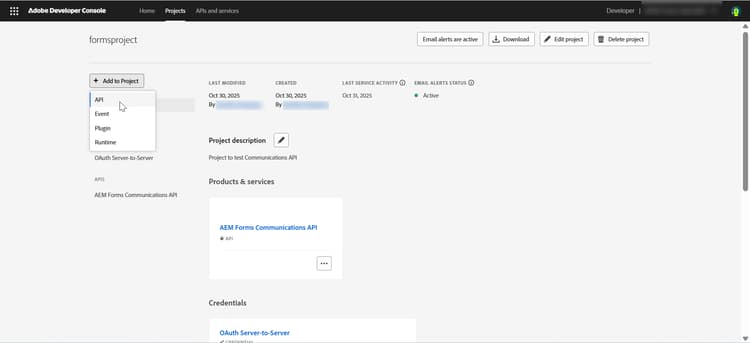
3. 添加产品配置文件
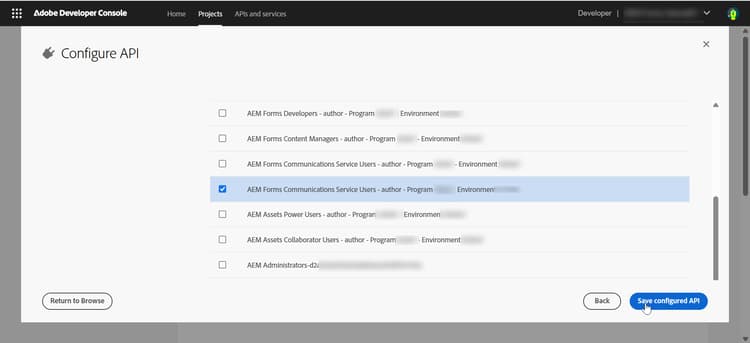
产品配置文件为访问AEM资源的凭据提供权限(或授权)。
-
选择与您的AEM实例URL (
https://Service Type -Environment Type-Program XXX-Environment XXX.adobeaemcloud.com)匹配的产品配置文件。-
服务类型 — 指定与AEM实例关联的服务或权限
-
环境类型 — 指定环境是用于Author还是Publish服务
-
项目XXX — 标识Cloud Manager项目ID
-
环境XXX — 标识该项目中的特定环境ID
note NOTE 产品配置文件与特定AEM实例(项目+环境)关联。 始终选择与实例URL匹配的配置文件。 -
-
单击保存配置的 API。 API和产品配置文件已添加到您的项目中
4. 生成并保存凭据
-
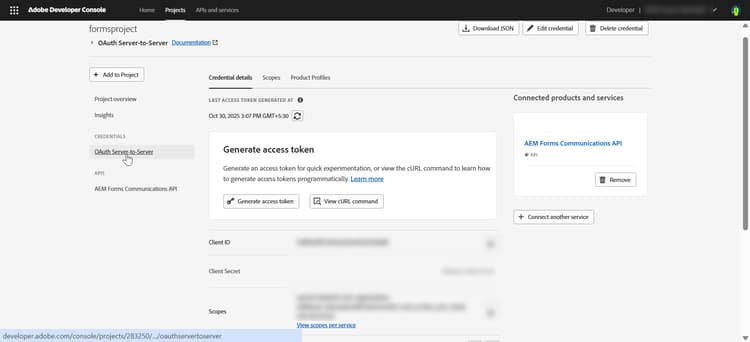
在Adobe Developer Console中导航到项目
-
单击 OAuth服务器到服务器 凭据
-
查看 凭据详细信息 部分
记录API凭据
    API Credentials:
    ================
    Client ID: <your_client_id>
    Client Secret: <your_client_secret>
    Technical Account ID: <tech_account_id>
    Organization ID: <org_id>
    Scopes: AdobeID,openid,read_organizations
5. 访问令牌生成
手动或以编程方式生成访问令牌:
在Adobe Developer Console中手动生成访问令牌:
-
导航到您的项目
- 在Adobe Developer Console中,打开您的项目
- 单击OAuth服务器到服务器
-
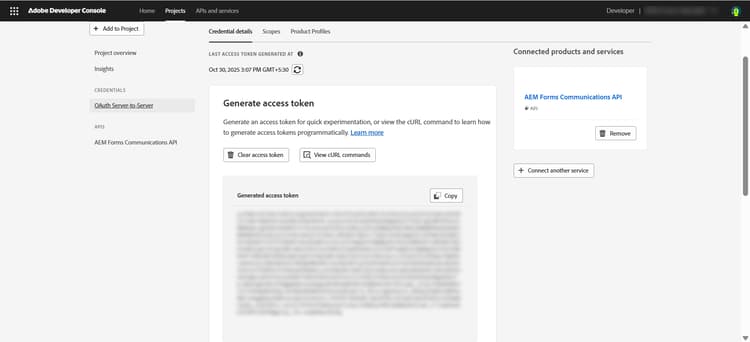
生成访问令牌
- 单击项目API部分中的 “生成访问令牌” 按钮
- 复制生成的访问令牌
note NOTE 访问令牌仅在 24小时 内有效
使用Adobe IMS API以编程方式生成令牌:
必需的凭据:
- 客户端 ID
- 客户端密码
- 范围(通常:
openid, AdobeID, read_organizations, additional_info.projectedProductContext, read_pc.dma_aem_cloud, aem.document)
令牌终结点:
| code language-none |
|---|
|
示例请求(curl):
| code language-bash |
|---|
|
响应:
| code language-json |
|---|
|
您现在可以使用生成的访问令牌为开发、暂存或生产环境进行API调用。
最佳实践:管理开发、暂存和生产凭据
-
始终使用单独的凭据进行“开发”、“暂存”和“生产”。
-
将每个凭据映射到正确的AEM环境URL。
-
安全地存储密钥,绝不会将其提交到源代码管理。
-
跟踪访问令牌的有效性,因为令牌仅在24小时内有效。
后续步骤
要了解如何设置同步Forms通信API的环境,请参阅AEM Forms as a Cloud Service通信同步处理。
相关文章
了解如何为同步(按需)和异步(批处理) Forms Communications API设置环境: