[AEM Forms]{class="badge positive" title="适用于AEM Forms)。"}
JWT(JSON Web令牌)服务器到服务器身份验证
AEM Forms中的JWT服务器到服务器身份验证,特别是与AEM as a Cloud Service的服务器端集成,涉及与AEM服务安全交互的特定过程。 AEM Developer Console支持JWT服务器到服务器身份验证。
先决条件
在开始之前,请确保满足以下先决条件:
- 确保您有权访问特定于您使用环境的Adobe Cloud Manager。
- 分配系统管理员或开发人员角色以访问Adobe Cloud Manager。
如何使用JWT凭据生成访问令牌?
请按照以下步骤操作,其中显示了如何从JWT凭据生成访问令牌。
-
Adobe Cloud Manager
-
登录到您的Cloud Manager帐户。
-
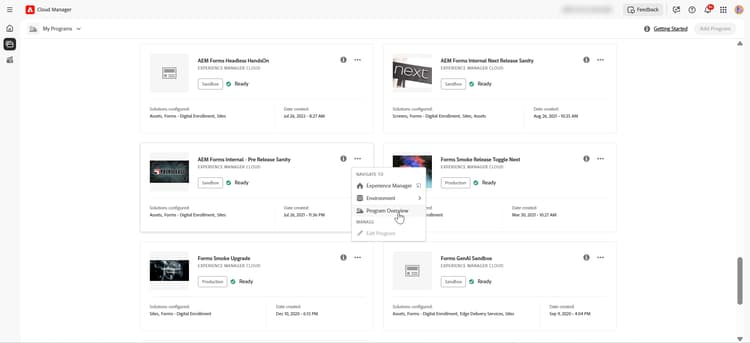
在您选择的计划上,单击计划概述。
-
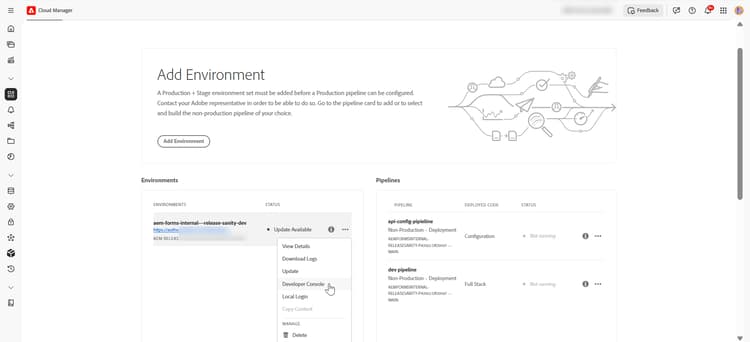
在程序上,单击三个圆点菜单,然后选择Developer Console。
-
-
AEM Developer Console
-
登录AEM Developer Console
-
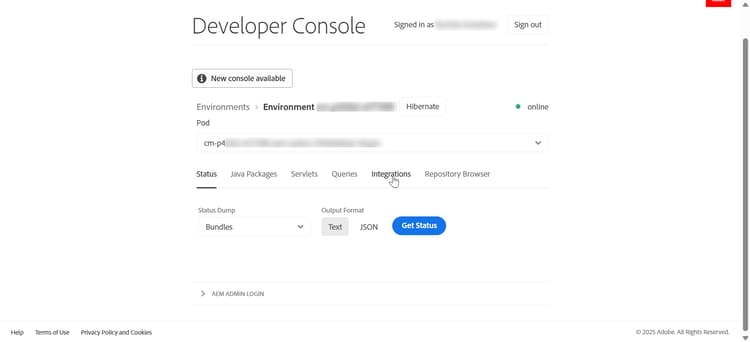
单击位于上方菜单栏上的集成。
-
单击选项创建新的技术帐户。
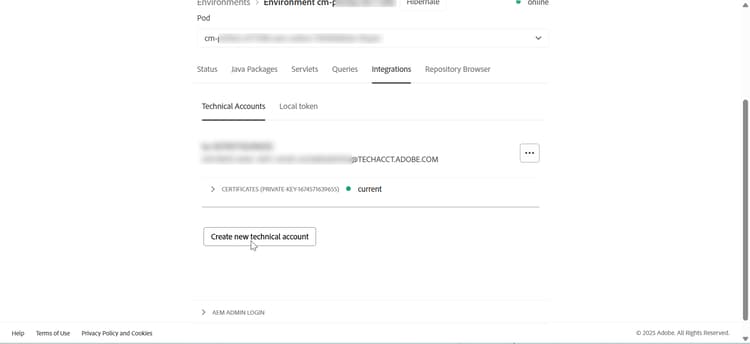
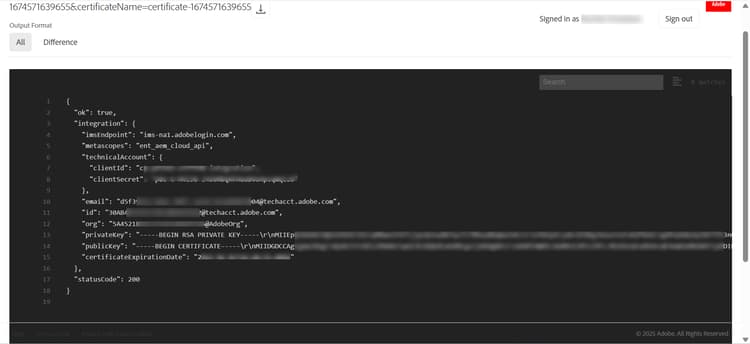
单击创建新的技术帐户后,生成访问令牌(如客户端ID和客户端密钥)所需的信息以及其他技术帐户信息(包括私钥、公钥、过期日期)均会生成。
-
-
生成并保存凭据
-
记录API凭据
code language-text API Credentials: ================ Client ID: <your_client_id> Client Secret: <your_client_secret> Technical Account ID: <tech_account_id> Organization ID: <org_id> Scopes: AdobeID,openid,read_organizations
-
-
访问令牌生成
使用cURL命令以编程方式生成令牌:
必需的凭据:
- 客户端 ID
- 客户端密码
- 范围(通常:
openid, AdobeID, read_organizations, additional_info.projectedProductContext, read_pc.dma_aem_cloud, aem.document)
令牌终结点:
code language-none https://ims-na1.adobelogin.com/ims/token/v3示例请求(cURL):
code language-bash curl -X POST 'https://ims-na1.adobelogin.com/ims/token/v3' \ -H 'Content-Type: application/x-www-form-urlencoded' \ -d 'grant_type=client_credentials' \ -d 'client_id=<YOUR_CLIENT_ID>' \ -d 'client_secret=<YOUR_CLIENT_SECRET>' \ -d 'scope=AdobeID,openid,read_organizations'响应:
code language-json { "access_token": "eyJhbGciOiJSUz...", "token_type": "bearer", "expires_in": 86399 }
您现在可以使用生成的访问令牌为开发、暂存或生产环境进行API调用。
相关文章
了解如何为同步(按需)和异步(批处理) Forms Communications API设置环境: