AEM 에이전트 스킬 설정
AI 지원 개발을 위한 AEM 에이전트 기술을 설정하는 방법에 대해 알아봅니다.
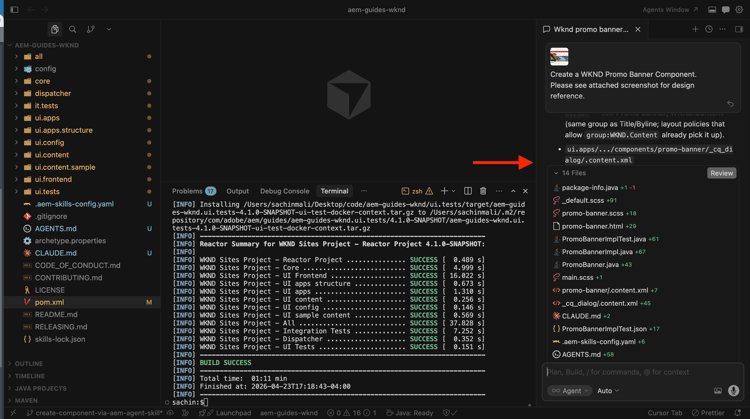
AI 기반 IDE를 통해 코딩 에이전트에게 AEM 개발 작업을 요청하면 일반 모델 교육이나 저장소에서만 유추할 수 있는 모든 것에 의존하지 않고 Adobe의 AEM 에이전트 기술 절차 지침을 사용할 수 있습니다.
Adobe은 Adobe 기술 리포지토리를 통해 AEM 에이전트 기술을 제공합니다. Adobe이 AI 지원 개발에 어떻게 도움이 되는지에 대한 자세한 내용은 AI 지원 개발도 참조하세요.
이 자습서에서는 WKND Sites 프로젝트의 로컬 클론에 기술을 설치합니다. 고유한 AEM as a Cloud Service 프로젝트에 동일한 단계를 사용할 수 있습니다.
사전 요구 사항
이 자습서를 수행하려면 다음이 필요합니다.
- WKND Sites 프로젝트 또는 고유한 AEM as a Cloud Service 프로젝트의 로컬 복제입니다.
- GitHub Copilot이 있는 Visual Studio 코드 또는 커서와 같은 AI 기반 IDE입니다.
AEM 에이전트 기술 설치
npx 명령을 사용하여 AEM 에이전트 기술을 설치합니다(npx을(를) 사용하려면 Node.js이(가) 필요합니다). Cloud Code 플러그인 또는 GitHub CLI 확장 프로그램과 같은 다른 설치 옵션에 대해서는 Adobe 기술 저장소의 설치 섹션을 참조하십시오.
-
로컬에서 WKND Sites 프로젝트를 복제합니다.
code language-shell $ git clone https://github.com/adobe/aem-guides-wknd.git -
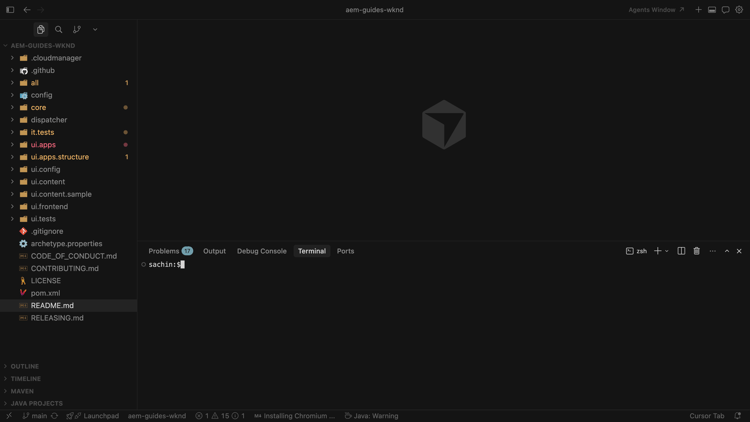
AI 기반 IDE에서 복제된 프로젝트를 열고(예: Cursor) 통합 단말기를 엽니다.
-
다음 명령을 실행하여 커서에 대한 AEM 에이전트 기술을 추가합니다.
code language-shell $ npx skills add https://github.com/adobe/skills/tree/main/plugins/aem/cloud-service --agent cursor다른 에이전트 유형의 경우 Adobe 기술 저장소의 설치 섹션을 참조하십시오.
-
메시지가 표시되면 설치할 AEM 에이전트 기술을 선택합니다.
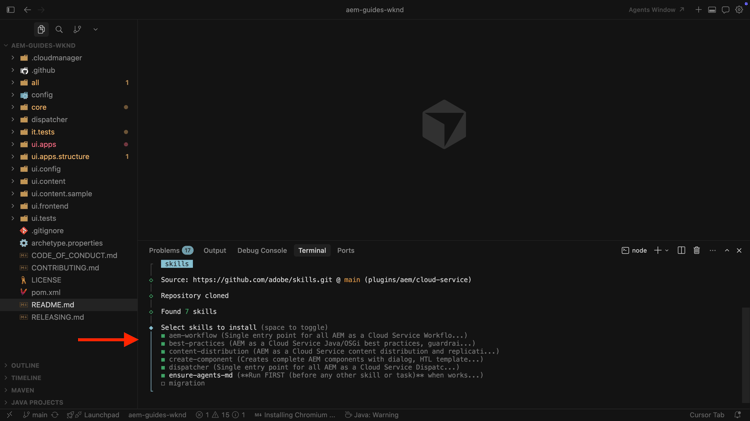
설치 관리자가 저장소 루트에서 AGENTS.md 및 CLAUDE.md 파일을 만들 수 있도록 ensure-agent-md 스킬을 선택하십시오. 이 부트스트랩 스킬은 프로젝트(예: 루트
pom.xml및 모듈)를 검사하고 맞춤 에이전트 지침을 생성합니다.AGENTS.md이(가) 이미 있는 경우 덮어쓰지 않음입니다.
-
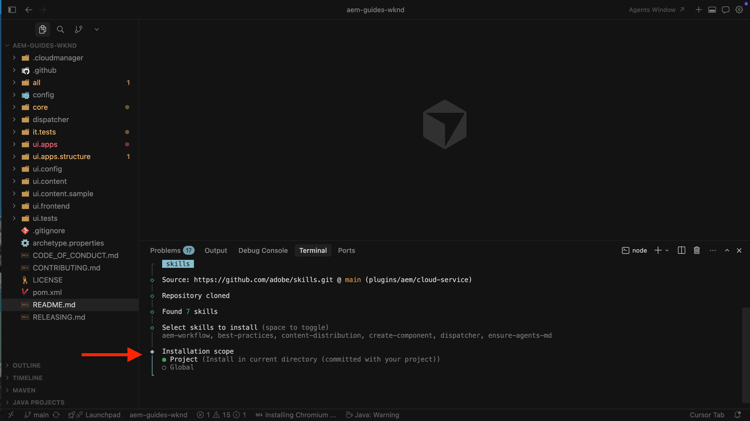
설치 범위를 선택합니다. 이 연습에서는 프로젝트 범위가 일반적이므로 기술 파일이 리포지토리에 있습니다.
-
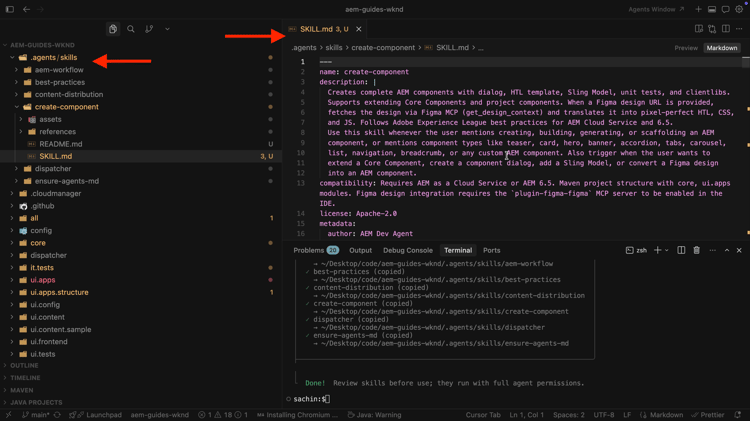
.agents/skills에서 설치를 확인합니다. SKILLS.md 및 관련 참조 및 자산 폴더가 표시됩니다.
-
Adobe에서 기술을 추가하거나 업데이트할 때 CLI를 사용하여 기술을 추가, 업데이트, 제거 또는 나열합니다. 모든 명령을 보려면 다음을 수행합니다.
code language-shell $ npx skills --help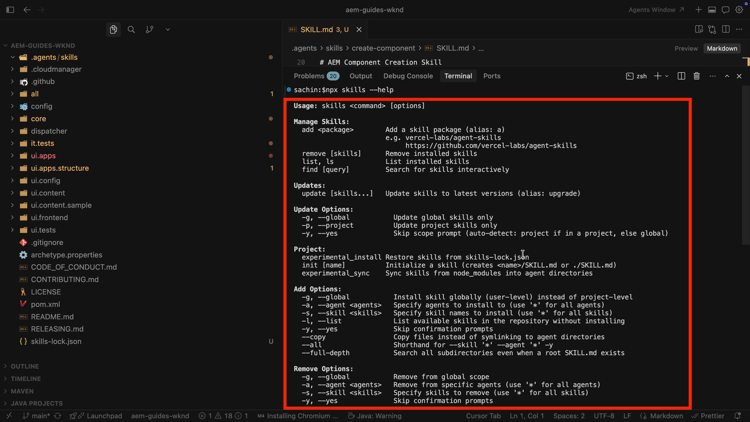
사용 사례