Comment vérifier la version d’Apache Jackrabbit Oak
Cet article présente des méthodes simples pour identifier la version d’Apache Jackrabbit Oak utilisée par Adobe Experience Manager.
Description description
Environnement
Adobe Experience Manager (AEM) 6.5
Problème
Comment identifier la version d’Apache Jackrabbit Oak utilisée par AEM.
Résolution resolution
Il existe plusieurs façons de vérifier la version d’Apache Jackrabbit Oak.
Voici trois exemples courants :
Méthode 1. Accédez à Outils > Opérations > Présentation du système et vérifiez la version Apache Jackrabbit Oak.
http://localhost:4502/libs/granite/operations/content/systemoverview.html
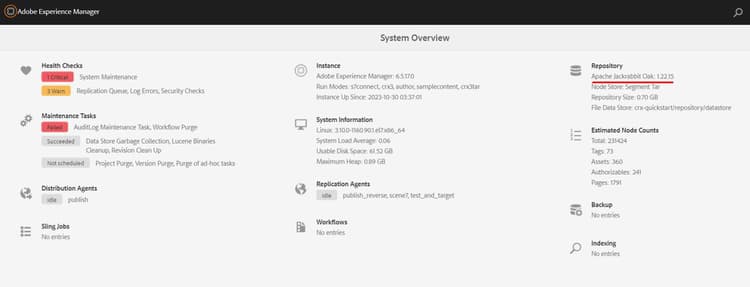
Méthode 2. Accédez à Outils > Général > CRXDE Lite et vérifiez Informations sur le référentiel.
http://localhost:4502/crx/de/index.jsp
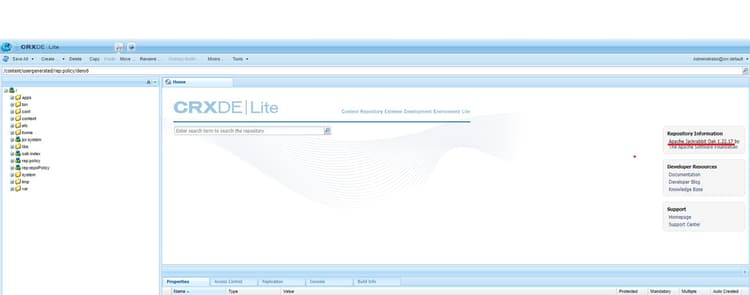
Méthode 3. Accédez à Outils > Opérations > Console Web > OSGi > Lots et recherchez Oak Core (org.apache.jackrabbit.oak-core).
http://localhost:4502/system/console/bundles
