Detect model drift
With model drift detection, you're automatically alerted when a model begins to drift. The alerts eliminate the need to rely on another team to determine drift manually and reduces delays.
Retrain your models instantly to maintain optimal performance.
Feature, components and benefits
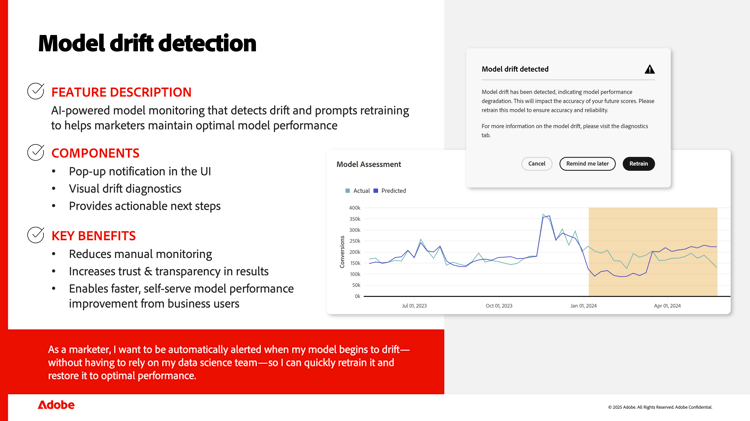
When a model starts to drift it suffers from performance degradation with impact on the accuracy of the model's future scores.
Mix Modeler's model drift detection uses AI to monitor your models, detect drift on any of the models and prompts you to retrain the models that experience drift.
The feature uses the following components:
- a notification dialog whenever you open a model that experiencing drift,
- a visualization of the drift in the model diagnostics,
- actionable next steps for you to take to retrain your drifted model.
The key benefits of model drift detection are:
- No need for you to monitor models for potential drifts manually.
- Transparency and trust through the drift visualization in your model diagnostics.
- You can quickly improve the performance of your models without requiring the assistance of your data science team.
Models interface
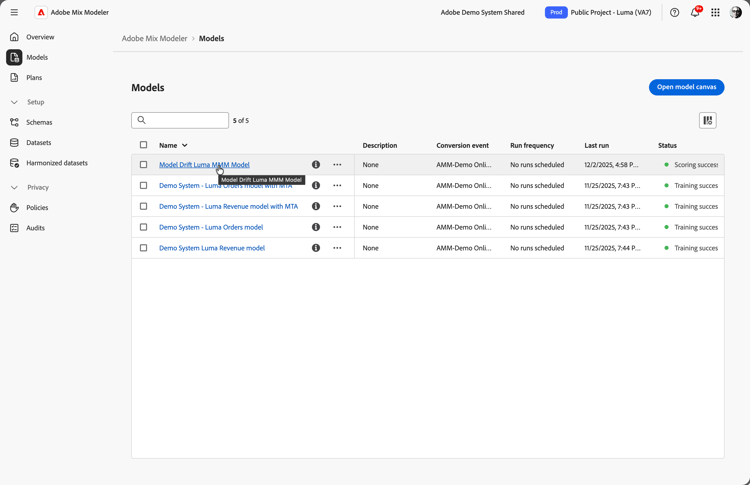
Let's see how model drift detection works within Mix Modeler. Select Models from the left rail to see an overview of your current models.
This tutorial includes a model where drift was artificially introduced to help illustrate the feature in action. In practice, any kind of model is susceptible to drift over time. Model drift occurs when changes in underlying data or conditions cause a model's predictions to become less accurate over time, resulting in degraded performance.
If that happens to models you've created, you can trust that Mix Modeler will automatically flag it so you can take action.
Model insights
In Mix Modeler, a model is trained on marketing and factor data. As new, incremental marketing or factor data becomes available, you can re-score the model by incorporating the new data into the training set - allowing the model to become smarter over time without changing the model's underlying structure. Retraining goes a step further by updating the model itself - such as adding or removing marketing or factor datasets (for example, introducing a new channel or factor), or otherwise changing the model's structure - to reflect more fundamental shifts in market dynamics or marketing strategy. Often, model drift reflects more fundamental shifts in market dynamics or marketing strategy rather than simply the accumulation of new data, making retraining necessary to keep the model’s structure aligned with current realities.
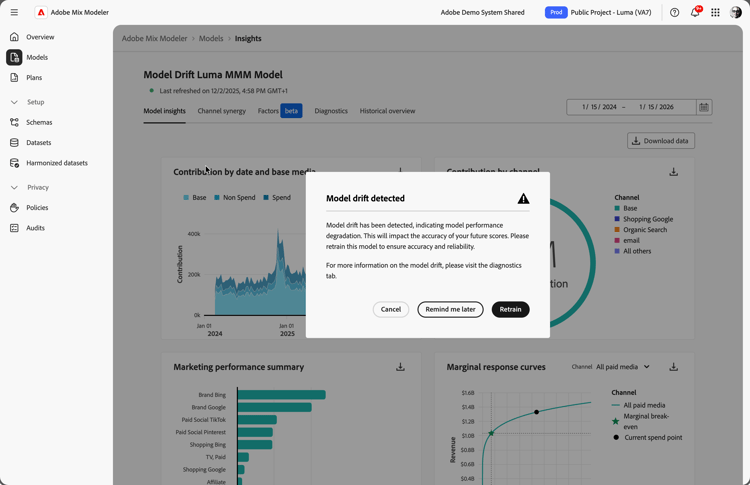
When you select a model and explore the model insights, the AI enabled model drift detection is enforced on the model. And when drift is detected, you are automatically notified. The Model drift detected dialog informs you that the model has drift and therefore suffers from performance degradation. As this will impact the accuracy of the model's future scores, you are advised to retrain so the model becomes accurate and reliable again.
You can choose to dismiss the model drift alert for now by selecting Cancel. Next time you open the model, you will see this dialog again.
You can also opt to be reminded later. The next time you open a new browser session, the model drift warning will appear again.
Alternatively, you can elect to resolve the drift by selecting Retrain. When you select Retrain, the model is retrained immediately using any new data that you have made available to Mix Modeler. For example, new datasets you added to Mix Modeler with updated summary, factor or event data. The model is retrained on all this new data to ensure that the model becomes accurate and reliable again.
Model diagnostics
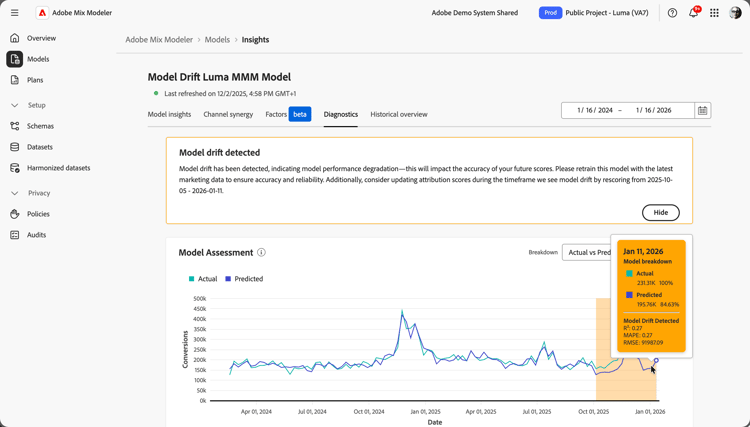
The model diagnostics are a unique feature to Mix Modeler. The visualizations and tables in the Diagnostics tab let you explore 'under the hood' how your model performs. You can, for example, inspect the mean absolute percentage error which is commonly used to quantify the average prediction error of the model. Or inspect the root mean squared error which is a standard metric to evaluate the performance of the model.
When model drift is detected a banner appears. The banner advises you to retrain the model. And also to consider to score the model again, as this ensures that attribution scores are updated as well.
Additionally, in the Model Assessment visualization you can see the time period where model drift occurs indicated by the orange shaded background. Model drift is triggered when certain conditions are met that indicate prediction errors are increasing and model fit is degrading. You can hover over any data point in the visualization to see a popup with more model drift details for that specific date.
Train model
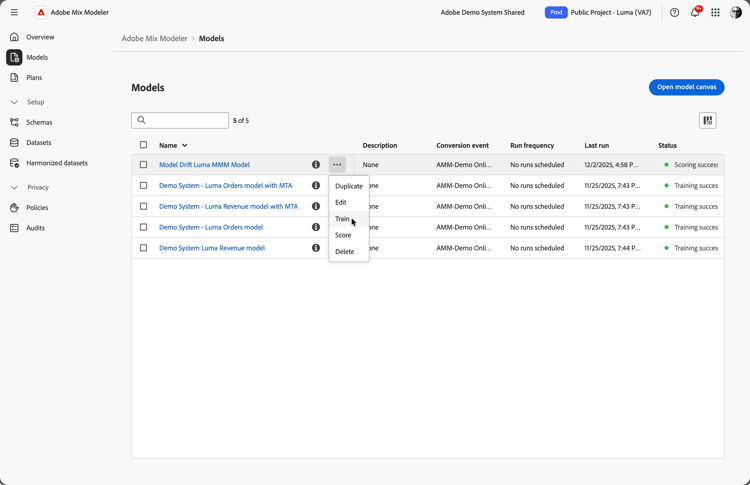
If you have elected to not retrain the model immediately from the Model drift detected dialog, you can retrain the model from the main Models interface.
Select the More button for a specific model. Then choose Train from the context menu to retrain the model right away.

Conclusion
With Adobe Mix Modeler's model drift detection, you stay in control. Through automatic alerts, instant retraining, and always-on model performance.
Thanks for watching this tutorial. And enjoy using the model drift detection feature of Mix Modeler!