This article explores how organizations can use Adobe Workfront to modernize complex compliance operations, moving beyond manual, fragmented workflows to a more connected and scalable model. Using a real-world financial services example, it shows how process redesign, integrated approvals, and better data visibility can improve governance, efficiency, and business outcomes.
Overview
I lead the Adobe Workfront practice for TD Bank U.S. across all non-marketing use cases. I serve as both the technology owner and product owner of the platform, responsible for how the system is designed, governed, and scaled across my area. I function as a de facto Center of Excellence, operating it like a mini consulting firm: partnering with stakeholders to shape the right technical approach, turning complex workflow and governance challenges into clear roadmaps.
My focus is not just on deploying workflows, but on building sustainable operating models that scale, drive accountability, and translate into measurable business value.
That perspective is what shaped how I approached compliance in Workfront.
That reframe is everything.
At Adobe Summit, I shared how we reimagined compliance and operational efficiency by redesigning the way work flows through the organization.
What this really is, is approaching Workfront with a completely different mindset than what everybody else is used to. Everybody’s used to seeing Workfront as a marketing tool, or at the very least, a project management tool. I go in, I create a project, I create a task, I manage my task.
But when I embarked in the journey to create compliance processes at a major financial institution, I knew that mindset wouldn’t cut it.
I approach Workfront through a business process management lens. The system is flexible enough that you can onboard almost any process, as long as you’re willing to push its boundaries. Once you frame Workfront as a workflow operating system, compliance stops being a policy problem. It becomes a workflow design challenge. The real question is never “what’s the policy?” It’s “how does work actually move across people, systems, approvals, and evidence?” If the workflow is weak, the control environment will be weak. Every time.
How I start every process design
Before I touch Workfront, I sit down with my business partners and ask them to close their eyes and picture the final report in front of them. Walk me through what it looks like. What data do you expect to see? Why does it matter?
That exercise tells me everything. It shows me how they think about the work. From there, I can work backwards into Workfront’s data model and figure out the structure that will actually support what they need, not just today, but at scale.
Then I go deeper into the process itself. How does it actually work today? Where does the process break down? What would they want it to look like if they could start from scratch? What are the current process pain points, and can we fix them? We work on what the process should look like, fixing the process first. Then I map the data: how it flows from step one to the last step of the process, what it means at each stage, and how it changes as it moves through the process lifecycle.
That’s how I define the right data hierarchy for the process. Then I compare it directly to Workfront’s data model. Where does it fit? How should it be structured? How will data move end to end?
If you understand the process data hierarchy, you can map it into Workfront in a way that actually works. If you skip that step, you end up with what I built the first time around.
One thing I always make clear to business partners upfront: the system is flexible, but it is not limitless. We may get you 100% of the way, or we may need to compromise and get you 80%. Setting that expectation early saves everyone a lot of pain later.
A messy first build
Originally, the line of business came to me with an ask: to build three different processes in Workfront that were related to each other, however, build them in silos. I shared my concerns about keeping them disconnected, but we aligned on starting there to move quickly. So I built it that way. It didn’t work.
Each process had its own taxonomy. You could report across them, but it required significant data manipulation and the accuracy was low. An intake might reference “document 1-2-3-4-5-A” and a related record would reference “document 1-2-3-4-5-A- ”, with a space in a different place, and suddenly you don’t know if they’re the same document. It was disorganized. It was messy. And messy was not acceptable.
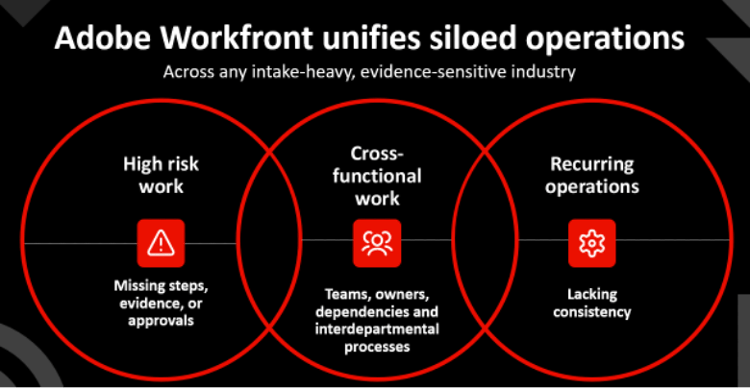
Here’s the honest lesson: disconnected processes create chaos even when they are built inside Workfront. If you are using disconnected workflows to manage high-risk, regulated work, you don’t have governance. You have controlled chaos.
The fix was simpler than I expected: one place for everything
The result: you go into Workfront, you find a procedure at the parent level, and you can see all related records grouped, connected, and searchable in one place.
The heavy lifting here relied entirely on native Workfront functionality: projects and issues. That’s it. No exotic configuration. No custom integrations. Just a well-designed data model built on the tools that were already there.
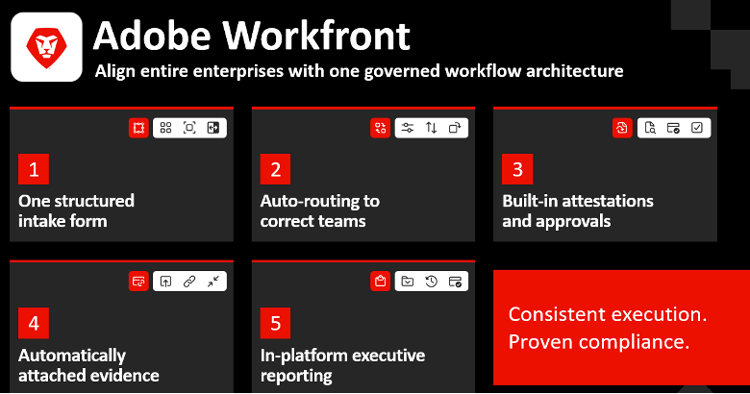
This is what I mean by a governed workflow operating model. Work enters the system through a structured intake. It routes correctly. Approvals and attestations are embedded as steps, not afterthoughts. Evidence is attached directly to the work record. Reporting is real-time, not reconstructed after the fact.
The hardest part was not the Workfront build
The core issue I ran into was convincing everyone that this model would work and was the right way to build a process. My audience was visual. Describing the new model in words wasn’t enough. I had to build the mock-up, show them exactly how the process would change, and demonstrate the efficiencies they would gain especially around making the line of business self-sufficient. That was the thing that finally moved them.
Don’t get discouraged if they say no the first time. Build it. Show them. The model speaks for itself once they can see it.
Once everything was connected, reporting changed overnight
Before the redesign, the team searched in two different places for the same information, and still not confident in what they found. After the redesign, everything lives in one place with consistent taxonomy.
Now, with a few clicks, consumers and managers of the process have instant visibility into procedures, attestations, and procedure subprocess records, everything they need to answer any reporting requirement.
The volume of data flowing through the process also tells the story: thousands of attestations and intakes every year, just for this one process alone. We save the business thousands of hours a month simply by making information findable without manual assembly.
About three years ago, I took it a step further. Instead of requiring the line of business to navigate into a project, find the right issue, find the right attestation, and complete a custom form, I gave them a dashboard full of customized reports. They log in, they see exactly what’s assigned to them, they update two fields, and they’re done. That one change alone had a significant impact on time savings and compliance completion rates.
The bigger shift, though, was cultural. The business became part of the process instead of just being chased to complete tasks. They were accountable. They had visibility. And because everything was connected, they trusted the data, because for the first time, the data was actually accurate.
What I would do differently
The real lesson isn’t about Workfront, it’s about process discipline. Don’t bring a broken process into the tool and expect the tool to fix it. Digitizing chaos just makes the chaos faster. Take the opportunity to redesign the workflow first, establish your governance standards, then onboard. In that order. Every time.
Where to start if you want to replicate this
Pick one process. Pick the one with the most friction, the most regulatory exposure, or the most complaints. Find one business partner who knows that process inside and out and is willing to work through the redesign with you.
Start with the report. Work backwards into the data model. Build connected, not siloed. Make compliance a step inside the workflow, not a reminder that arrives after the work is done.
Design the pattern once. Then replicate it everywhere.