This article explores how a community of Workfront administrators turned real-world missteps into smarter, more resilient systems—openly sharing what broke, how they fixed it, and the practical insights that only experience (and a little chaos) can unlock.
Where the learning really begins
This year, a group of Workfront administrators got together and did something rare: we compared our biggest mistakes. We talked about what broke, how we fixed it, and lessons learned.
Some of us made our first major mistake just a few months ago—and yes, we did it in prod. Others nodded along and said, “That’s happened to the best of us.”
This article shares those real stories and the hard-won lessons behind them. The article helps you recognize the warning signs, avoid the most painful pitfalls, and feel a little less alone when things don’t go as planned.
When everything started to shift
Across the organizations, we were updating intake forms for new pricing and hourly rates, changing queue topic names, adjusting approvals. As a result, IT wouldn’t see marketing work, and cleaning up old configurations that were “just working so we left it.” All of this was happening while business requirements kept shifting after implementation.
As one of our user group members put it:
“We build requirements that the business pulled together, and then requirements shift. Then you start to find yourself trying to modify your solution to meet this new trailing requirement that structurally changes your solution.”
Stakeholders blessed a workflow, rolled it out, and then they came back with changes that structurally altered the creation.
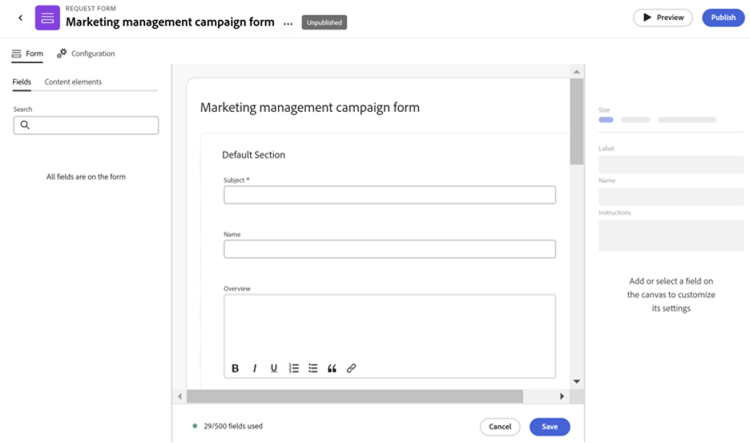
How a copied form overwrote months of data
Mistakes eventually hit—hard.
One administrator copied an intake form to preserve complex display logic, but the new fields created during the copy process overwrote historical records in the system. It affected projects from May through September.
Another changed group assignments on approvals and said, “all of our approval queues are gone.”
Someone deleted fields instead of moving them to the admin‑only section, learning afterward that deleting a field is permanent and cannot be recovered.
Others ran into queue topics losing their paths, historical requests going blank, or approvals breaking when group permissions changed.
And there was the moment someone misconfigured auto‑provisioning:
“I had people calling me like, I can’t see any of my projects. Everything is missing.”
There were definitely many moments of panic.
Putting the pieces back together
We made reports to identify affected projects and added historical field values back into request queue forms. We performed bulk updates to restore data, recovering about 60% of what was overwritten. For unrecoverable records, we added notes in an admin‑only section documenting the affected projects.
We created calculated fields to catch blank queue topic names and added “Queue Topic Override” fields to preserve the original intent.
We rebuilt approval loops using Fusion scenarios based on region. Some of us created entirely new queue topics because the old ones were too messy to salvage.
We went into Preview, used last‑login reports to find affected users, retrieved original settings from the last refresh, and bulk‑restored everything.
Adobe Support helped map out best practices moving forward.
Lessons learned the hard way
Best practices were learned the hard way:
-
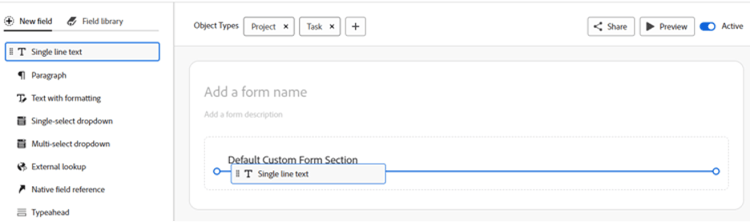
Always create brand new custom fields for new data values; each has a unique name and ID.
-
Move deprecated fields to an admin‑only section rather than deleting them. Deleted fields cannot be recovered.
-
Avoid excessive display of logic in forms.
-
Using the same calculated field across multiple forms does not work the way we thought. Updates do not propagate.
-
Changing queue topic names breaks historical paths.
-
Manage access on queue projects can lead to accidental status changes or deletions.
-
Layout template changes can have cascading, unexpected effects.
We learned to set variables at the beginning of Fusion scenarios instead of referencing fields throughout, so if a field name changes, only the variable needs to update.
We learned to document Fusion dependencies in custom fields with notes like “Used in Fusion,” and to finalize process design before building automations.
And we learned this lesson, too:
Listen, if you're going to do anything large in your system, before you do it, refresh your sandbox.
Where the rework begins
We talked about requirements shifting post‑implementation. Someone said, “We had a workflow everyone blessed. We rolled it out. Then I ran a report and saw that they weren’t using it anymore.”
Stakeholders came back saying, “We actually need a whole new one,” and the admin said:
“No, I think what we need to do is remember to use the one that we started with. Give me six months and then I’m more than happy to tweak.”
The strategies were the same for all of us:
Duplicate custom forms before major changes, ask who owns what, build in waiting periods, and get stakeholders to use existing workflows before requesting new ones.
We also learned to ask:
“What is the sentence that you want to be able to say?”
It helps stakeholders articulate what they truly need.
How we grow from the chaos
Every mistake gave us a good opportunity to create a better process or build something that didn’t exist before.
Using Preview became a lifesaver. Enabling “request intake via email” helped us track our own undocumented admin work. Tracking Fusion scenarios in a project gave visibility people didn’t have before. And starting with the smallest possible scope prevented system‑wide headaches.
Through all of it, we reminded each other:
1. We never make significant changes on Fridays;
2. We don’t delete custom fields;
3. We limit delete access for a reason;
4. And with great power comes great responsibility.
We love how open and willing everyone is to share, because that’s how we learn. If there’s one lesson we’re taking into this year, it’s this: slow down before you change anything significant. Moreover, test it somewhere safe, and treat every mistake as fuel for a smarter, more resilient Workfront instance.
Keep learning with us
If this article sparked ideas or made you nod along in recognition, consider joining a Workfront user group. It’s the easiest way to swap stories, learn smarter shortcuts, and stay connected with people who are solving the same challenges you are every day.