Shader Settings panel
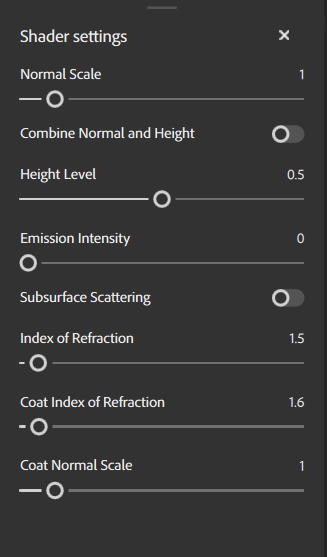
The Shader Settings panel is where you can configure how the shader renders your assets on the mesh in the 3D viewport.
Material parameters
Material parameters let you adjust how your current material is rendered by the shader.
Parameter name
Description
Normal Scale
Adjust the strength or intensity of the normal map.
Combine normal and height
Toggle whether Height and normal maps are combined into a single map.
Height Level
Change the base level of the height for displacement.
Emission Intensity
Adjust the strength of emissive maps.
Subsurface scattering
Toggle Subsurface scattering on or off.
Index of Refraction
Adjust the angle at which light refracts off surfaces.
Coat Index of Refraction
Adjust the angle at which light refracts off the surface coat.
Coat Normal Scale
Adjust the normal scale specifically for the surface coat.
recommendation-more-help
cfc4e62b-a372-4470-ab96-9509c6c56b57