Perforate
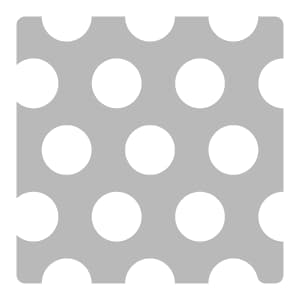
In: Generators
Description
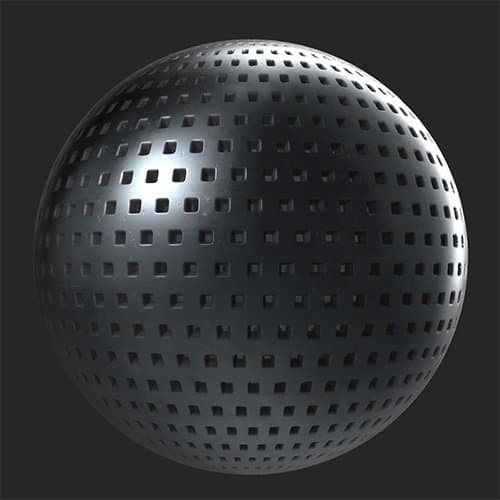
Use the Perforate filter to add holes to your material.
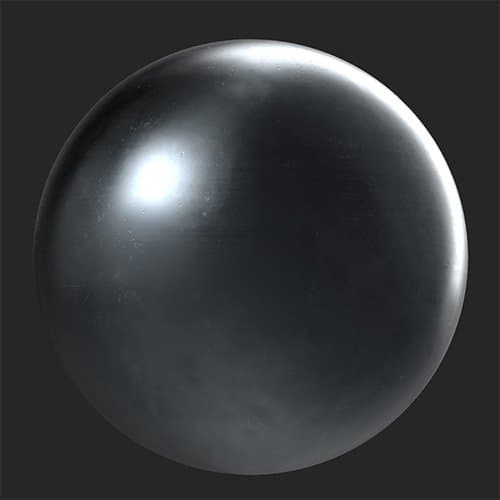
Before and after applying the Perforate filter.
| table 0-row-2 0-border-0 1-border-0 2-border-0 html-authored no-header | |
|---|---|
|
|
Parameters
Basic parameters
-
Random Seed:
The random seed determines the random values of other parameters that use randomness in this filter. -
Pattern Selection:
Select the shape of the holes or choose Custom Pattern to create your own. -
Perforation Position:
Select whether the normals and height recede into your material or stand out from the material -
Perforation Chamfer Size: 0-1
Change the size of the chamfer on the edges of holes -
Hole Size: 0-1
Change the size of the holes -
Use Mask: toggle
Enables the Mask section which you can use to mask out the perforation with a brush or image. -
Use Scale Map: toggle
Enables the use of a scale map. When enabled the following parameters will appear:- Scale Map Multiplier: 0-1
Adjust how much of an impact the scale map has on the scale of the perforation - Invert Scale Map: toggle
Invert the values of the scale map - Custom Scale Map: image/brush
Import an image to use as a scale map or use the brush to paint a scale map directly in the 2D view
- Scale Map Multiplier: 0-1
Mask
This section is only visible if Basic parameters > Use Mask is enabled
- Invert Mask:
- Mask Blur: 0-1
Adjust the blur applied to the mask - Mask Threshold: 0-1
Modify the threshold of the mask. Use the Mask Blur and Mask Threshold values together to fine tune the edges of your mask. - Custom Mask: image/brush
Import an image to use as a mask or paint your own mask directly in the 2D view
Perforation
- Perforation Size: 0-1
Change the size of each perforation - this includes the hole and the chamfer. - Perforation Y Amount: 1-64
Adjust the number of perforations on the Y axis - Perforation X Amount: 1-64
Adjust the number of perforations on the X axis - Perforation Density: 0-1
Randomly mask perforations - Perforation Offset: 0-1
Adjust the offset of every second row of perforations - Perforation Color Opacity: 0-1
Adjust the transparency of the color of the chamfered area of perforations - Perforation Color: color select
Select the color of the chamfered area of each perforation - Perforation Roughness: 0-1
Modify the roughness value of perforations - Perforation Metallic: 0-1
Modify the metallic value of perforations
Advanced parameters
- Luminosity: 0-1
- Contrast: -1 to 1
- Hue Shift: 0-1
- Saturation: 0-1
- Normal Intensity: -1 to 1
Adjust the strength of each perforations normals - Height Intensity: 0-1
Adjust the strength of each perforations height map