Scratches Generator
In: Texture Generators > Patterns
Description
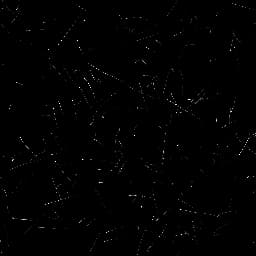
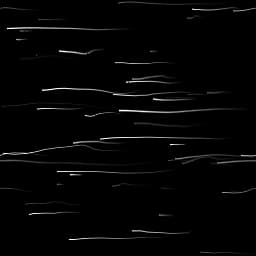
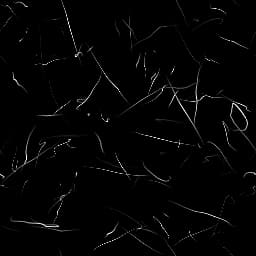
This places random scratches with a lot of customisation options, for example allowing you to set direction, spread and distortion.
There’s a special version of Scratches Generator, Scratches Generator Normal, which generates Normalmaps based on the depth of these scratches. Most options are exactly the same, but it has a few extra parameters clearly marked for Normal settings (see below).
Parameters
Spline Number 1 - 512
Amount of scratches (splines) to place.
Max Segments Per Spline 2 - 256
Amount of segments/subdivisions over the length of a scratch. Leads to smoother curves and distortions. The effect is more noticeable with higher Distortion values.
Spline Rotation 0.0 - 1.0
Uniform rotation of all splines, to orient them in a direction.
Spline Rotation Random 0.0 - 1.0
Variation of angle, randomly rotates every spline.
Spline Scale 0.0 - 1.0
Uniformly scales all splines.
Spline Scale Random 0.0 - 1.0
Randomly scales each spline individually.
Spline Distortion 0.0 - 1.0
Uniform distortion level across all splines.
Spline Distortion Random 0.0 - 1.0
Randomises the level of distortion of each spline individually.
Spline Distortion Frequency 0.0 - 1.0
Sets the frequency of distortion, controls the scale of distortion detail.
Spline Width 0.0 - 2.0
Sets the width of all splines uniformly.
Spline Width Random 0.0 - 1.0
Randomises the spline width of each spline individually.
Spline Position Random 0.0 - 1.0
Randomises the position of each spline individually. The lower this value, the more splines will cluster to the center of the canvas. Can be used to create spots of scratches.
Set Spline Width in px False/True
Determines the units used for spline width settings.
Luminance Random (Grayscale version only) 0.0 - 1.0
Randomises the Luminance of each spline individually.
Normal Intensity (Normal version only) 0.0 - 1.0
Sets the strength of the Normal effect for every spline globally.
Normal Intensity Random (Normal version only) 0.0 - 1.0
Randomises the normal strength for each spline individually.
Normal Format (Normal version only) DirectX, OpenGL
Switches between different Normalmap formats (inverts the green channel).
Fade Mode None, Start, End, Start + End
Sets whether and in what direction the splines fade.
Fade Length 0.0 - 1.0
Sets the length of the fade effect, if enabled above.
Non Square Expansion False/True
Enables compensation of squash and stretch with non-square ratios.
Examples
recommendation-more-help
substance-3d-designer-help-guide