Polygon 1
In: Texture Generators > Patterns
Description
Generates a polygon shape, with many options for adjustment. See Polygon 2 for a simpler version.
Parameters
Sides 3 - 32
Sets the amount of sides the polygon should have.
Explode 0.0 - 1.0
Moves polygon “slices” apart.
Triangle Size 0.0 - 1.0
Adjusts size of slices/triangles. Any adjustment could break the shape apart, only 1,1. is perfectly connected!
Scale 0.0 - 1.0
Scales the whole shape as one.
Auto Scale False/True
Adjusts scales so the whole polygon fits into view, with default parameters.
Rotation 0.0 - 1.0
Rotates the entire shape.
Gradient False/True
Generates gradient slices/triangles instead of solid ones. Note: becomes similar to Polygon 2 with this setting enabled.
Gradient Invert False/True
Flips the gradient direction if “Gradient” is enabled.
Tiling 1 - 16
Sets the amount of times the result should tile.
Non Square Expansion False/True
Enables compensation of squash and stretch with non-square ratios.
Non Square Tiling False/True
When Non Square Expansion is enabled, this will tile the shape without squashing.
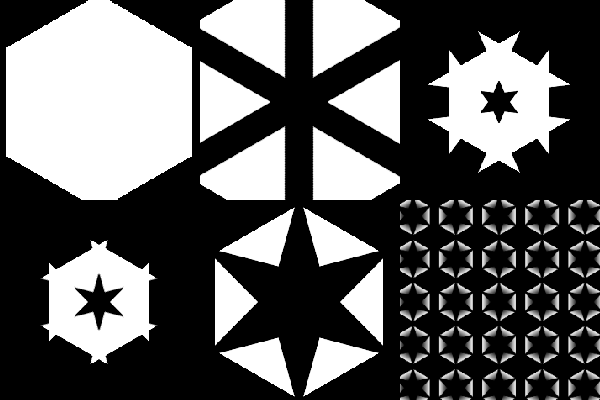
Examples
recommendation-more-help
substance-3d-designer-help-guide