Moss Weathering
In: Mesh Based Generators > Weathering
Description
This is a full-material effect that works on multiple channels at once. It generates an overgrown moss effect, with a single control for Propagation.
This effect works best with a baked World Space Position map and an additional Heightmap. While this is not an exact requirement, it lends the effect more credible placement.
Make sure to properly understand the Link Creation Modes when working with full materials.
Inputs
Position Color Input
Baked World Space Position.
Height Grayscale Input
Additional Heightmap input.
Mask Grayscale Input
Mask slot used for masking the node’s effects. Can be toggled with the “Mask” parameter.
Parameters
Channels
Toggle material channels on and off in this group, for example when using Specular/Glossiness maps instead of Metallic/Roughness.
Advanced
Normal Format DirectX, OpenGL
Switches between different Normalmap formats (inverts the green channel).
Mask False/True
Toggles the use of the Mask map on or off.
Effect
Moss Propagation 0.0 - 1.0
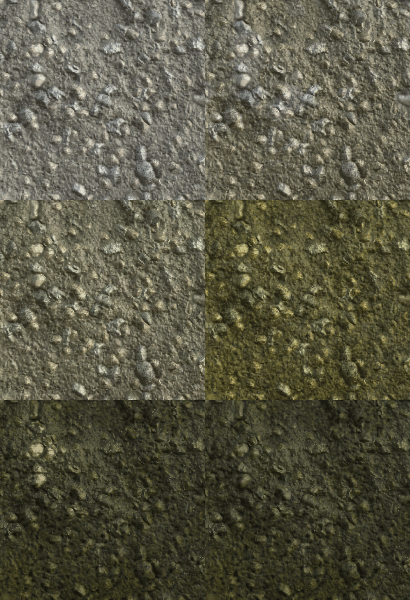
Sets the spread of the moss. Grows in steps from slight coverage to heavy, thick, dark moss.
Blending
Diffuse Intensity 0.0 - 1.0
Blending strength of the Diffuse.
Base Color Intensity 0.0 - 1.0
Blending strength of the Base Color.
Normal Intensity 0.0 - 1.0
Blending strength of the Normal.
Specular Intensity 0.0 - 1.0
Blending strength of the Specular.
Glossiness Intensity 0.0 - 1.0
Blending strength of the Glossiness.
Roughness Intensity 0.0 - 1.0
Blending strength of the Roughness.
Ambient Occlusion Intensity 0.0 - 1.0
Blending strength of the Ambient Occlusion.
Height Intensity 0.0 - 1.0
Blending strength of the Height.
Examples
recommendation-more-help
substance-3d-designer-help-guide