Material Mesh Data Blender
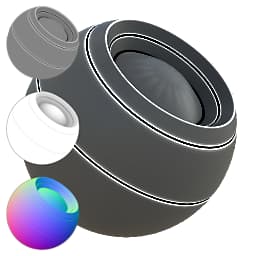
In: Mesh Based Generators > Utilities
Description
This node is intended to make it a lot easier to add detail based on baked data. It comes with a lot of sliders to modify an input full material, based on any and all baked maps as input. Do experiment with it, as there are a lot of options.
It is useful for doing things like adding edge highlighting based on curvature or other maps, blending in some AO with the Diffuse/Basecolor, adding Specular Occlusion based on Curvature and/or AO, etc.
Inputs
Full Material Input (Group “Material”)
Full set of material maps.
These are modified by this node and then returned again as output.
These are modified by this node and then returned again as output.
Ambient Occlusion Grayscale Input
Baked map used for internal effects and masking.
Curvature Grayscale Input
Baked map used for internal effects and masking.
Height Grayscale Input
Normal Color Input
Vertex Color Color Input
World Space Normal Color Input
Parameters
Channels
Toggle material channels on and off in this group, for example when using Specular/Glossiness maps instead of Metallic/Roughness. Affects the availability of the below parameters.
Baked Maps
Whether or not to use the listed baked maps for calculations. Affects the availability of the below parameters.
Diffuse AO 0.0 - 1.0
Amount of Ambient Occlusion to blend into the Diffuse.
Diffuse Sharp Edges 0.0 - 1.0
Amount of the curvature map to blend into the Diffuse.
Diffuse Color From Vertex Color 0.0 - 1.0
Amount of the Vertex Color bake to blend into the Diffuse.
Diffuse Pre Lighting 0.0 - 1.0
Amount of (fake) pre-lighting, based on the World Space Normals.
Diffuse Cartoon Lighting Balance 0.0 - 1.0
Shifts between realistic and cartoonish lighting for the Diffuse.
Diffuse Cartoon Pre Lighting Layers 0 - 10
Controls the look of the cartoonish lighting calculations.
Diffuse Cartoon Outlines 0.0 - 1.0
Controls the look of the cartoonish lighting calculations.
Base Color AO 0.0 - 1.0
Amount of Ambient Occlusion to blend into the Basecolor.
Base Color Sharp edges 0.0 - 1.0
Amount of the curvature map to blend into the Basecolor.
Base Color From Vertex Color 0.0 - 1.0
Amount of the Vertex Color bake to blend into the Basecolor.
Normal Material Intensity 0.0 - 1.0
Blending strength of the baked (tangent) Normalmap.
SpecularAO 0.0 - 1.0
Blending strength of the AO in the Specular.
Specular Bright Sharp Edges 0.0 - 1.0
Blending strength of the Curvature in the Specular.
Specular Cartoon Outlines 0.0 - 1.0
Blending strength of a cartoon Specular edge-outline effect, based on the Curvature.
Glossiness Dark Sharp Edges 0.0 - 1.0
Blending strength of the Curvature in the Glossiness.
Roughness Bright Sharp Edges 0.0 - 1.0
Blending strength of the Curvature in the Roughness.
Roughness Cartoon Outlines 0.0 - 1.0
Blending strength of a cartoon Roughness edge-outline effect, based on the Curvature.
Metallic Bright Sharp Edges 0.0 - 1.0
Blending strength of the Curvature in the Metallic.
Metallic Cartoon Outlines 0.0 - 1.0
Blending strength of a cartoon Metallic edge-outline effect, based on the Curvature.
AO Materiel Intensity 0.0 - 1.0
Blend strength of baked map AO with Material-generated AO, what degree to combine both AO maps at.
Height Material Intensity 0.0 - 1.0
Blend strength of baked map Height with Material-generated Height, what degree to combine both Heightmaps at.
Height Material Blending Type Reinforce, Interpolation
Blend mode for combining both Heightmaps.
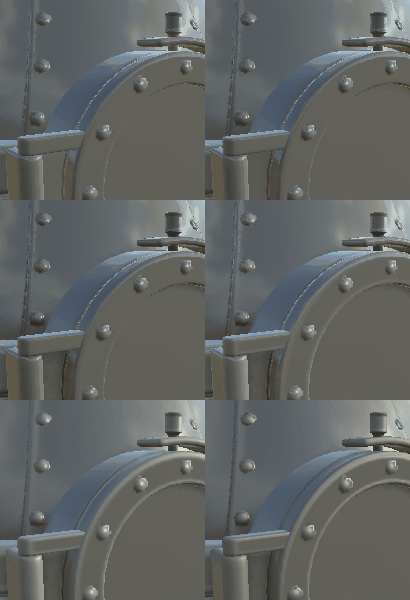
Examples
recommendation-more-help
substance-3d-designer-help-guide